WhatsApp Monthly Message Limit Issue Explained: Why You’re Seeing the 1000 New Chats Restriction & How to Fix It
WhatsApp has quietly rolled out a new limit that has suddenly affected thousands of users, especially those who send bulk messages, run promotions, or reach out to a large number of new contacts every month. If you have recently received a pop-up saying:
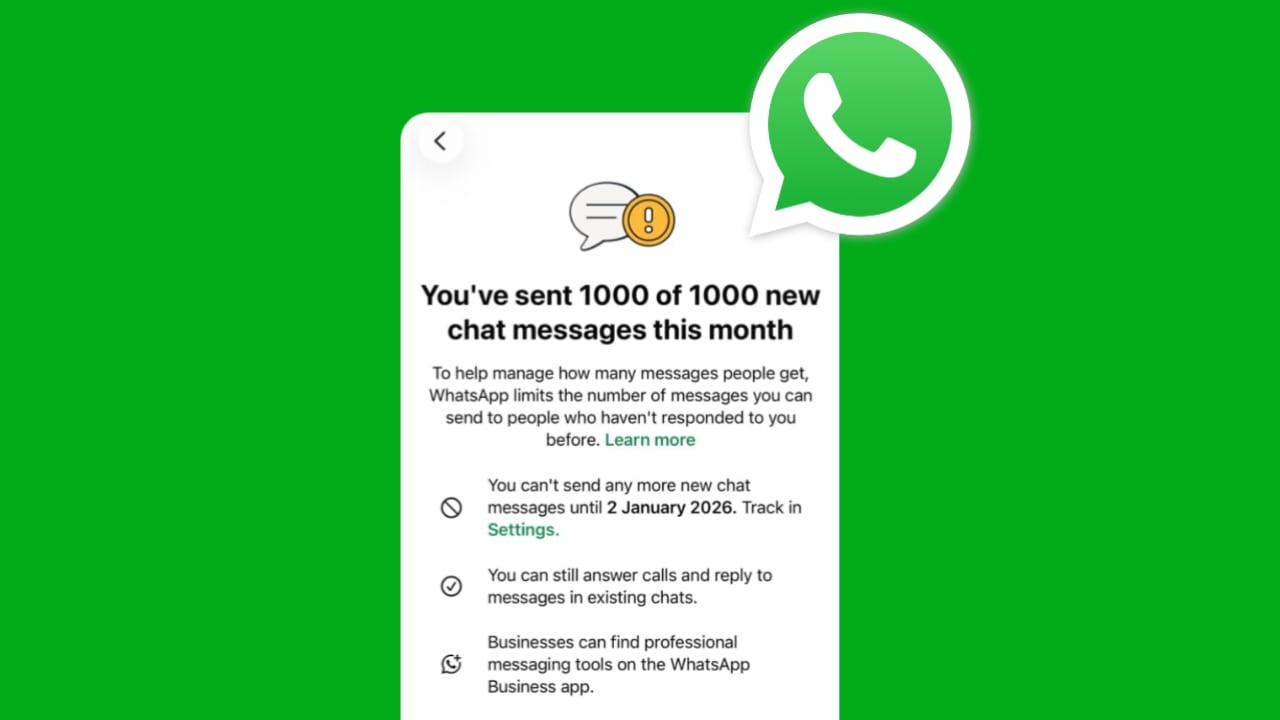
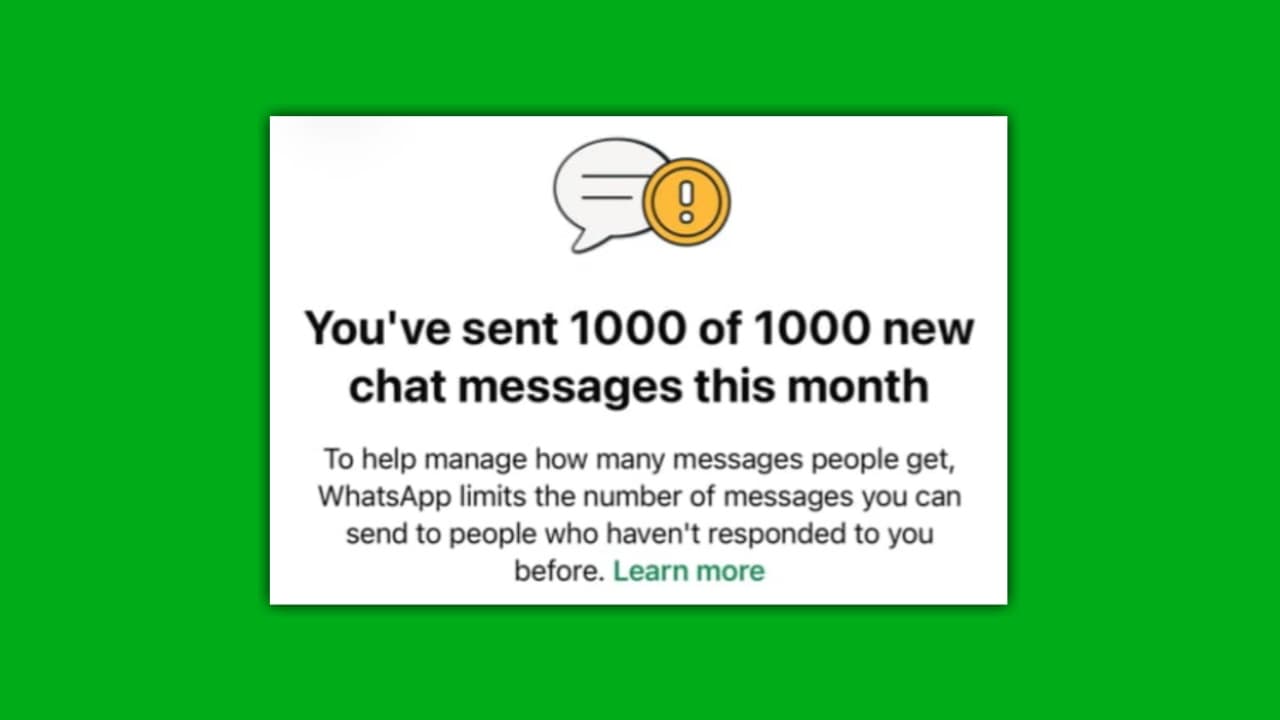
“You’ve sent 1000 of 1000 new chat messages this month. You can’t send more new messages until next month.” Then you are facing WhatsApp’s new Monthly chat Limit.
In this article, I will break down:
- Why is this limit appearing
- Who is getting affected
- What it means for marketing or outreach
- Practical solutions that actually work
- Whether switching to WhatsApp Business helps
- Why using an older WhatsApp version can bypass this issue
- What precautions should you take to avoid future restrictions
This is based on real user experiences, genuine observations, and the latest behavioural updates rolled out by Meta/WhatsApp.
What Is the New WhatsApp 1000 chat Limit?
WhatsApp has introduced a cap on how many new conversations you can initiate in a month.
This limit is currently set to:
1000 new chats per month (for normal WhatsApp users)
This means you can only send messages to 1000 contacts who haven’t replied to you before or who are not in an ongoing conversation with you.
After reaching this limit, WhatsApp will block you from creating new chats until the next reset date (usually the 1st or 2nd of every month).
Even after hitting the limit:
You can still:
- Reply to existing chats
- Receive and respond to calls
- Continue ongoing conversations with people who have already replied earlier
You cannot:
- Message new numbers
- Start new chats
- Send broadcast messages to new contacts
WhatsApp is pushing users toward the WhatsApp Business App, where message handling is more flexible but still regulated.
Why Is WhatsApp Showing This Limit? (Real Reason)
WhatsApp is cracking down on:
- Bulk messaging
- Mass promotions
- Unsolicited outreach
- People are using WhatsApp for marketing the wrong way
- Spam-like behaviour
To protect user experience and reduce spam complaints, WhatsApp now monitors new chat behaviour. If someone sends messages to too many new people who don’t respond or block them, the system flags that account.
This limit is primarily triggered when:
1. You message a lot of people who never replied: Even if your intention is not spam, WhatsApp’s automation sees it as aggressive outreach.
2. You send bulk messages manually: Many small business owners send 100–200 messages every day during promotions.
3. You upload new contact lists frequently: WhatsApp checks if you are suddenly messaging new numbers continuously.
4. People mark your message as “report” or “block”: Even a few reports increase the likelihood of restrictions.
WhatsApp now wants bulk messaging to shift to their Business API, not personal accounts.
Who Is Affected the Most?
From user reports and community feedback, the following groups are facing this issue most frequently:
- Network marketers
- Affiliate marketers
- Students preparing for exams & selling materials
- Job consultants and recruiters
- Business owners sending promotional messages
- Real estate agents
- People are doing lead generation through WhatsApp
- Influencers contacting followers
Anyone who communicates with large numbers of new people regularly is at high risk.
How This Impacts Everyday Users
For many, WhatsApp is not just a chat app; it’s a business tool.
This limit can cause huge problems:
- You cannot reach new customers
- Sales and promotions get affected
- Broadcast list stops working for new contacts
- You lose daily outreach capability
- Work and business follow-ups get delayed
And worst of all:
- You have to wait almost 30 days for the limit to reset.
- This can be painful for businesses that depend on WhatsApp as a main communication channel.
Solutions: How To Fix WhatsApp New Chat Limit
Below are working solutions that people have tried and confirmed.
1. Switch to WhatsApp Business (Recommended by WhatsApp)
The pop-up itself clearly suggests: “Get WhatsApp Business to find professional messaging tools.”
WhatsApp Business allows:
- Quick replies
- Automated messages
- Labels
- Catalogs
- Better handling of customer chats
While it does NOT fully remove the limit, it reduces restrictions because the Business app is designed for communication with new leads.
Best for: Small businesses, freelancers, shops, service providers.
2. Use the Older Version of WhatsApp (Working Method for Many Users)
A number of users have reported that the older WhatsApp version did not have this new chat limitation.
- WhatsApp introduced this restriction in newer updates to control bulk messaging.
- Rolling back to an older version bypasses the limit
- Because the limit system was added in the latest builds.
How to do it (safe way):
- Uninstall the current WhatsApp
- Download a previous official version from a trusted source like APKMirror
- Install the old version
- Restore chat backup
Who should use this solution?
People who message customers/clients in bulk manually and want to avoid monthly limits.
3. Reduce Bulk Messaging and Pace Your Outreach
WhatsApp’s anti-spam system tracks behaviour patterns.
If you send 200–300 messages at once, it quickly flags your account.
Instead:
- Spread messages over the day
- Don’t send repeated promotional texts
- Avoid sending identical templates to everyone
- Mix conversations with replies and engagement
- This reduces the risk of hitting the limit quickly.
4. Use WhatsApp Channels Instead of Direct Messaging
WhatsApp Channels are designed for “broadcast style” updates with no limits on the number of followers.
If your purpose is to:
- Send updates
- Share promotions
- Build a brand
- Reach a large audience
Then create a Channel: There is no 1000-message limit for channel broadcasting.
5. Get Users to Reply Once
The limit only applies to “new chats”. If the person replies even once, they become an “existing chat”. So if you are doing outreach:
Ask people to reply with even a single word like:
“Hi”
“Yes”
“Interested”
“Done”
This removes them from the “new chat” category permanently.
6. Avoid Behaviours That Trigger the Limit Faster
To prevent restrictions:
- Don’t send messages to unverified lists
- Don’t message people who block you often
- Don’t use third-party bulk sender tools
- Don’t forward the same message repeatedly
- Don’t blast messages to 100s of new contacts in one hour
These behaviours increase your spam score.
7. Wait for the Reset Date If Nothing Works
The limit resets automatically on the date shown in the warning screen.
Example:
“You can’t send more new chat messages until 2 January 2026.”
- After the reset, you will again get 1000 new chats.
- Not ideal, but currently part of WhatsApp’s system.
Why Is WhatsApp Pushing Users Toward WhatsApp Business?
The message on the screen itself strongly suggests downloading WhatsApp Business. Why?
Because WhatsApp wants to:
- Reduce spam from personal numbers
- Move marketers & businesses to their Business ecosystem
- Eventually shift them to WhatsApp API (paid model)
- Keep personal WhatsApp clean and spam-free
So this limit indirectly forces users to upgrade.
Also Read:
- WhatsApp’s New ‘About Me’ Feature: A Modern, More Expressive Way to Share Your Status
- WhatsApp’s New Username Feature: A Big Step Toward a Unified Digital Identity
Will Using WhatsApp Business Remove the Limit?
I think not fully.
- WhatsApp Business still has policies, but:
- It handles new contacts better
- There is more flexibility
- Restrictions are relatively softer
- It supports business workflows
For heavy messaging, the Business App is safer than the Personal App.
Is WhatsApp API an Option?
Yes, but only for:
- Medium to large businesses
- Those who want automated messaging
- People are willing to pay per message
- API messages are not limited to 1000 new chats, but they cost money.