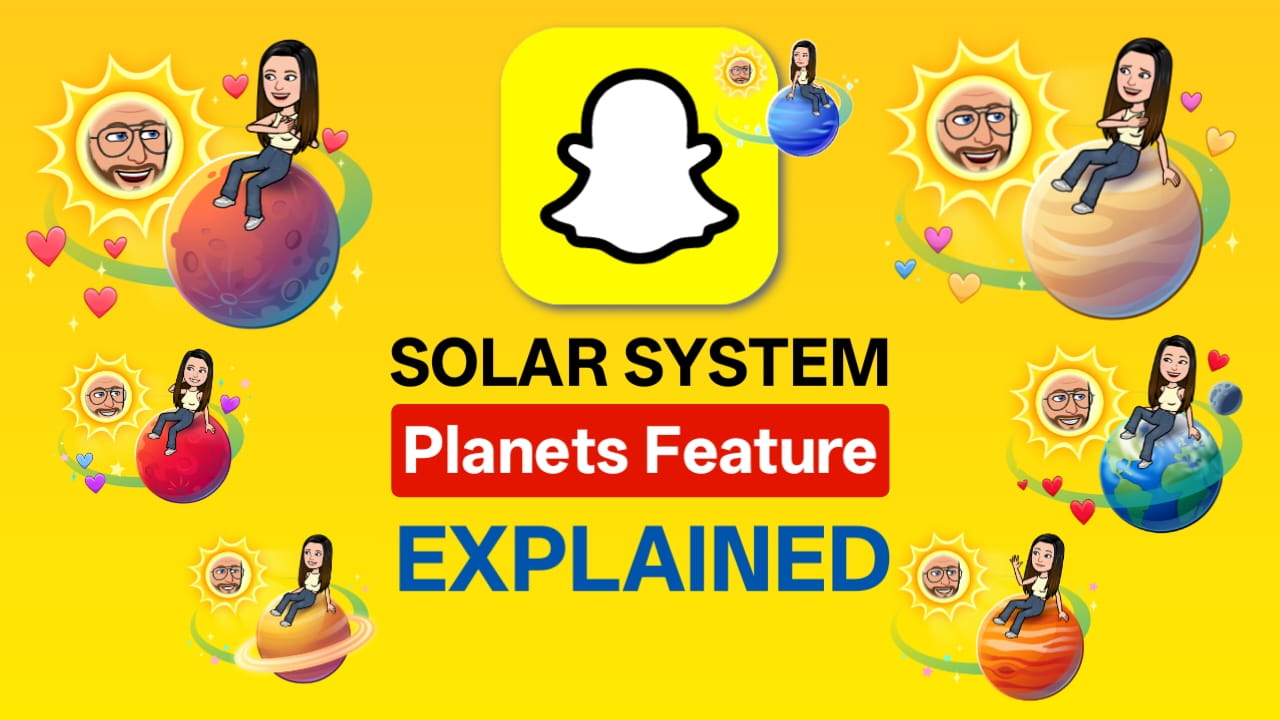
Snapchat continues to experiment with social interaction features, but one of the most interesting additions in recent years is the Snapchat Solar System, commonly known as Snapchat Planets. Currently, this feature is part of Snapchat’s premium subscription and visually represents your Best Friends ranking using planets orbiting around you.
Instead of showing a simple “Best Friends” list, Snapchat turns your friendships into a mini solar system, where you are the Sun and your closest friends are assigned planets based on interaction levels.
This means Snapchat is no longer just tracking who you talk to; it’s ranking your friendships and displaying them visually.
Snapchat Solar System: What do the Snapchat Planets mean?
The Snapchat Solar System is a visual Best Friends ranking included with Snapchat+. Instead of showing a plain list, Snapchat assigns planets to your Top 8 friends based on how often you interact.
Why Snapchat Introduced the Solar System
Snapchat didn’t add planets just for visuals. The goal was to make friendships more interactive and easier to understand.
Instead of checking chat frequency manually, users can instantly see who they talk to most. This turns the Best Friends list into a live, visual ranking that updates automatically.
It also encourages:
- Daily snapping
- More replies
- Stronger engagement
- Friendly competition
That’s why many users start snapping more once they notice their planet change.
Where You See Snapchat Planets
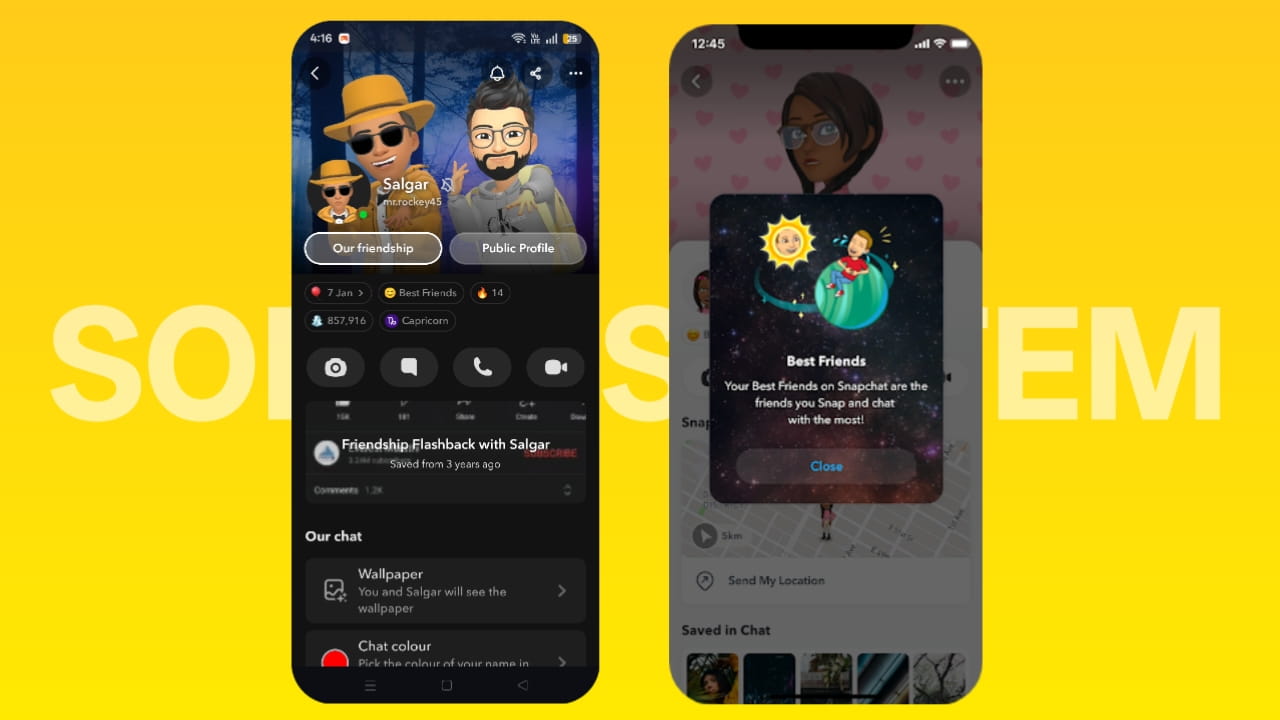
Snapchat planets appear inside a friend’s profile when the Friend Solar System is enabled.
You’ll typically see them:
- On a friend’s profile
- Inside the Best Friends badge
- When tapping the Snapchat+ badge
- On the Bitmoji profile screen
When you tap the badge, Snapchat shows:
- Your planet position
- Animated solar system
- Friend orbit distance
- Visual ranking
This makes the feature feel more like an interactive dashboard rather than a simple list.
Snapchat Planets Update Automatically
Snapchat Planets are dynamic. They change based on recent interaction, not past history.
The ranking updates using signals like:
- Daily snaps
- Chat replies
- Story responses
- Snap streaks
- Recent activity.
Because of this, someone can move from Mars to Venus, or Mercury to Earth, within a few days. This is why users often notice planets changing quickly after interaction increases or drops.
How Does Snapchat Plus Planets Work (Factors & Ranking Logic)
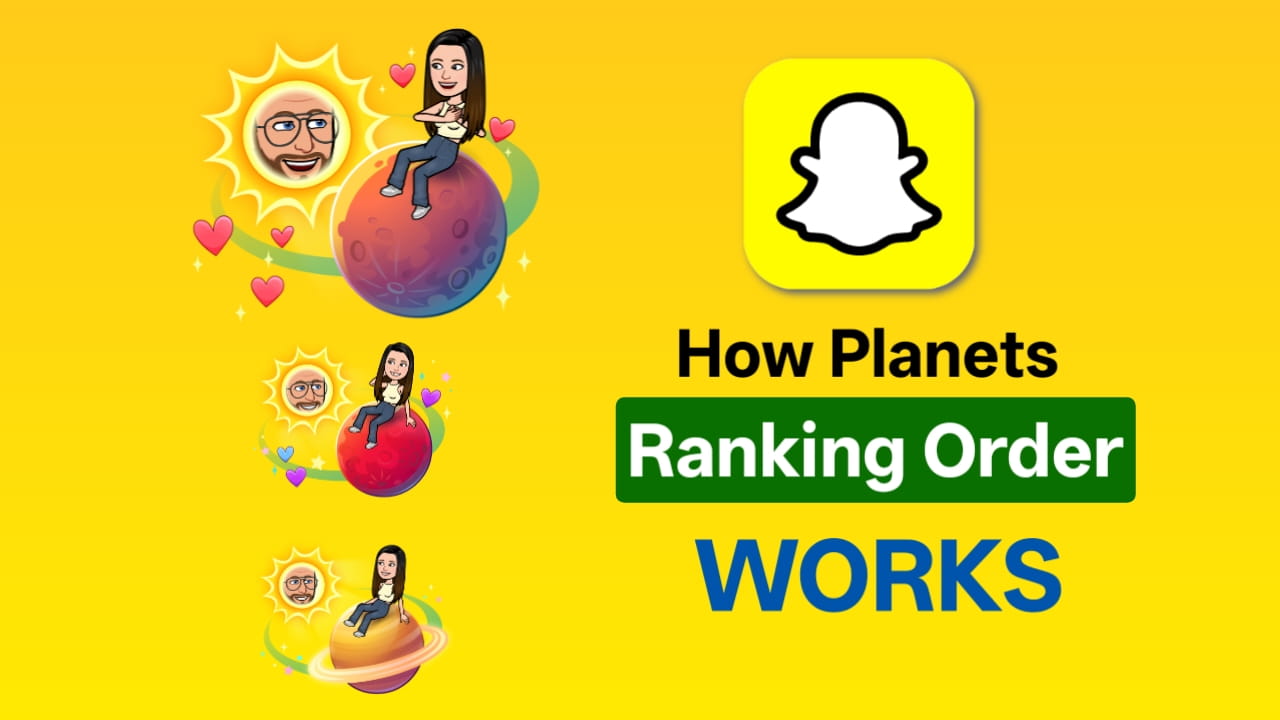
The Snapchat Plus Planets feature works using a hidden interaction-based ranking algorithm. Snapchat analyses how frequently and how recently you interact with someone, then assigns a planet based on your closeness score.
You don’t manually choose your planet. Snapchat automatically calculates it using engagement signals. The more you interact, the closer your planet moves to the Sun.
Core Logic Behind Snapchat Planets Ranking
Snapchat builds a closeness score using multiple signals, including:
- Snap frequency
- Snap replies (two-way interaction)
- Chat conversations
- Story replies
- Snap streak length
- Recency of communication
- Mutual engagement
- Response speed
- Video vs photo snaps
- Consistency over time
That means a higher interaction score is equal to a closer planet like Mercury, and a lower interaction score will give an outer planet like Neptune position.
Snapchat Planets Order Calculator
A Snapchat Planets Order Calculator is an estimated way to predict which planet you are in someone’s Snapchat Solar System. Since Snapchat doesn’t show a numerical score, users often try to calculate their ranking based on interaction activity.
There is no official calculator from Snapchat, but based on testing and user experience, you can estimate your planet position using interaction signals. This calculator works by assigning points to Snapchat activities and comparing total scores.
Snapchat Planets Order Best Friends (Best Friends Ranking List According to Planets)
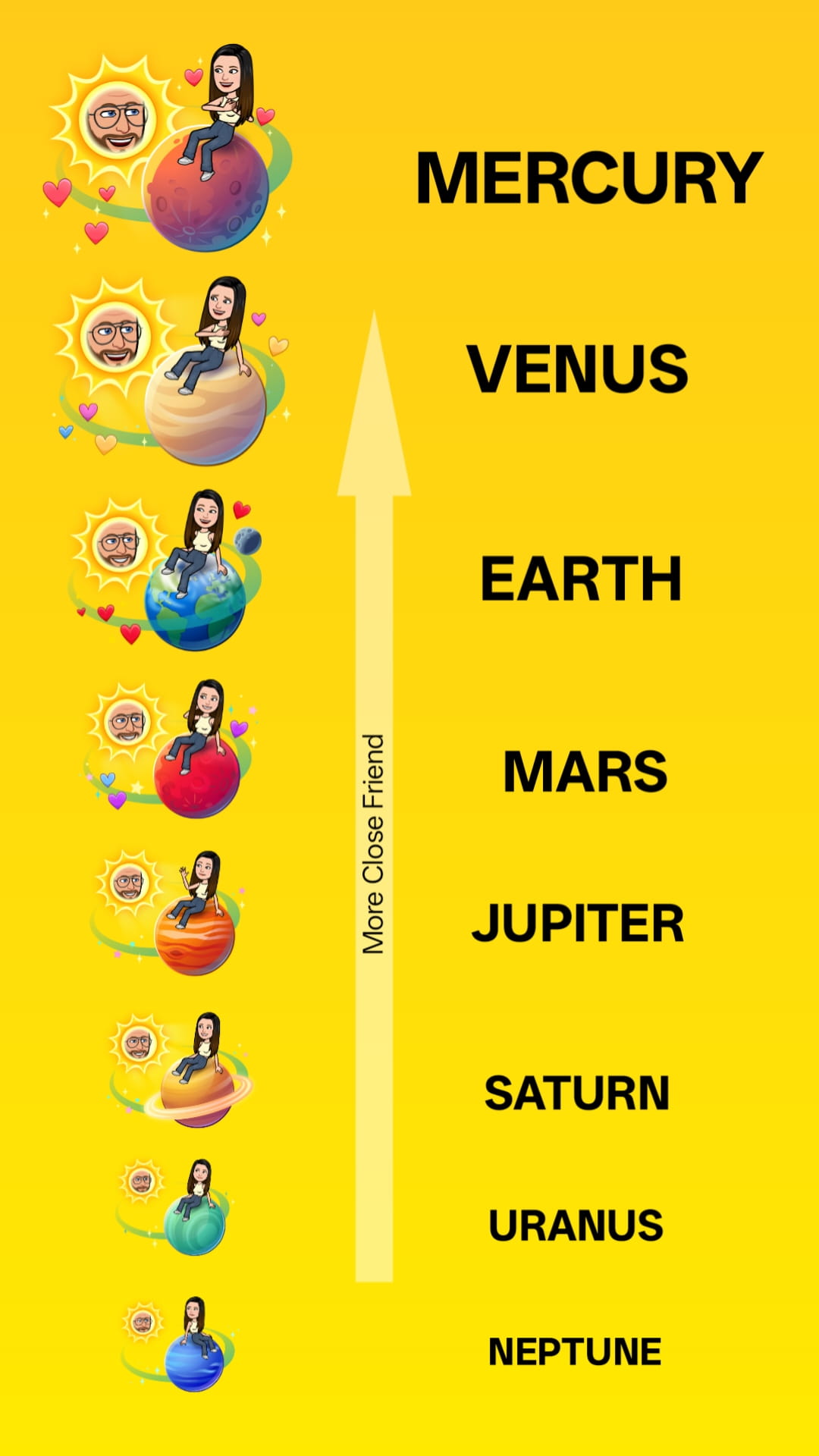
The Snapchat Planets Order Best Friends list shows how Snapchat ranks your Top 8 closest friends using the solar system model. Each planet represents a specific position in your Best Friends ranking.
The closer the planet is to the Sun, the stronger your Snapchat interaction with that person. This means Snapchat Planets are simply a visual ranking list, but instead of numbers, Snapchat uses planets.
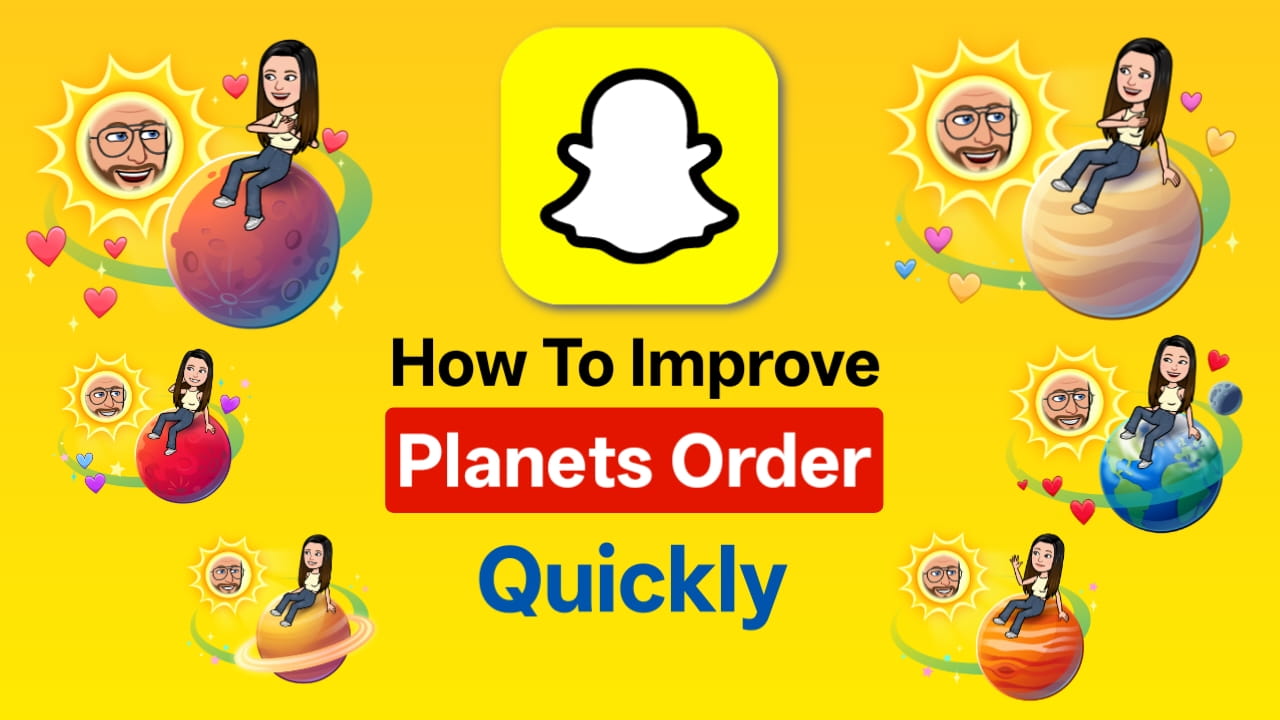
Snapchat Planets Order (Closest to Farthest)
Here is the official Snapchat Best Friends ranking according to planets:
| Solar System: Planets | Best Friends Rank | Rank | Visual Description (How it looks) |
| Mercury | Best Friend | #1 | Small orange/red planet with red hearts orbiting close to the Sun |
| Venus | Best Friend | #2 | Yellow/light brown planet with colorful hearts (pink, yellow, blue) and sparkles |
| Earth | Best Friend | #3 | Blue & green Earth with moon, stars, and red hearts |
| Mars | Best Friend | #4 | Red planet with purple/blue hearts, stars & sparkles |
| Jupiter | Best Friend | #5 | Reddish-orange planet with swirling stripes and some hearts |
| Saturn | Best Friend | #6 | Pale yellow planet with rings and minimal hearts |
| Uranus | Best Friend | #7 | Light blue/green planet with few sparkles |
| Neptune | Best Friend | #8 | Deep blue planet with sparkles & floating dots |
After Neptune, users are not included in your Best Friends list.
Snapchat Solar System Planets Meaning (All Planets Meaning Breakdown in Detail)
Each Snapchat planet represents a different level of friendship strength. The meaning of every planet depends on how often you interact with someone through snaps, chats, replies, and streaks.
Snapchat assigns planets from Mercury (closest) to Neptune (farthest). The closer the planet is to the Sun, the stronger the interaction. Below is the complete breakdown of Snapchat planets’ meaning in detail.
Snapchat Mercury Planet Meaning – Snapchat #1 Best Friend
Mercury is the closest planet to the Sun in the Snapchat Friend Solar System. If someone appears as Mercury, it means you are their #1 Best Friend and the person they interact with the most. This usually indicates daily snapping, fast replies, and strong overall engagement. Mercury represents the highest level of Snapchat interaction.
Users in the Mercury position typically exchange snaps every day, maintain long streaks, and have frequent conversations. Story replies and quick responses are also common. This position is usually held by a best friend, partner, or someone you talk to constantly. If interaction decreases, Mercury can quickly drop to Venus.
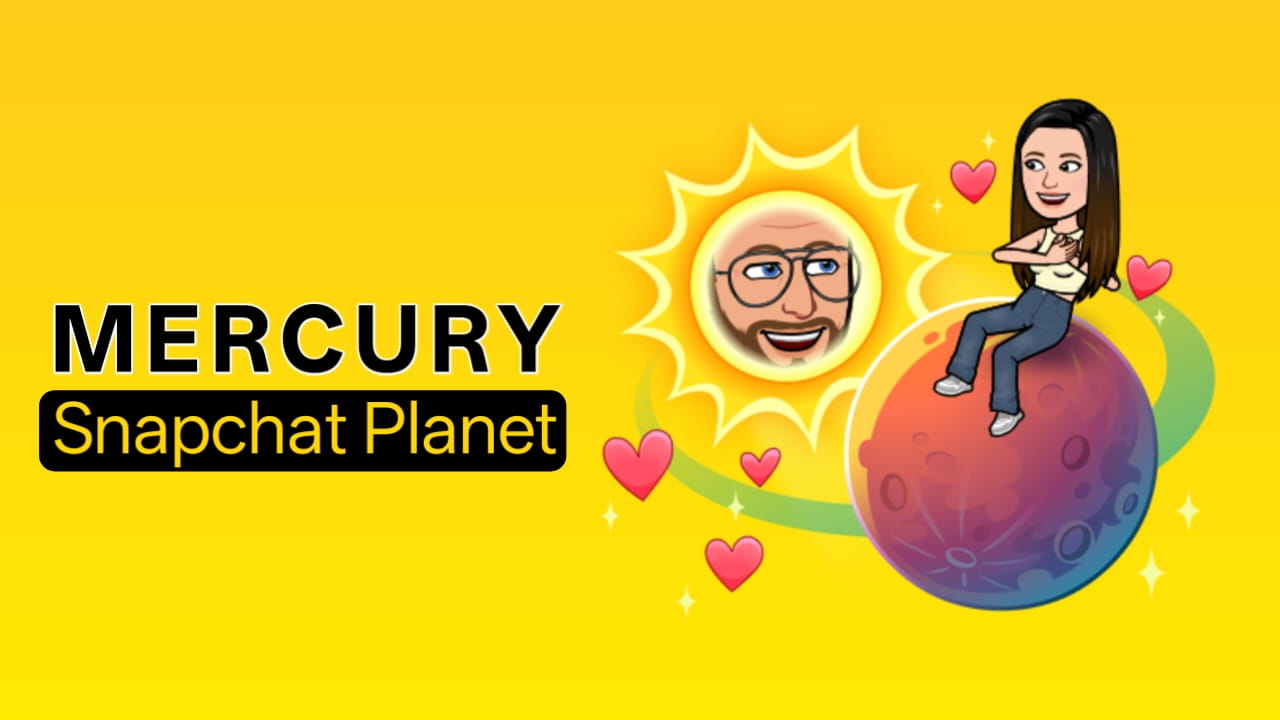
This means:
- You interact the most with them.
- You snap daily.
- You reply quickly.
- You have a strong streak.
- You chat frequently.
- Mercury represents the strongest Snapchat connection.
Typical Mercury behaviour:
- Daily snaps
- Fast replies
- Long streaks
- Frequent conversations
- Story replies
Mercury is usually:
- Best friend
- Partner
- Close online friend
- Someone you talk to every day
If you stop snapping Mercury, you may drop to Venus.
Snapchat Venus Planet Meaning – Snapchat #2 Best Friend
Venus is the second closest planet and represents the #2 Best Friends on Snapchat. This means you interact frequently but slightly less than the Mercury position. Venus still indicates strong communication and regular engagement.
Users in this position often send frequent snaps, maintain moderate streaks, and chat occasionally. Replies are usually quick, but interaction may not be as consistent as Mercury. Many users move back and forth between Mercury and Venus depending on activity levels.
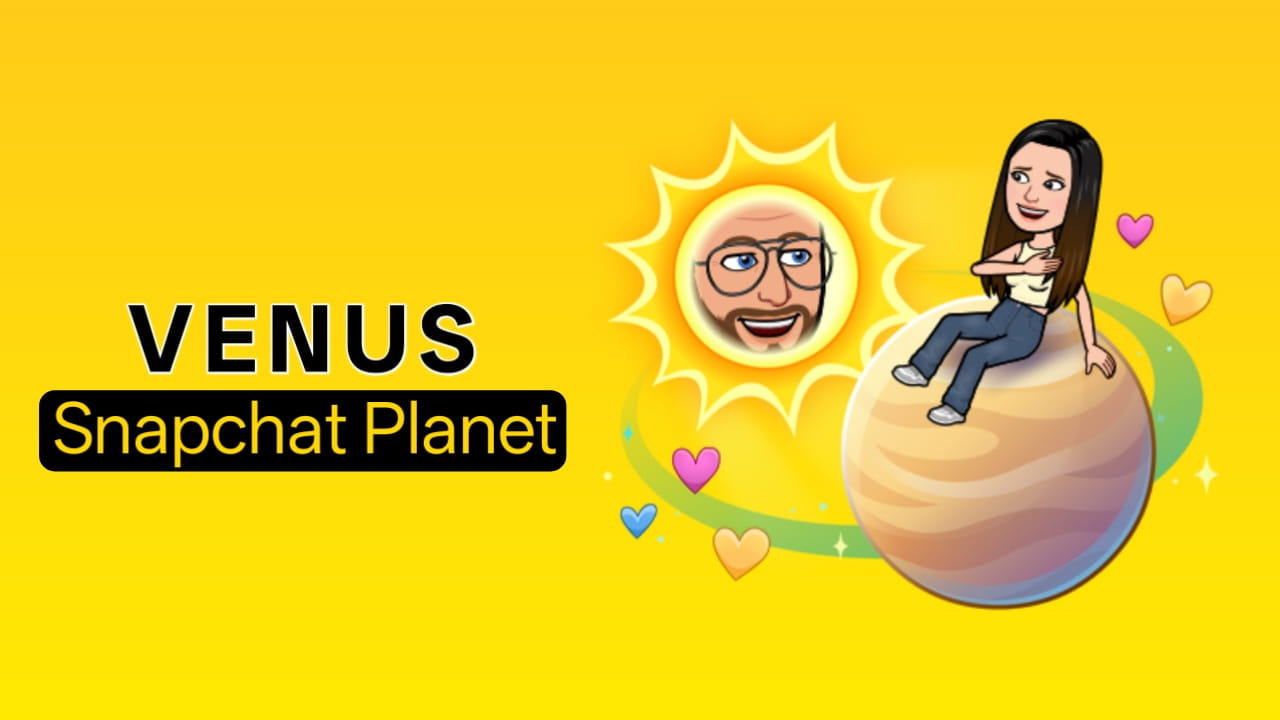
This means:
- You interact often.
- But not more than Mercury.
- Strong communication.
- Regular snaps.
- Venus represents a very close friendship, but not the closest.
Typical Venus behaviour:
- Frequent snaps
- Occasional chats
- Medium streak
- Quick replies
Many users move between Mercury ↔ Venus; it depends on your activity.
Snapchat Earth planet Meaning – Snapchat #3 Best Friend
Earth represents the third closest friend in the Snapchat Solar System. This position indicates regular interaction but not necessarily daily communication. Earth is still considered a close friend, just with moderate engagement.
Typical Earth interaction includes snaps every few days, occasional chats, and sometimes replying to stories. The engagement level is balanced but not very intense. Earth is in a stable position and can easily move up to Venus or drop to Mars, depending on activity.
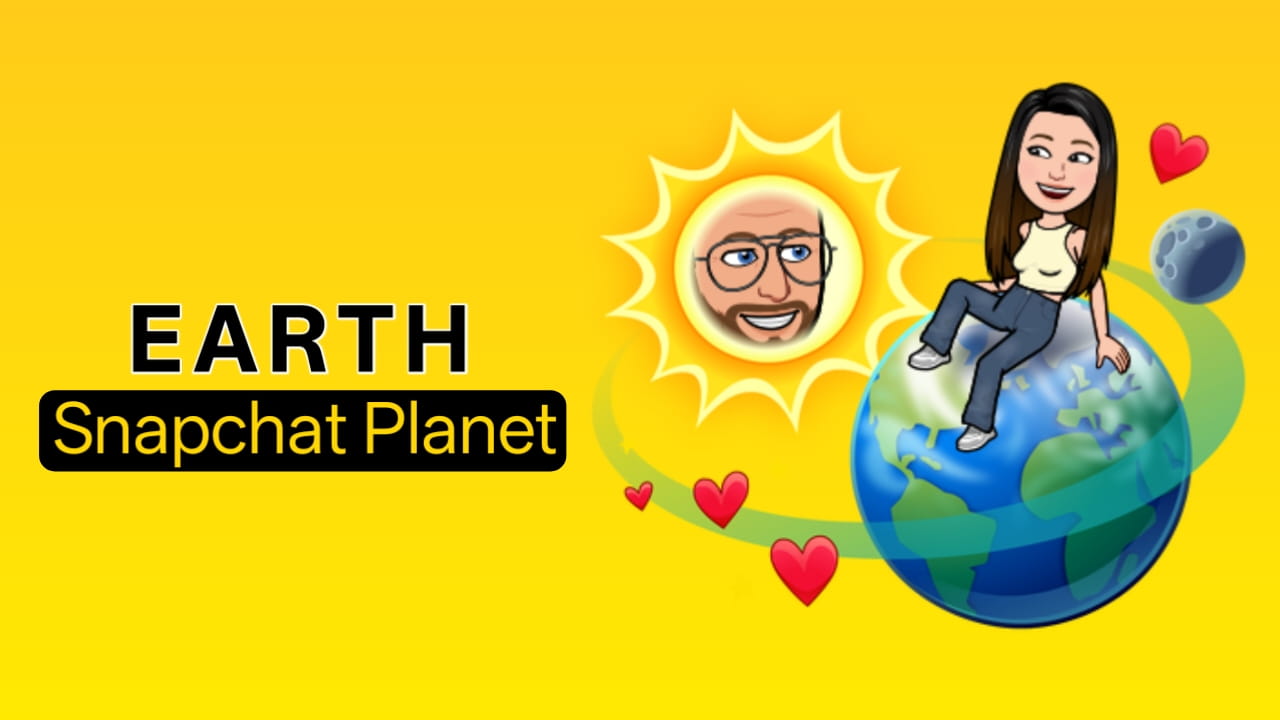
This means:
- You interact regularly
- But not daily
- Moderate snapping
- Occasional chats
- Earth is still considered a close friend.
Typical Earth interaction:
- Snaps every few days
- Some chats
- Story replies sometimes
- Medium engagement
Earth is stable but can move up or down.
Snapchat Mars planet Meaning – Snapchat #4 Best Friend
Mars represents moderate interaction and places you in the middle of the Best Friends list. If someone appears as Mars, you are still their top friend, but communication is less frequent.
Users in this position usually send snaps weekly, have a few chats, and maintain low streaks. Replies may be occasional rather than consistent. Mars is considered a mid-tier friendship and can shift to Earth with more interaction or drop to Jupiter if activity decreases.
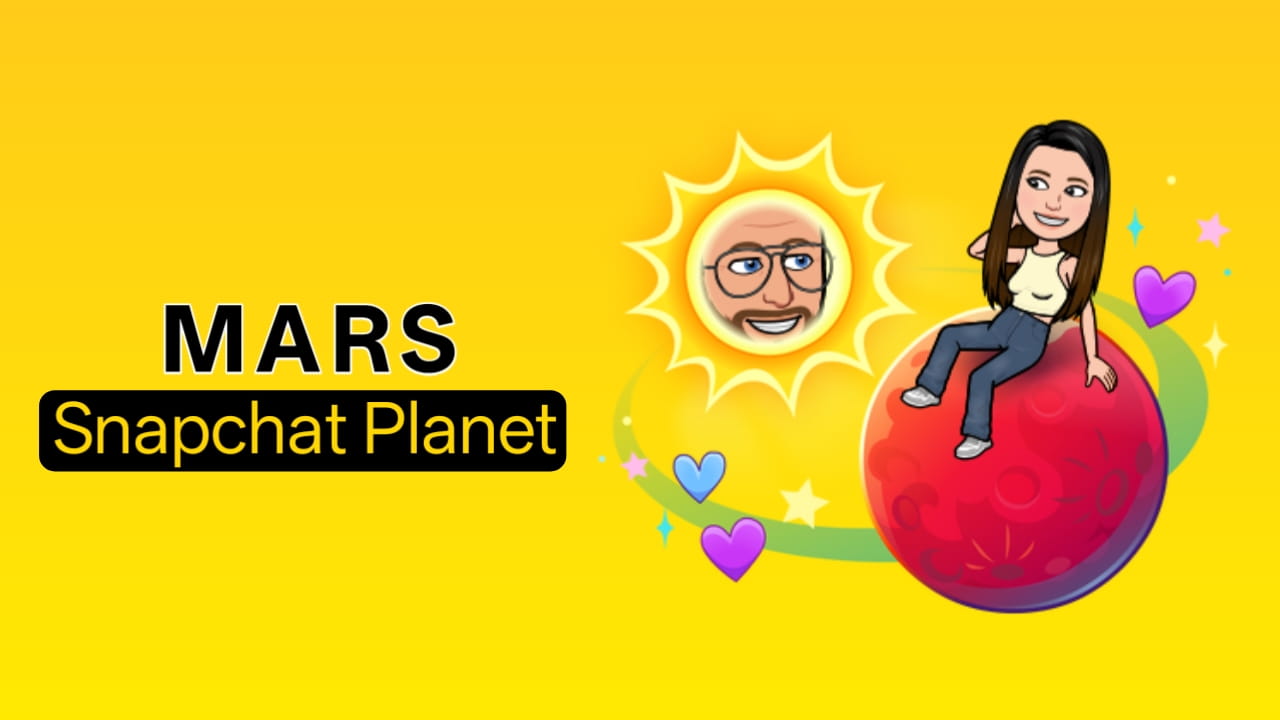
If someone is Mars, you are:
- Still in the top 4
- But not highly active
- Occasional communication
Mars typically means:
- Weekly snaps
- Few chats
- Sometimes reply
- Low streak.
Mars is mid-tier friendship. You can move: Mars → Earth
Mars → Jupiter
It really depends on the activity.
Snapchat Jupiter planet Meaning – Snapchat #5 Best Friend
Jupiter represents casual interaction and lower engagement compared to the inner planets. If you appear as Jupiter, you are still in the Best Friends list, but communication is limited.
Typical Jupiter behaviour includes occasional snaps, rare replies, and little to no streak. Conversations are not frequent, and interaction may happen only sometimes. Jupiter is considered a middle-to-low tier position in the Snapchat Solar System.
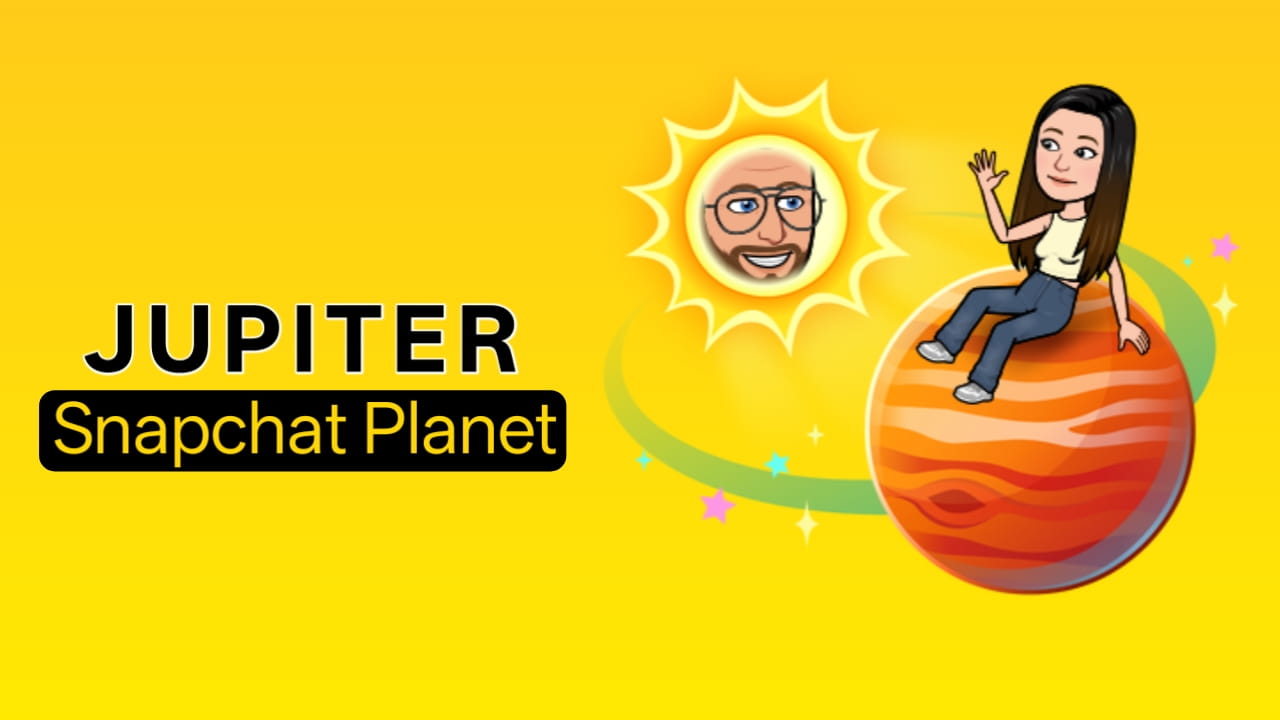
You:
- Snap sometimes
- Rarely chat
- Low engagement
- This is still the Best Friends list, but weaker.
Typical Jupiter behaviour:
- Occasional snaps
- Rare replies
- No strong streak
- Low interaction
Jupiter is middle-to-low tier.
Snapchat Saturn planet Meaning – Snapchat #6 Best Friend
Saturn represents low interaction in the Snapchat Planets ranking. If someone appears as Saturn, it means communication is minimal and not very consistent.
Users in this position rarely snap or chat, and replies are limited. Saturn often indicates a past interaction that has slowed down. This position may drop further if communication continues to decrease.
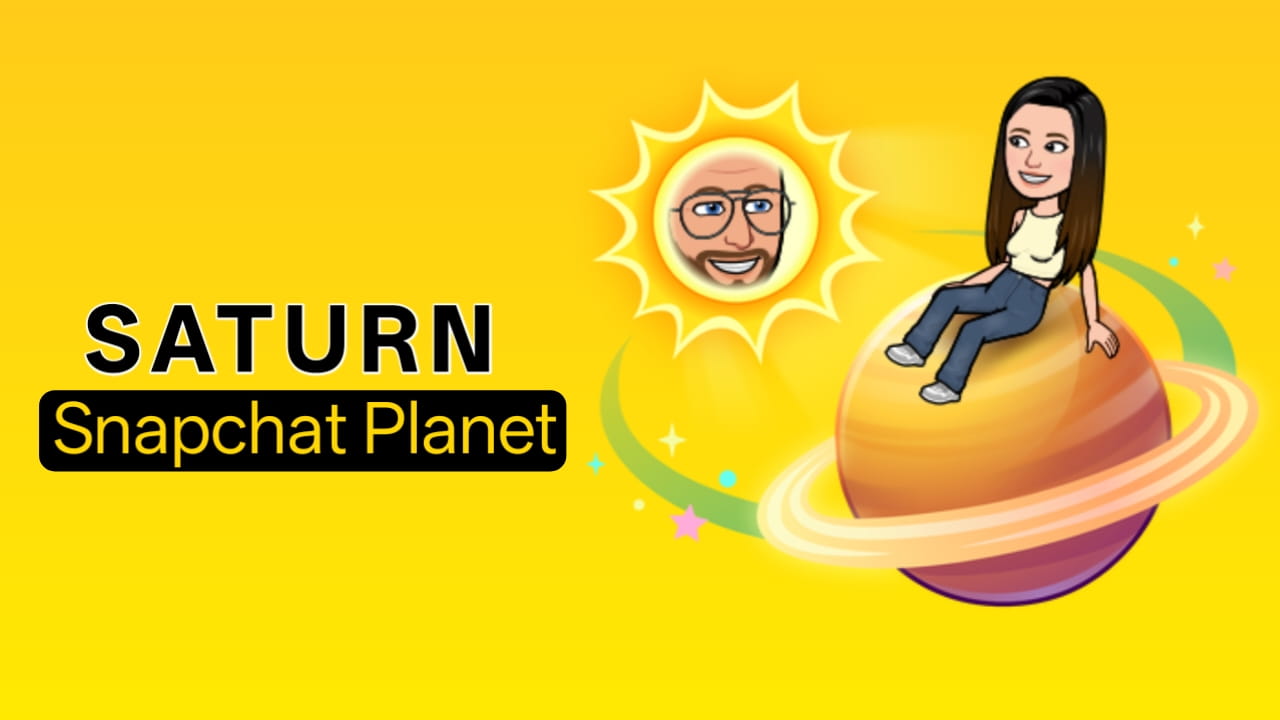
You:
- Rarely snap
- Rarely chat
- Minimal replies
- Still in the top 8, but not very active.
Saturn usually means:
- Old interaction
- Fading friendship
- Low communication
- You may drop soon.
Snapchat Uranus planet Meaning – Snapchat #7 Best Friend
Uranus represents very little interaction and near-inactive communication. If someone appears as Uranus, they are barely within the top 8 Best Friends.
This position usually means rare snaps, no streak, and very limited chatting. Uranus often represents an old friend or someone you interacted with previously. Without new interaction, this ranking may soon drop to Neptune.
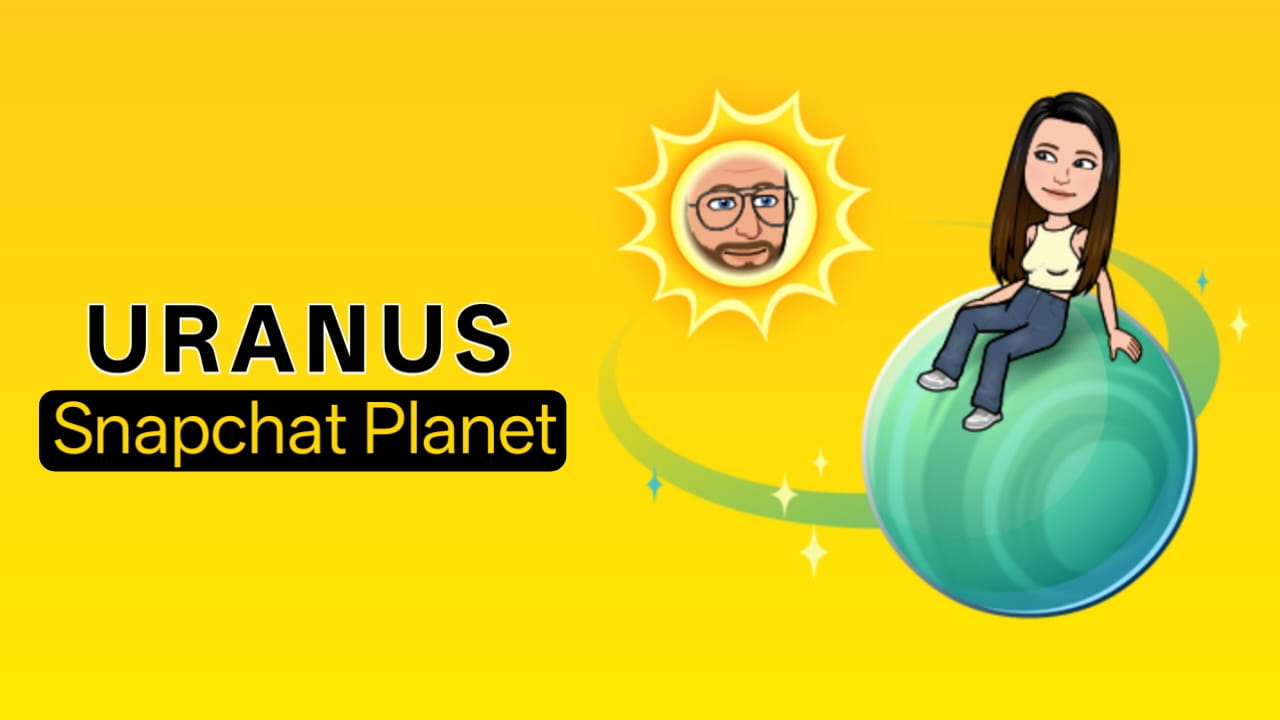
You:
- Rarely talk
- No streak
- Very low snaps
- This friend is barely in the top 8.
Uranus usually means:
- Old friend
- Past interaction
- Almost inactive
You may move to Neptune soon.
Snapchat Neptune planet Meaning – Snapchat #8 Best Friend
Neptune is the last planet in the Snapchat Friend Solar System. If someone appears as Neptune, it means minimal interaction and very weak engagement.
Users in this position send snaps very rarely, do not chat much, and usually have no streak. Neptune is the weakest Best Friend ranking, and if interaction stops completely, the person may disappear from the top 8 list.
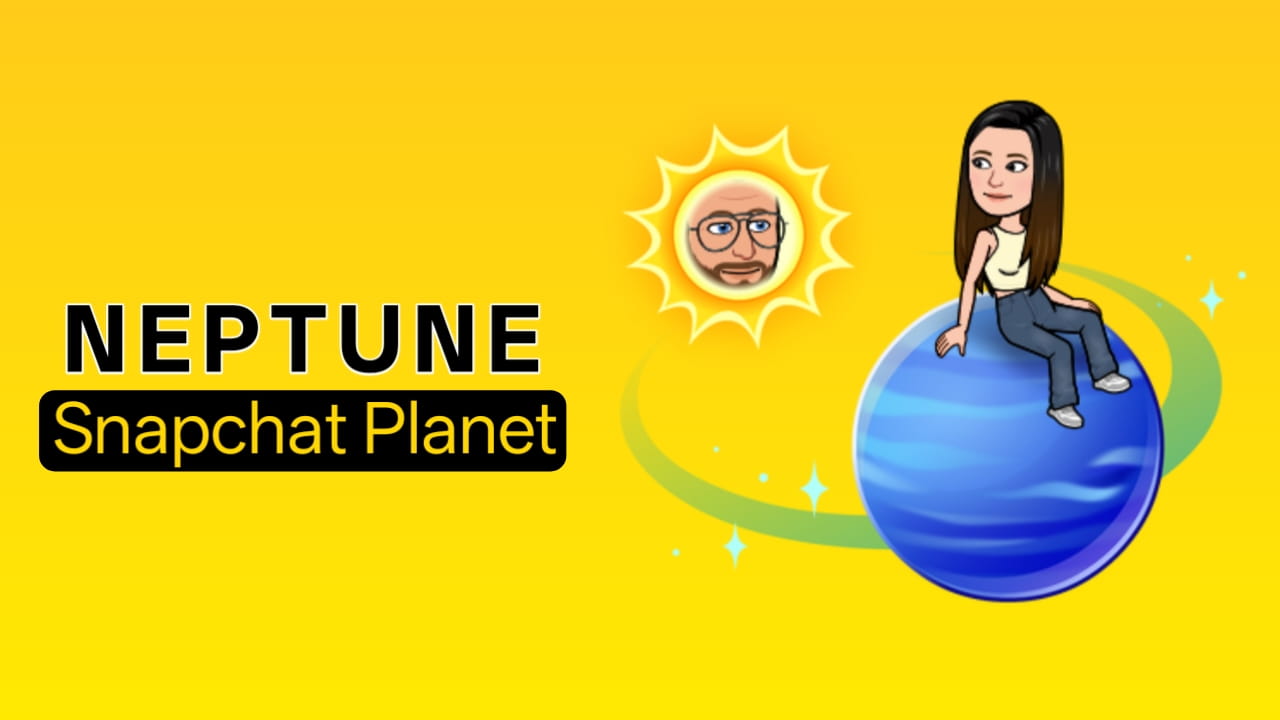
This means:
- Minimal interaction
- Very rare snaps
- No chats
- No streak
Neptune is the weakest Best Friend. If interaction stops, you drop out of the top 8.
Visual Meaning of Snapchat Planets
Closer planets = stronger friendship
Farther planets = weaker interaction
Mercury → Closest friend
Neptune → Weakest best friend
Snapchat visually shows: Distance from Sun = interaction strength
Snapchat Planets Meaning Summary
Mercury → #1 Best Friend
Venus → #2 Best Friend
Earth → #3 Best Friend
Mars → #4 Best Friend
Jupiter → #5 Best Friend
Saturn → #6 Best Friend
Uranus → #7 Best Friend
Neptune → #8 Best Friend
Important: Planet’s Meaning Changes Dynamically
Your planet’s meaning changes when:
- You snap more
- You chat more
- You stop interacting
- Someone else becomes active
Example:
Earth → Mercury
Venus → Jupiter
Mars → Neptune
Planets update automatically.
How to Use Snapchat Planets
Using Snapchat Planets is simple once you have access to the Snapchat Solar System feature. This feature lets you check your friendship ranking with someone by viewing which planet you are in their Best Friends list.
Snapchat Planets are not used like a normal setting. Instead, they appear automatically when you open a friend’s profile and tap the Best Friends badge. This section explains exactly how to use Snapchat planets step-by-step.
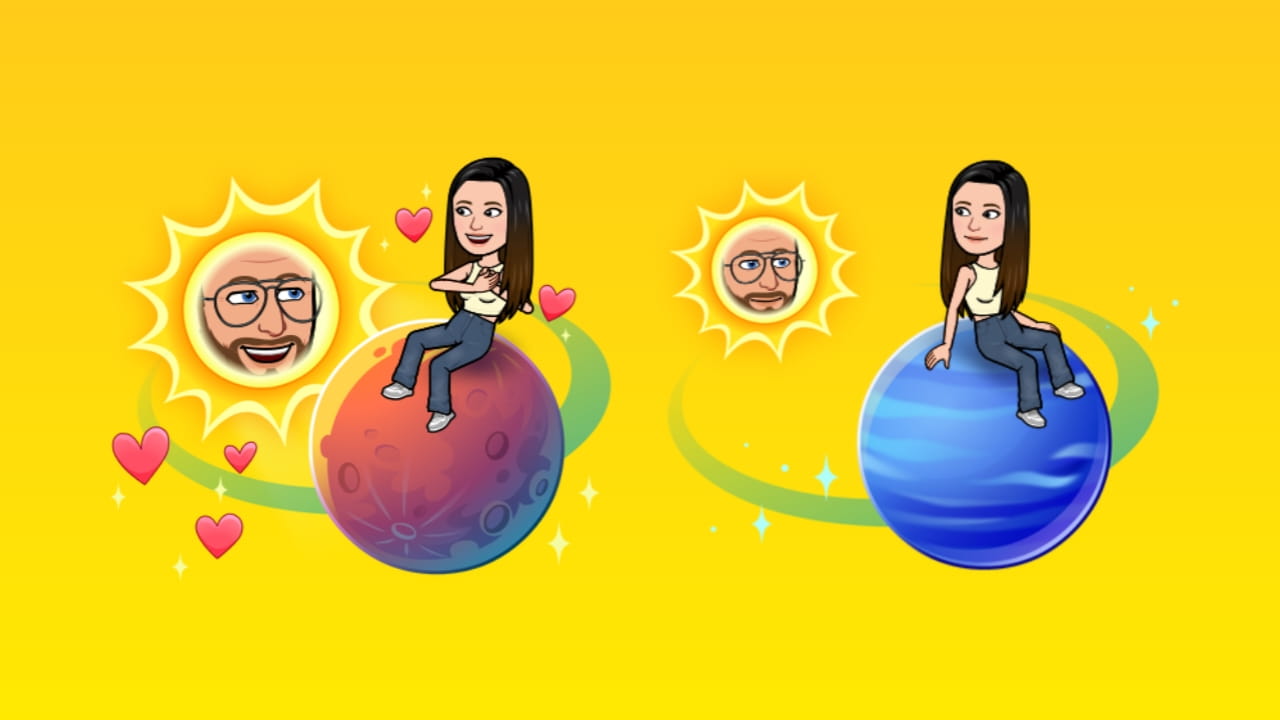
Step-by-Step: How to Use Snapchat Planets
Follow these steps to use the Snapchat Solar System feature:
Step 1: Open Snapchat and launch the Snapchat app on your phone.
Step 2: Go to Chat List and Swipe right to open chats.
Step 3: Select a Friend and Tap on the friend whose planet you want to check.
Step 4: Open Their Profile and tap their Bitmoji or profile icon.
Step 5: Look for the Best Friends Badge. You will see a gold badge with planets.
Step 6: Tap the Badge and tap the Best Friends badge.
Step 7: View Your Planet, and Snapchat shows your position in their solar system.
What You See in Snapchat Planets Screen
When you open Snapchat Planets, you will see:
- You, as a planet
- Your friend is the Sun
- Animated orbit
- Planet distance
- Visual ranking
This tells you how close you are to that person.
How to Check for Multiple Friends?
You can check planets for multiple friends:
- Open friend profile
- Tap badge
- See planet
- Go back
- Open another friend
Each friend has a different planet ranking.
How to Know If You Are Mercury
You are Mercury if:
- You appear closest to the Sun
- You see the Mercury icon
- You’re #1 Best Friend
This means you interact the most.
How to Enable Snapchat Planets
To enable Snapchat Planets, you must first activate the Snapchat+ Friend Solar System feature. Snapchat Planets are not enabled by default, even if you have a Snapchat+ subscription. You need to manually turn them on from Snapchat+ settings.
Once enabled, you’ll start seeing planet rankings in your Best Friends badge. This section explains exactly how to enable Snapchat planets step-by-step.
Requirements to Enable Snapchat Planets
Before enabling Snapchat Planets, make sure:
- You have a Snapchat+ subscription
- Your app is updated to the latest version
- Bitmoji is created
- You have active friends
- Best Friends list exists
If these are missing, planets may not appear.
Step-by-Step: How to Enable Snapchat Planets
Follow these steps:
Step 1: Open Snapchat and launch the Snapchat app.
Step 2: Open Your Profile and tap your Bitmoji in the top left corner.
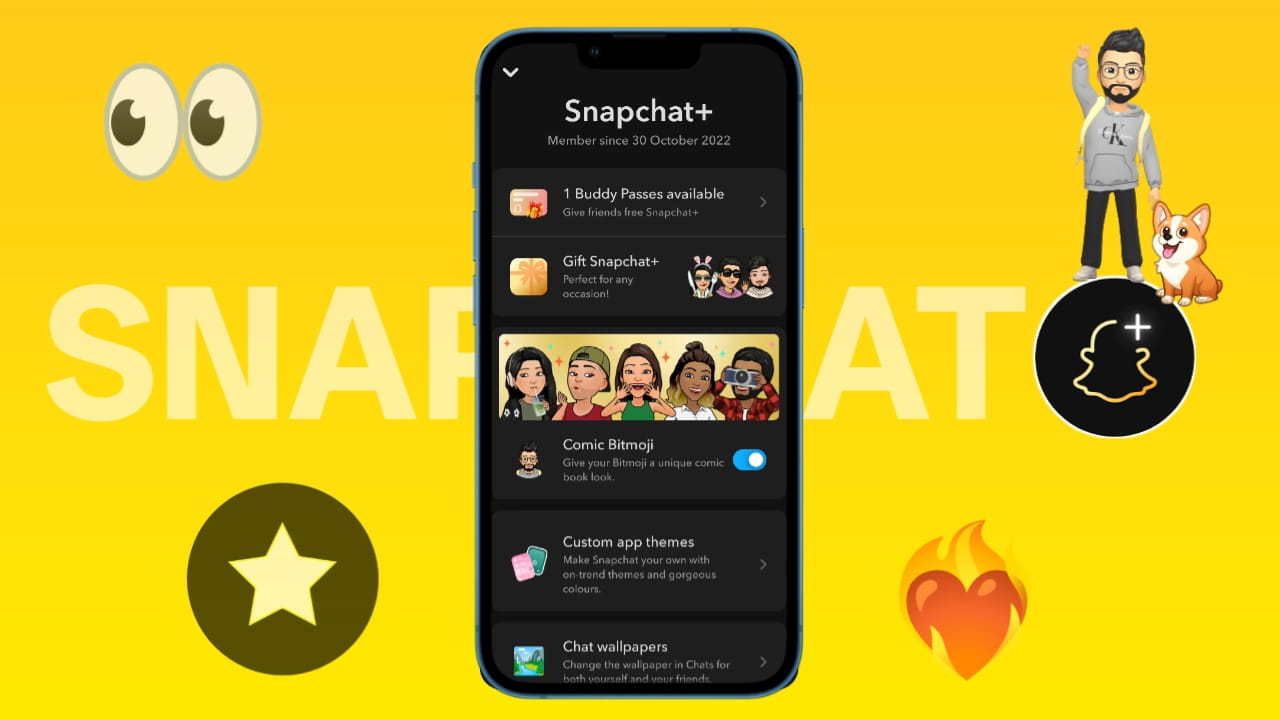
Step 3: Tap Snapchat+. Then, you will see the Snapchat+ membership card.
Step 4: Open Snapchat+ Settings and tap the Snapchat+ section.
Step 5: Find “Friend Solar System” and scroll until you see this option.
Step 6: Toggle ON Friend Solar System and turn on the toggle.
Step 7: Restart Snapchat and close and reopen the app.
Now Snapchat planets are enabled.
After Enabling Snapchat Planets
Once enabled:
- Best Friends badge appears
- The solar system becomes visible
- Planets show ranking
- You can check the planet’s position
- The feature works automatically
You don’t need to enable it again.
Where to Confirm Snapchat Planets Are Enabled
You can confirm planets are enabled when:
- You open a friend’s profile
- You see the Best Friends badge
- You tap the badge
- The solar system appears
If you see planets, it’s enabled.
Why is the Snapchat Planets Option Not Showing
Sometimes the Friend Solar System toggle is missing.
Common reasons:
- Snapchat+ not active
- App outdated
- Feature removed temporarily
- Region rollout delay
- App bug
- Not enough interaction data
Fix:
- Update Snapchat
- NRe-login
- Restart app
- Wait for rollout
- Re-enable Snapchat+
Snapchat Planets Toggle Not Working
If toggle is ON but planets are not showing:
Try these fixes:
- Turn toggle OFF
- Restart app
- Turn the toggle ON again
- Clear app cache
- Update Snapchat
- Reinstall Snapchat
This usually fixes it.
Do Both Users Need Snapchat+?
No, you both don’t need Snapchat+. Only one user needs Snapchat+. If you have Snapchat+ You can see your planet in their solar system. They don’t need a subscription.
How long does it take after enabling
After enabling Snapchat planets:
- As you enable It may appear immediately
- Within a few minutes
- After restart
- After interaction
Snapchat sometimes needs interaction data.
Important Note
Snapchat planets only appear when:
- You are in their Top 8
- They are your Best Friends
- Interaction exists
If not, no planet will appear.
How to Disable Snapchat Planets
If you don’t like the Snapchat Solar System feature or want to stop seeing friendship rankings, you can disable Snapchat Planets anytime from Snapchat+ settings. Once disabled, the Best Friends solar system will disappear, and you will no longer see planet rankings.
This is useful if you want to:
- Avoid friendship comparisons
- Reduce social pressure
- Hide ranking system
- Stop checking planets
- Simplify the Snapchat experience
Snapchat allows you to turn off this feature without cancelling Snapchat+.
Step-by-Step: How to Disable Snapchat Planets
Follow these steps to disable Snapchat planets:
Step 1: Open Snapchat and launch the Snapchat app.
Step 2: Go to Your Profile and tap your Bitmoji in the top left corner.
Step 3: Tap Snapchat+ and open your Snapchat+ membership section.
Step 4: Open Snapchat+ Features and scroll down to the feature list.
Step 5: Find “Friend Solar System” and locate this toggle.
Step 6: Turn OFF the Toggle and Disable Friend Solar System.
Step 7: Restart Snapchat and close and reopen the app.
Snapchat planets are now disabled.
What Happens After Disabling Snapchat Planets
Once disabled:
- Best Friends badge disappears
- Solar system animation removed
- Planet ranking hidden
- You can’t check your planet
- Friend ranking is not visible
But:
- Your Best Friends list still exists
- Snapchat still tracks interactions
- Only planets are hidden
So disabling planets does not affect friendships, only visibility.
Can You Re-enable Snapchat Planets Later?
Yes. You can turn them back on anytime. Just go to Snapchat+, then enable the Friend Solar System and restart the app. Your planets will appear again.
Important note: Snapchat does not delete your ranking.
Why Users Disable Snapchat Planets
Many users disable planets because:
- It creates jealousy
- It causes overthinking
- Friends compare rankings
- Pressure to maintain Mercury
- Emotional stress
- Unnecessary competition
For example:
You were Mercury, and now you’re Earth.
Some users feel:
- Ignored
- Less important
- Friendship changed
To avoid this, users disable planets.
Does Disabling Snapchat Planets Hide Your Ranking From Others?
Yes, if you disable planets. Others cannot see your solar system either. Your ranking becomes hidden. However, Snapchat still calculates internally.
Snapchat Planets Still Work After Disabling
Even when disabled, Snapchat still tracks interactions, updates your best friends and calculates your ranking. But you just don’t see planets.
Disable Snapchat Planets vs Cancel Snapchat+
Many users are confused about Snapchat planets and Snapchat Plus, but in reality, these both are different.
- Disable planets: You still keep Snapchat+, Only planets hidden
- Cancel Snapchat+: Planets removed. All premium features are gone
Disabling is better if you only want to hide planets.
How to Check Your Planet on a Snapchat Friend’s Profile
To check your planet on a friend’s profile, you need to open their Best Friends badge. This badge appears when you and your friend are in each other’s Top 8 Best Friends, and the Snapchat Solar System feature is enabled.
Once you tap the badge, Snapchat shows your planet ranking in their solar system. This section explains exactly how to check your planet step-by-step.
Step-by-Step: Check Your Planet on Snapchat
Follow these steps:
Step 1: Open Snapchat and launch the Snapchat app on your phone.
Step 2: Go to Chat Screen, then swipe right to open chats.
Step 3: Select Your Friend and tap on the friend whose planet you want to check.
Step 4: Open Friend Profile and tap their Bitmoji or profile icon.
Step 5: Look for the Best Friends Badge, and you’ll see a gold badge with planets.
Step 6: Tap the Badge and tap the Best Friends badge.
Step 7: View Your Planet, and then Snapchat will show your planet in its solar system.
Now you can see your planet, your rank, your orbit position and your Solar system animation.
Where the Best Friends Badge Appears
You can find the Best Friends badge on a friend’s profile screen, typically located below their name, near the Snapchat+ badge, or above the Snap Score section. The badge usually appears as a gold ring with planet icons or a small solar system symbol, indicating your position in their Snapchat Friend Solar System. When you tap this badge, Snapchat opens the planet’s view and shows your ranking in their Best Friends list.
Can You See Snapchat Planets Without a Snapchat Plus Subscription?
The short answer is no, you cannot see Snapchat Planets without a Snapchat+ subscription. The Snapchat Solar System is a premium-only feature, meaning it is locked behind the Snapchat+ membership.
If you don’t have Snapchat+, you won’t be able to:
- See planets
- Open solar system
- Check ranking
- View Best Friends planet badge
- Know your planet’s position
Snapchat restricts this feature to paid users only.
When You Can Still See Snapchat Planets Without Snapchat+
There is one exception that confuses many users. You might occasionally see the Best Friends badge, but you still cannot open the solar system, you cannot see your planet, and you cannot see your ranking.
Why Are My Snapchat Planets Not Working or Disappeared?
If your Snapchat planets are not showing, have stopped working, or have suddenly disappeared, you’re not alone. This is one of the most common Snapchat+ issues, and it usually happens due to ranking changes, feature settings, or subscription problems.
Snapchat Planets are dynamic, meaning they can appear and disappear automatically based on your interaction and settings.
How Snapchat Planet Order Impacts the Social and Emotional Life of Users
The Snapchat Planets feature may look fun and harmless, but it can have a strong social and emotional impact on users. Since Snapchat Planets ranks friendships visually, many users begin to compare relationships, track positions, and even feel affected when their planet changes.
This turns a simple messaging app into a social ranking system, which can influence how people think, feel, and interact with each other.
Why Snapchat Planets Feel Emotionally Important
Snapchat Planets represent:
- Friendship priority
- Interaction closeness
- Communication frequency
- Social importance
- Emotional attention
How to Improve Snapchat Planet’s Order Ranking
If you want to move from Neptune to Mercury or improve your position in someone’s Snapchat Solar System, you need to increase your interaction score. Snapchat Planets ranking is based on communication frequency, so the more you interact, the closer your planet becomes.
1. Send Daily Snaps (Most Important): Daily snapping is the strongest ranking factor in Snapchat Planets. If you send snaps to someone every day, your ranking increases much faster compared to occasional interaction.
For example, weekly snaps may keep you around Mars, daily snaps can move you to Venus, and daily snaps combined with chats can push you toward Mercury. The key is consistency rather than sending a large number of snaps at once.
2. Reply to Snaps Instead of Just Viewing: Simply viewing snaps does not significantly improve your ranking. Snapchat prioritises two-way interaction, which means replying is much more valuable. When you respond with a snap, send a quick chat reply, or react promptly, your interaction score increases. Active replies show engagement and help move your planet closer to the Sun.
3. Maintain Snap Streak: Snap streaks are a strong indicator of consistent communication. Long streaks signal daily interaction, which helps improve your ranking over time. Users often move from Neptune to Jupiter, Mars to Venus, or even Venus to Mercury when they maintain a steady streak. Even simple daily snaps are enough to keep the streak active and boost your position.
4. Chat Regularly: Text conversations also contribute to Snapchat Planet’s ranking. Sending short messages, replying frequently, and having regular conversations increase your closeness score. Longer chats and consistent communication show stronger engagement, which can gradually push your planet inward.
5. Reply to Stories: Story replies are considered high-value interactions. When you respond to someone’s story, Snapchat treats it as meaningful engagement. Regularly replying to stories shows interest, improves communication frequency, and helps boost your ranking faster compared to passive viewing.
6. Send Video Snaps: Video snaps typically carry more weight than photo snaps because they require more effort and engagement. Sending video snaps creates stronger interaction signals and can help improve your ranking more quickly. Mixing video snaps with regular communication often results in faster movement toward inner planets.
7. Be Consistent (Don’t Mass Snap): Sending a large number of snaps in one day does not guarantee a higher ranking. Snapchat prefers consistent daily interaction over bulk snapping. Spreading your snaps across multiple days builds a stronger engagement pattern and improves your chances of moving closer to Mercury.
8. Reply Quickly: Snapchat tracks how fast you respond to snaps and messages. Quick replies signal active communication and strong interest. When you consistently respond faster, your interaction score improves, which can positively impact your planet ranking.
9. Mutual Interaction Is Required: Snapchat Planets rely heavily on mutual communication. If only one person sends snaps while the other rarely replies, the ranking improves slowly. When both users send snaps, reply, and chat regularly, the interaction becomes balanced, and the ranking increases much faster.
10. Avoid Ignoring Snaps: Ignoring snaps or messages can lower your ranking over time. If you open snaps but don’t reply, skip chats, or avoid story interactions, Snapchat reduces your engagement score. This may cause your planet to move outward, even if you previously had a strong position.
Fastest Way to Move to Mercury
To move toward Mercury quickly, focus on daily snaps, fast replies, regular chats, and maintaining streaks. Replying to stories, sending video snaps, and avoiding inactivity can significantly boost your interaction score. With consistent engagement, users can sometimes move closer to Mercury within a few days.
My Personal Experience With Snapchat Planets Order
When I first started using Snapchat+ in October 2022, the Snapchat Planets feature felt like a fun visual add-on. But after using it consistently, I realised it’s actually a live ranking system that changes based on real interaction patterns. My experience showed that Snapchat Planets updates faster than most users expect, and small changes in communication can significantly affect your position.
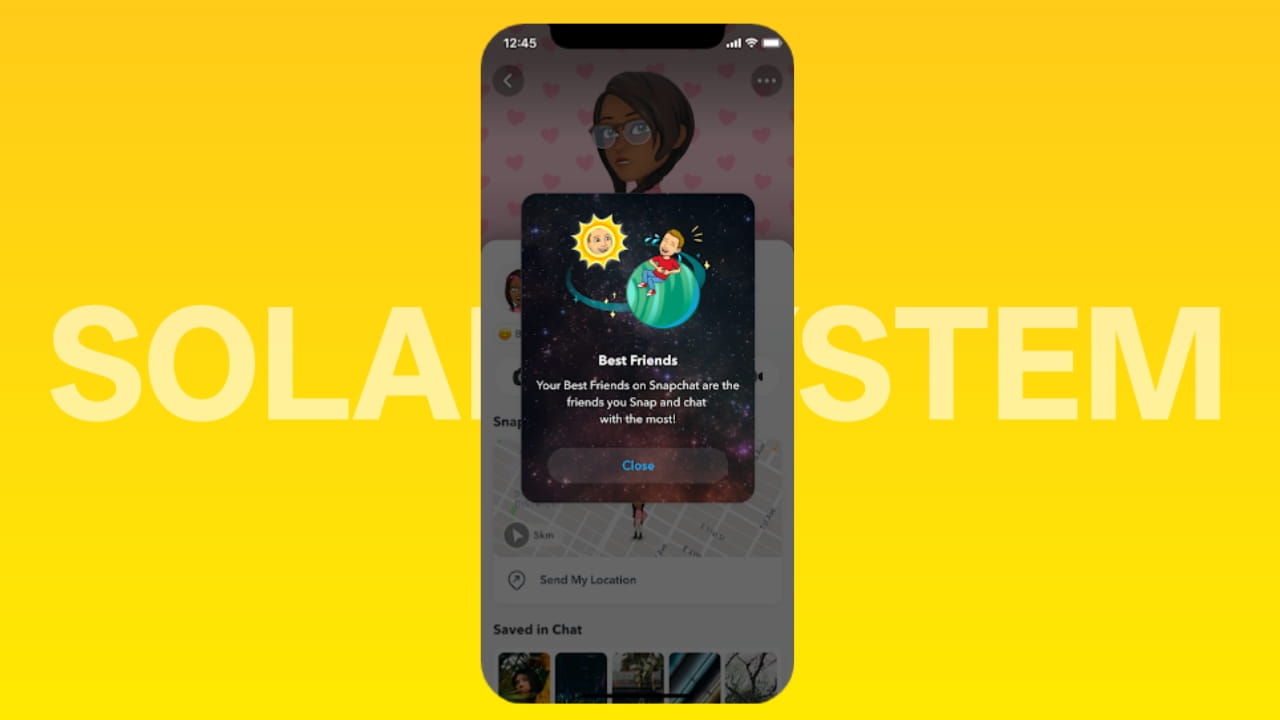
Here’s my real experience story using Snapchat Planets and how my rankings changed.
On Snapchat, I was connected with two close friends and my girlfriend. However, ever since the “Snapchat Planet” feature was introduced, my girlfriend’s and my planet score never seemed to reach Mercury; it usually hovered around Earth.
This led to her constantly getting upset with me and becoming suspicious. Consequently, I cut down on my Snapchat usage and switched to Instagram for chatting instead. Since my girlfriend really wanted our planet score to reach Mercury, which caused her to start sending more Snaps and wanting us to chat more frequently, my personal experience with the platform wasn’t particularly positive.
Snapchat Solar System Controversy: Why Snapchat Removed Planets Order Feature
The Snapchat Planets feature quickly became popular after launching with Snapchat+, but it also created major controversy among users. Many people felt the Snapchat Solar System introduced friendship ranking pressure, leading to emotional stress, comparison, and jealousy.
Because of this backlash, Snapchat quietly changed, limited, and in some cases temporarily removed or hid the planets feature for some users.
This led to confusion, with many asking: Did Snapchat remove planets?
Why Snapchat Planets Became Controversial
Snapchat Planets ranks your Top 8 friends visually. While fun, this created social comparison between users.
People started asking:
Why am I not Mercury?
Who replaced me?
Why did I drop to Earth?
Why am I Neptune now?
This turned a casual feature into a friendship ranking system, which many users found uncomfortable.
Can You Still See Snapchat Planets?
Yes, you can still see Snapchat Planets in 2026. The Snapchat Solar System feature has not been permanently removed. However, many users think it disappeared because Snapchat made the feature optional, limited, and available only to Snapchat+ subscribers. So Snapchat Planets still exist, but they only appear under specific conditions.
People Experiences With Snapchat Planet Order
Since the Snapchat Planets feature launched, users have shared mixed experiences. Some people enjoy the visual ranking system, while others feel it creates pressure and comparison. The reactions vary depending on how users interpret the planets. Below is a detailed breakdown of realistic user experiences with Snapchat Planets. Data is from a social forum.
Reddit Post User Experience: A user asked a question: “What exactly is the Snapchat Solar System?”
In response, users shared a wide range of differing opinions. Some explained the concept of the Snapchat planets, while others admitted to being quite confused by the feature. A few users expressed the view that they could simply check their “Best Friends” list directly and therefore had no need for this particular feature. At the same time, many people are delighted to see this feature and are filled with curiosity about how it actually works.
What Are the Pros and Cons of the Snapchat Plus Planets?
The Snapchat Planets feature adds a visual ranking system to friendships, but like any social feature, it comes with both advantages and disadvantages. Some users love the fun and engagement, while others find it stressful or unnecessary.
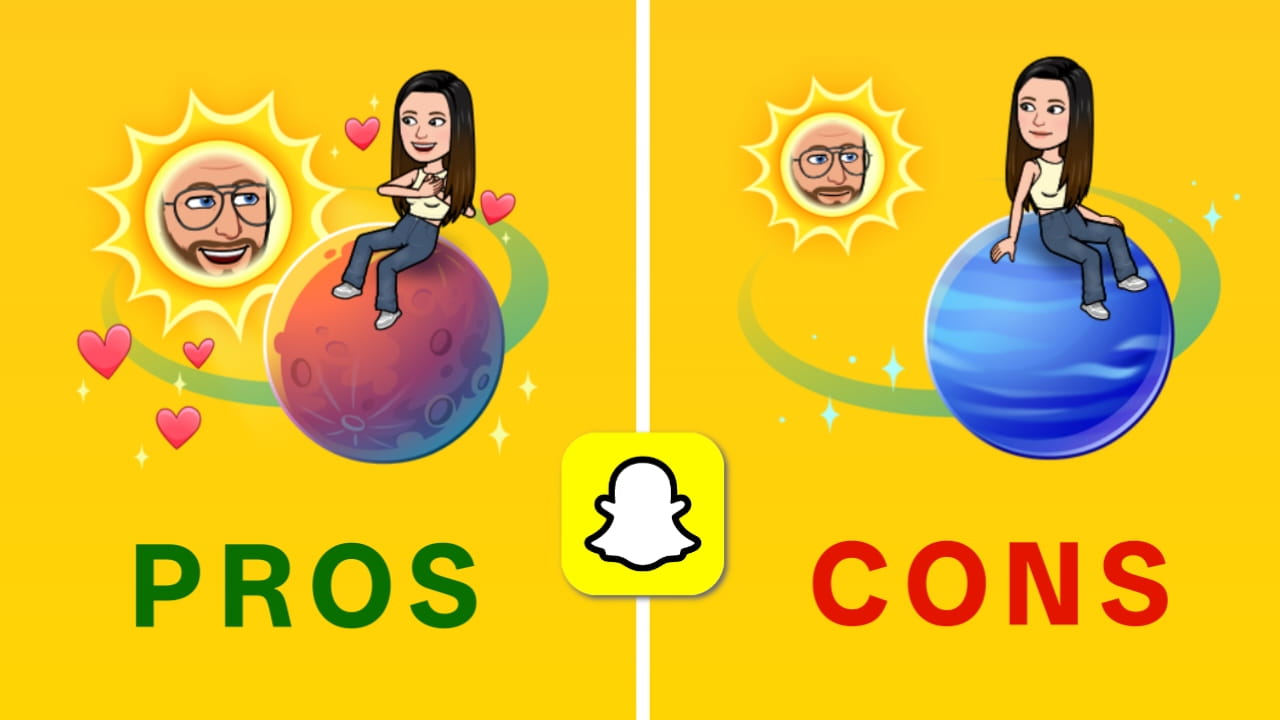
Here’s a complete breakdown of the Pros and Cons of the Snapchat Plus Planets.
Pros of Snapchat Planets
Visual friendship ranking: Snapchat Planets provides a clear and visual way to understand your closest friends. Instead of guessing your Best Friends list, the solar system shows exactly where you stand using planet positions.
Encourages more interaction: The feature motivates users to send more snaps, reply faster, and maintain streaks. Many users become more active because they want to move closer to Mercury.
Fun and gamified experience: Turning friendships into a solar system makes Snapchat more engaging. Users enjoy checking their planet and trying to improve their ranking.
Helps identify closest Snapchat friends: You can quickly see who you interact with the most. This is useful for understanding your top conversations and active friendships.
Dynamic ranking updates: Snapchat Planets update automatically based on interaction. This makes the feature feel real-time and responsive.
Exclusive Snapchat+ feature: Because it’s part of Snapchat Plus, it adds premium value and makes the subscription more appealing.
Cons of Snapchat Planets
Can create unnecessary comparison:
Users may start comparing rankings and feel bad if they appear as Neptune instead of Mercury, even if real-life friendship is strong.
Not based on real-life friendship:
Snapchat Planets only measure app interaction. Someone close in real life might rank lower simply due to less snapping.
May cause social pressure: Some users feel pressure to maintain streaks or reply quickly just to keep their ranking high.
Ranking changes frequently: Planets can change within days. This instability sometimes confuses users and makes the system feel inconsistent.
Only available in Snapchat Plus: Free users cannot access the feature, which limits its usefulness for many people.
Can lead to overthinking friendships: Users may misinterpret rankings and assume someone cares less, even though it’s just based on activity.
Conclusion
Snapchat Planets adds a unique solar system-based best friend ranking that makes Snapchat more interactive. While the feature is fun and engaging, it can also create comparison and emotional pressure if taken too seriously.
Use Snapchat Planets as a lighthearted feature, and remember, I think planets change, but real friendships don’t.
Faqs
How do I see my Snapchat planets?
If you want to view your Snapchat planets, simply open the Snapchat app and access the profile of one of your best friends; there, you will see the Snapchat planets associated with your relationship. Additionally, if you wish to manage the Snapchat Planets (Solar System) feature, navigate to the Snapchat+ subscription tab, where you can customise the Solar System settings.
Snapchat planets: What do they mean?
Snapchat Planets utilises a friend-ranking algorithm known as the “Solar System.” In this system, the planet assigned to a friend indicates their level of closeness to you on Snapchat; for instance, if a friend is represented by a planet close to the Sun, it signifies that they are very close to you.
Which Snapchat planet is closest to the Sun?
In the Snapchat Solar System, Mercury is the planet closest to the Sun, and it designates your #1 Best Friend.
How do I check my Snapchat planets?
To check your Snapchat planets, go to the Snapchat+ subscription tab; you will find the Solar System feature located there, which you can then access.
How do Snapchat planets work?
In the Snapchat Solar System feature, you represent the Sun, while your friends are represented by the planets. The closer a friend is to you, the higher they will appear in the Solar System’s planetary ranking order.
Why aren’t my Snapchat planets showing?
If you do not have an active Snapchat+ subscription, the Snapchat Planets feature will not be visible to you.
Why aren’t my Snapchat planets updating?
If the planets in your Snapchat Solar System are not updating, the reason could be that your friend has disabled the Solar System feature, or your Snapchat+ subscription may have expired.
How often do Snapchat planets update?
This varies from account to account, but most users find that their planets update on a weekly basis.
Which planet represents the #1 Best Friend on Snapchat?
Mercury represents the #1 Best Friend on Snapchat because it is the planet closest to the Sun. This indicates that you are that person’s top best friend.
How can I see where I rank on someone else’s Best Friends list using Snapchat+?
Actually, you can’t see this, that where you are on Someone’s Best friends list with Snapchat Plus, but you can manually check by checking your best friend’s profile.
How to check your best friend’s orbit on Snapchat Plus?
To check your best friend’s orbit on Snapchat Plus, just open your friend’s profile. And at the top, you will find the exact planet of your friend.

One thought on “Snapchat Planets Order and Meaning Explained 2026 | Snapchat Solar System Best Friend Meaning”