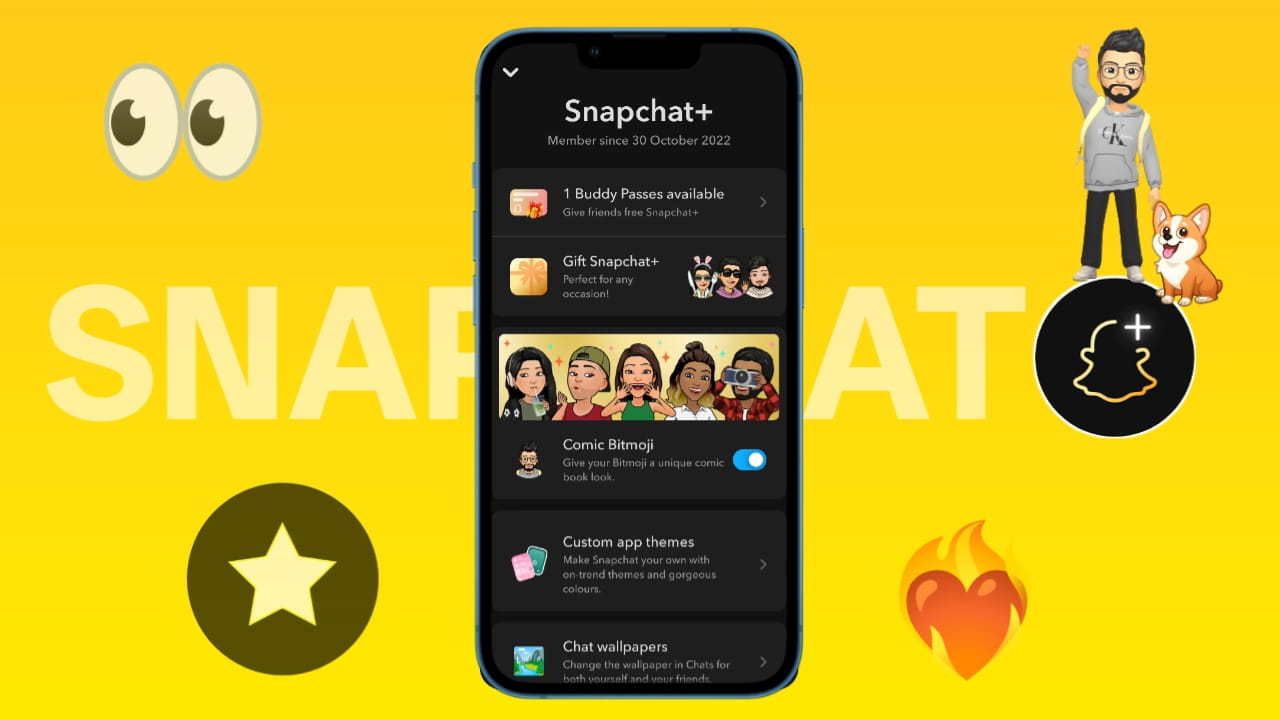
Snapchat is becoming increasingly popular among today’s youth, particularly in the USA, Europe, and Asian countries. The primary reason behind this is Snapchat’s attractive and truly unique features, which are not found on other social media platforms.
Ever since the launch of the Snapchat+ subscription in 2022, users have often been confused regarding exactly which features are included in the subscription, what their practical use cases are, and whether or not subscribing to Snapchat+ is worthwhile. In today’s article, drawing upon my own experience of using Snapchat+ for over 3.5 years, I will provide an in-depth analysis of this topic.
What is Snapchat Plus?
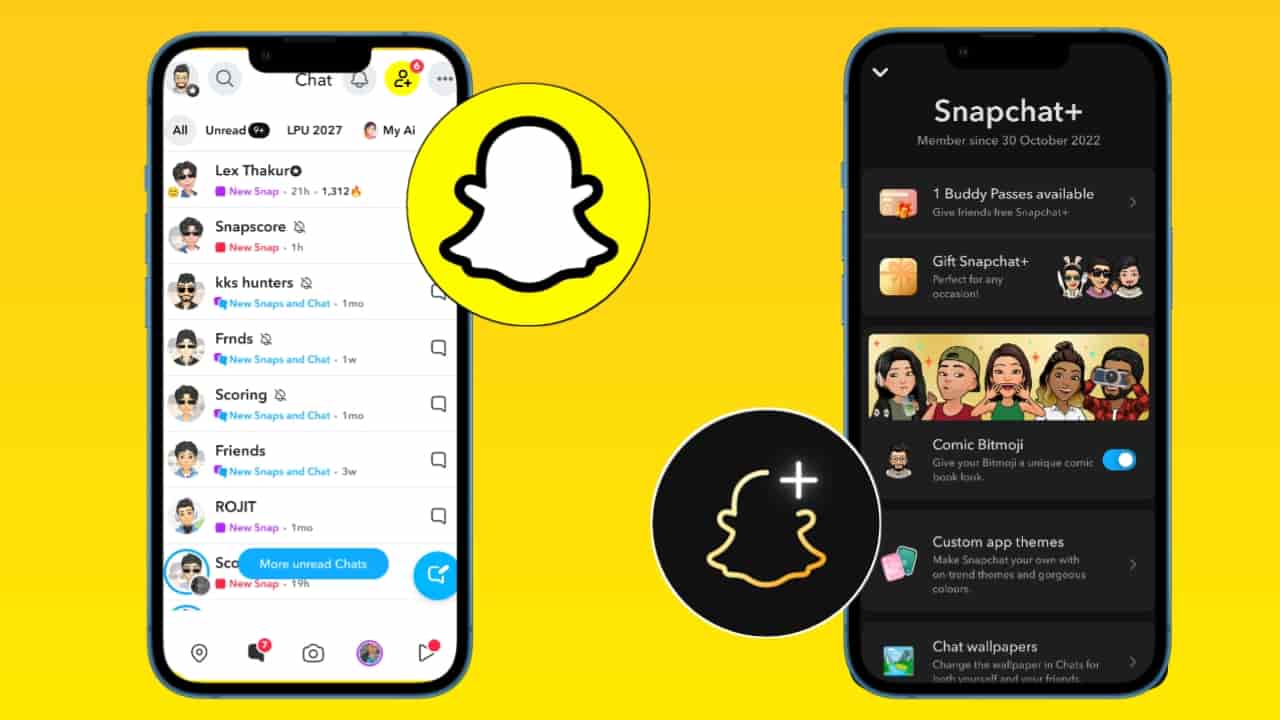
Snapchat Plus (Snapchat+) is a premium subscription offered by Snapchat that unlocks exclusive, experimental, and customization-based features for users.
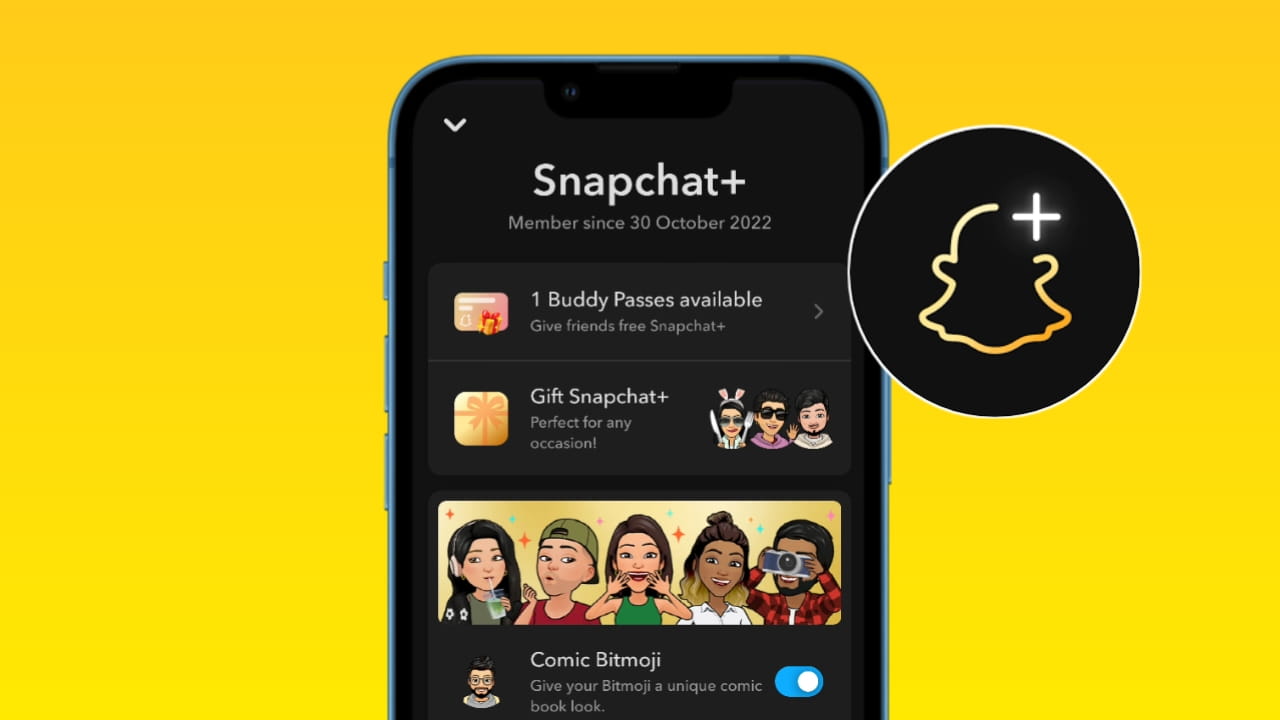
It was launched in 2022 and has grown into a major subscription product with millions of users worldwide. Snapchat+ mainly focuses on early access features, personalization, and enhanced insights, rather than removing ads.
Snapchat Plus all features Explained?
Snapchat+ offers 35+ premium features. So let’s know all the Snapchat Plus features in detail.
Snapchat Plus All Features Use Cases & Meaning Finder
So if you want to know the Snapchat Plus features instantly, then this tool will help you. Just type Snapchat plus feature name, which you want to know about. As you search, just tap on that feature, and you will know the feature description & use cases.
Pin #1 Best Friend
Description: Pin a single friend privately as your #1 Best Friend so they’re always easy to reach. It’s visible only to you, useful for prioritizing one contact in chats and the send sheet. This is a core Snapchat+ personalization perk.
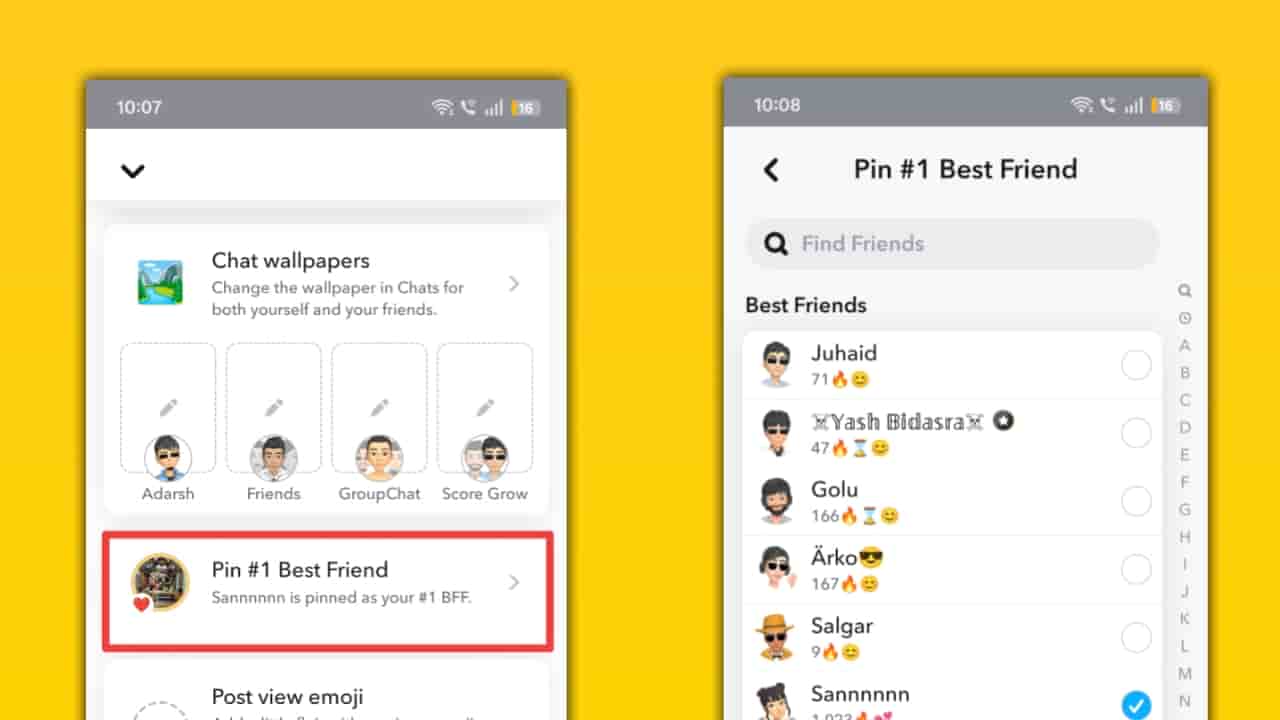
How this Pin #1 Best Friend works: From your Chat or Send To screen, long-press the friend and choose Pin as your #1 Best Friend. The app moves that person to the top of certain lists and shortcuts for you only; other people won’t see who you pinned. You can unpin or change the pinned friend at any time.
Buddy Pass
Description: Share limited trial passes of Snapchat+ with friends so they can try premium features free for a short period. It’s a referral/gifting mechanic to grow subscriptions.
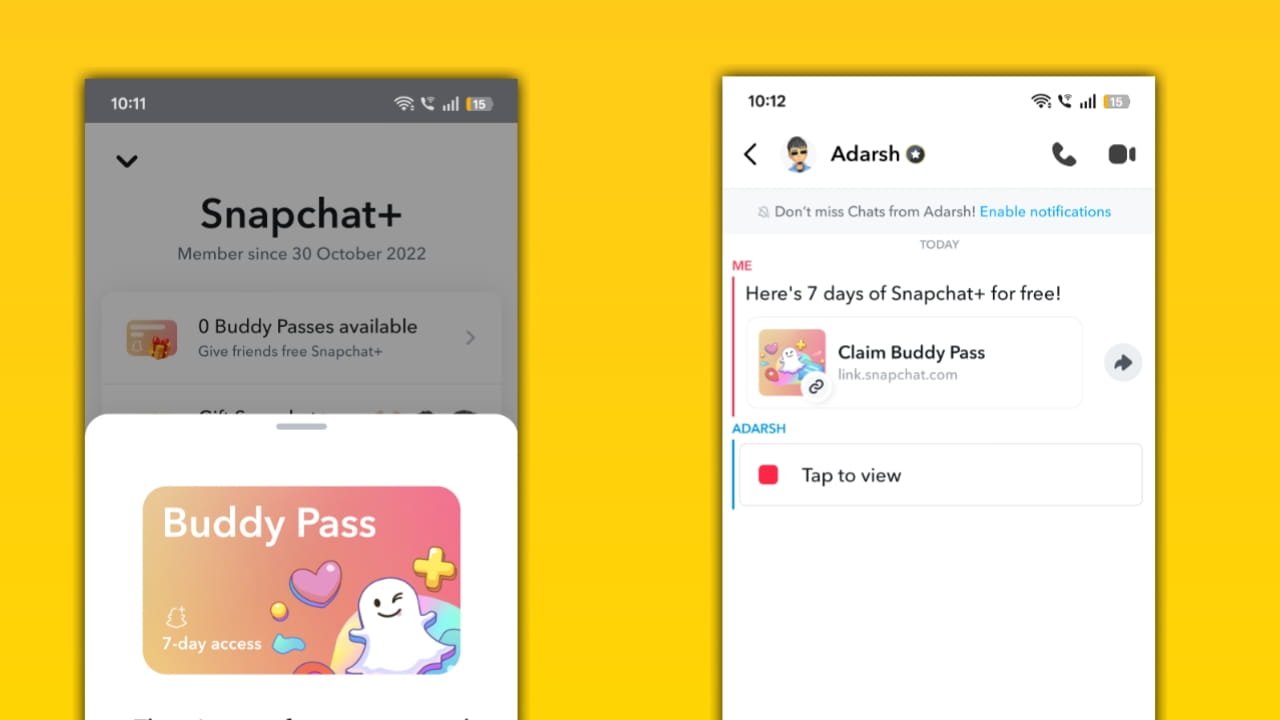
How this Buddy Pass works: In your Snapchat+ management area, tap Send Buddy Passes, pick friends who aren’t already subscribers, and send them a pass. Each pass typically grants a 7-day trial (timing/quantity depends on Snapchat’s current policy and billing cycle). Recipients must update the app to redeem.
Comic Bitmoji
Description: A nostalgic 2D/comic-style Bitmoji avatar option that applies a comic filter to modern Bitmoji, returning the classic flat look with current customization. It’s a visual personalization exclusive to Snapchat+.
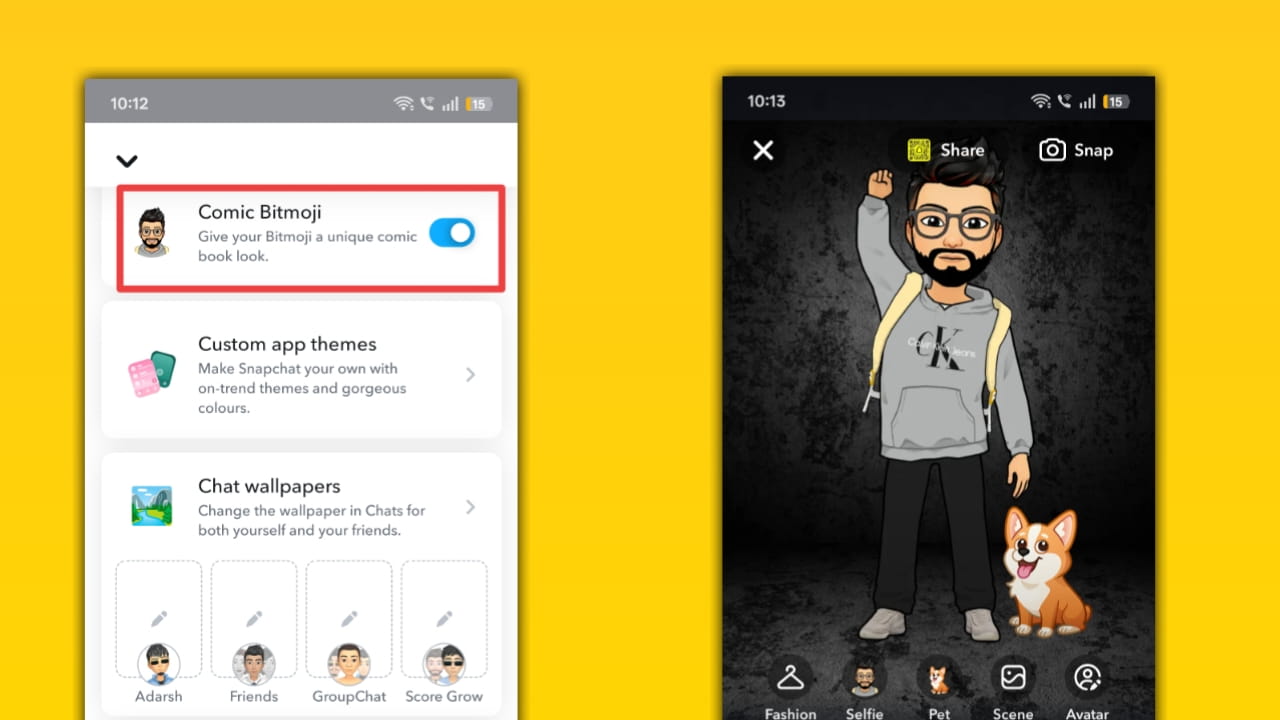
How this Comic Bitmoji works: Toggle Comic Bitmoji from the Snapchat+ membership panel to switch your avatar rendering from 3D to the comic style. The system maps your existing Bitmoji features into a 2D style so animations and expressions still work. It’s primarily a cosmetic rendering change applied to Snap servers and your app UI.
Custom App Themes
Description: Change Snapchat’s overall color scheme and theme across tabs, select pre-set themes, or tweak capture buttons, tab colors, and badge accents. This boosts personalization and brand fit.
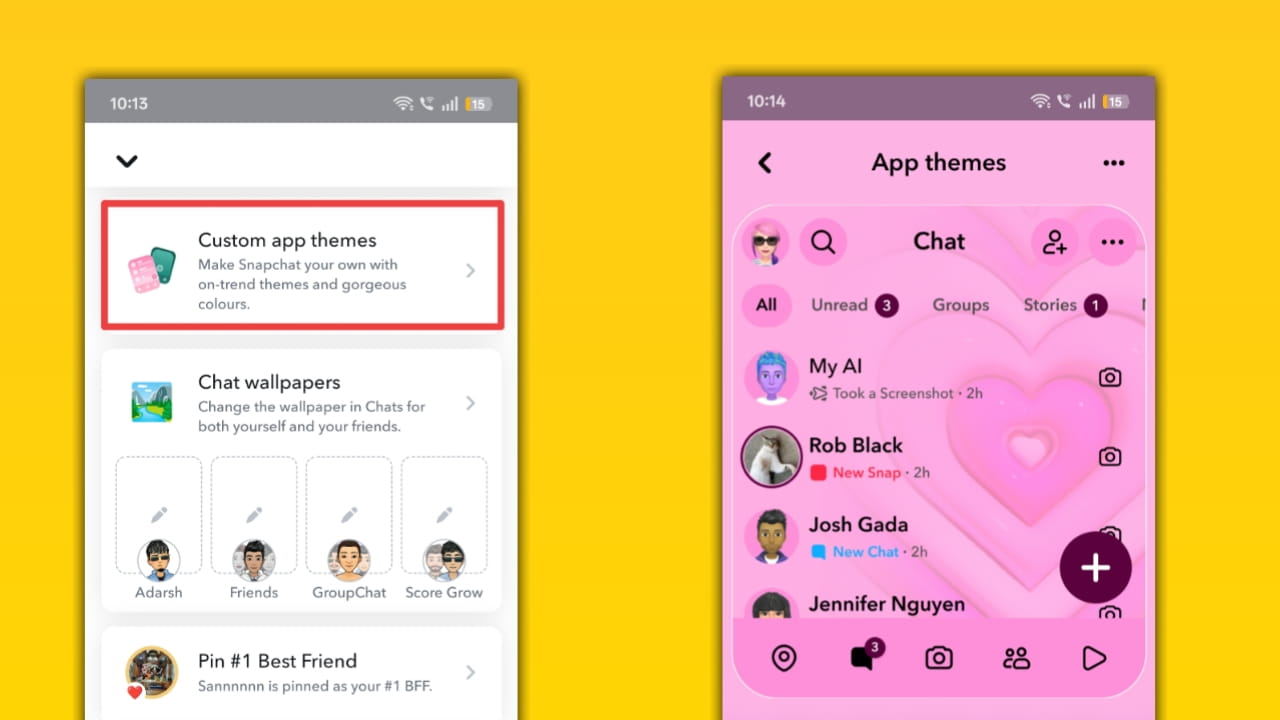
How this Custom App Themes feature works: From Profile → Snapchat+ card → Custom App Themes, preview theme options, and apply one. You can often customize the capture button and tab colors before saving. Themes alter the client UI locally (you may need to restart the app for full effect).
Chat wallpapers
Description: Set a custom wallpaper for one-to-one or group chats so conversations feel unique and on-brand for your blog screenshots or guides. Some wallpaper packs are generative/AI-driven for Snapchat+ users.
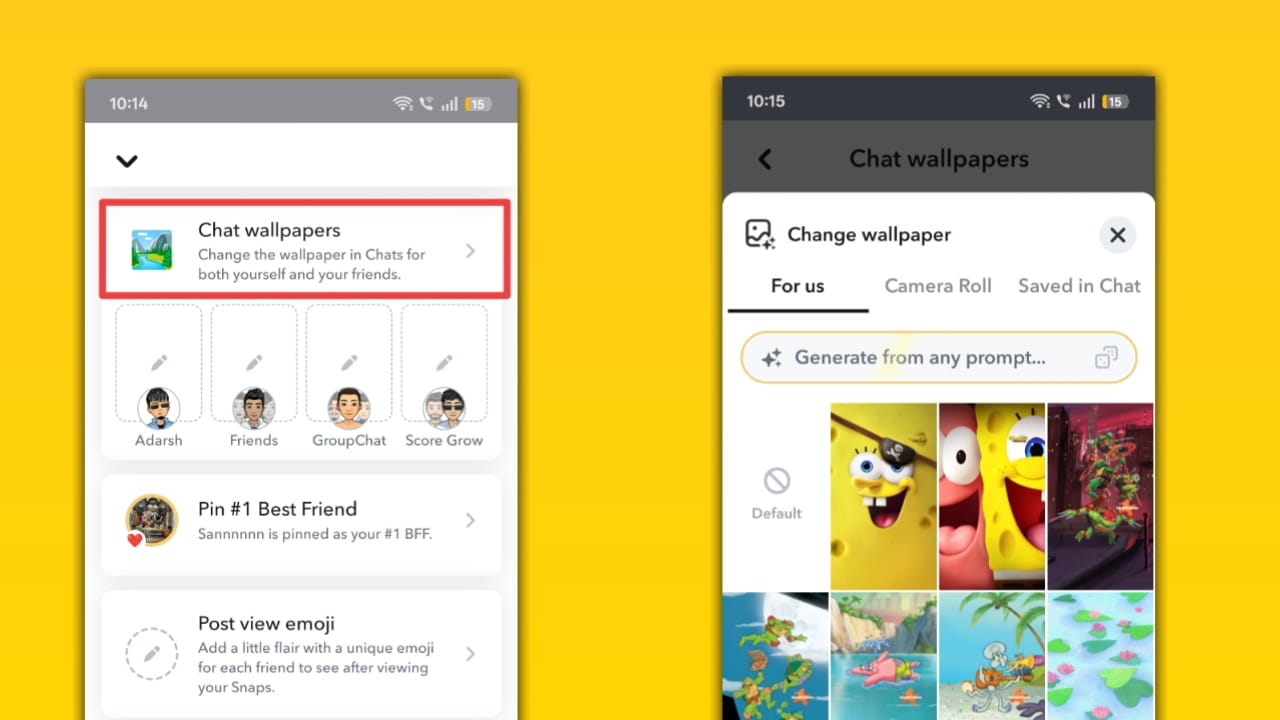
How these Chat wallpapers work: Open a chat, tap the chat settings or Snapchat+ customization panel, then select or generate a wallpaper. Applied wallpapers are stored in your account and displayed to participants (visibility rules vary; sometimes, co-editing is supported). Wallpapers can be updated anytime from chat settings.
Post view emoji
Description: Choose an emoji that appears next to your name in friends’ chats immediately after they view a Snap you sent. It’s a playful way to leave a signature reaction.
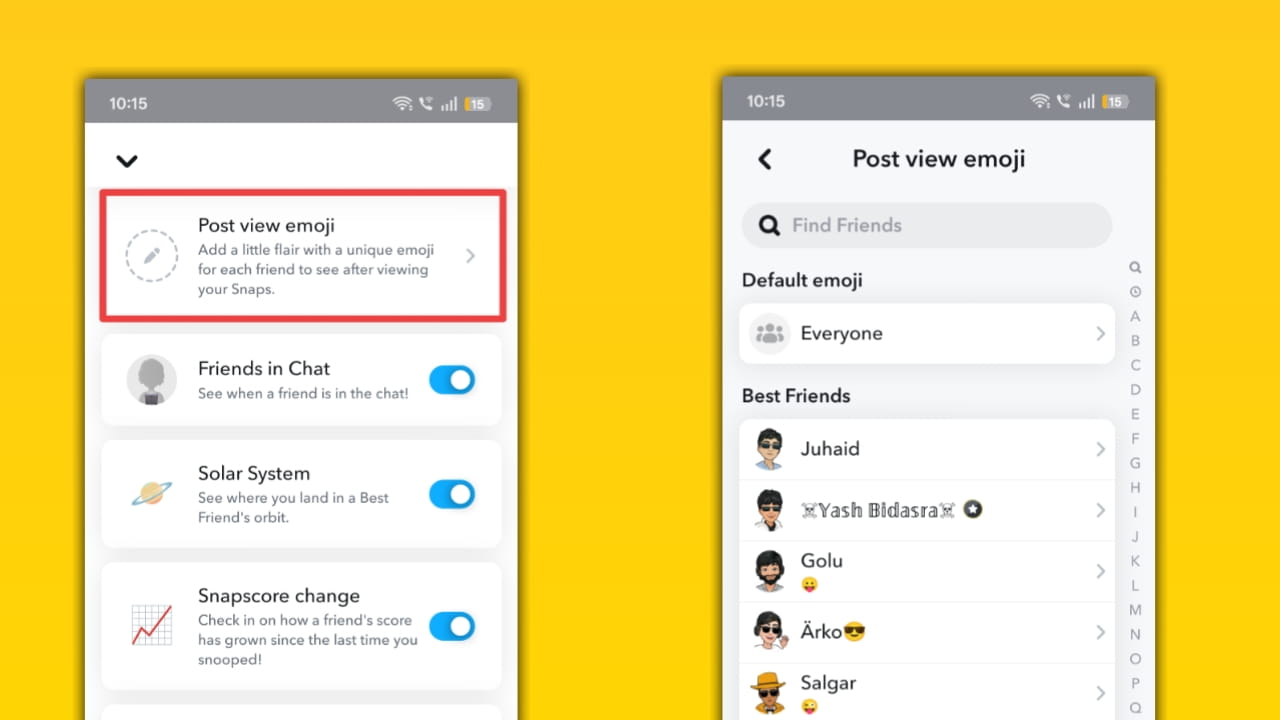
How this Post view emoji works: In your Snapchat+ membership page, select Post View Emoji and pick an emoji (or disable it). When a friend opens a Snap you sent, that emoji briefly shows next to your name in their chat view; it’s a client-side visual marker controlled by Snapchat’s UI.
Friends in Chat
Description: See extra context about who’s present in group chats and get enhanced chat participant metadata; may include expanded presence indicators.
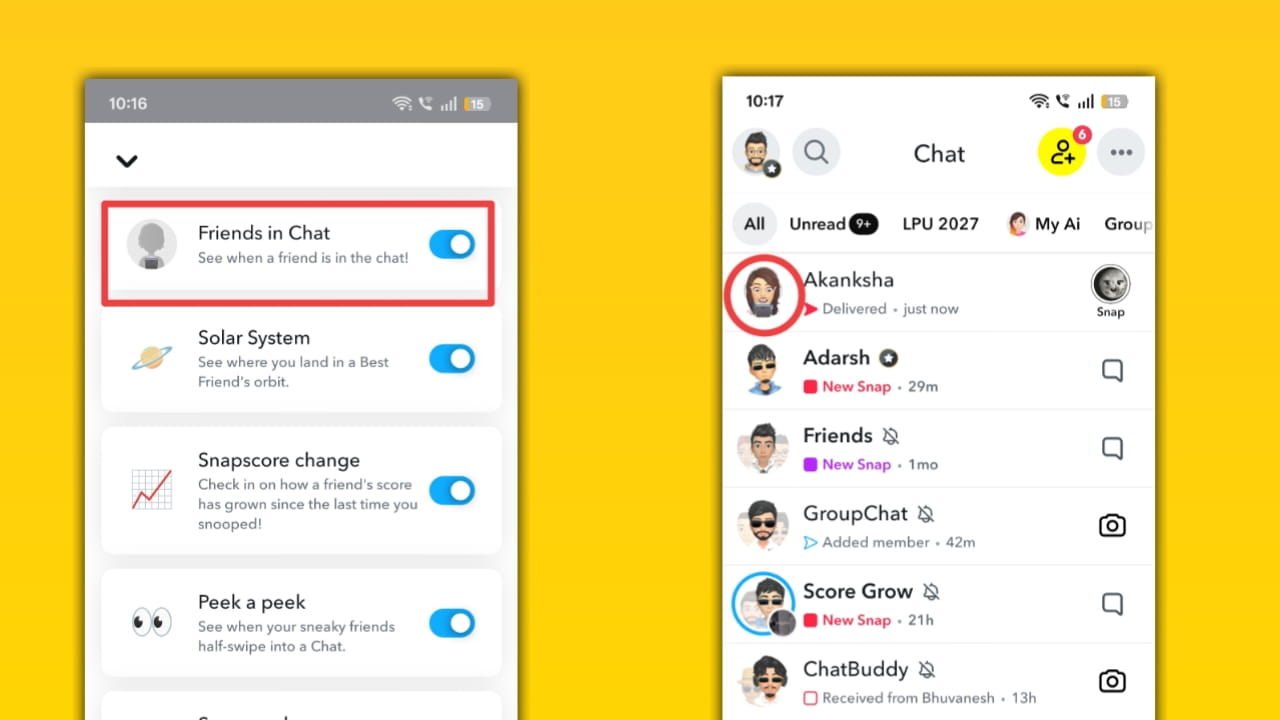
How Friends in Chat works: Snapchat+ surfaces richer group metadata inside group chats, e.g., who is currently active or recent participants, via icons or name highlights. The app collects membership data from the group and displays it in a dedicated section of the chat header for quicker navigation.
Solar System (Friend Solar Systems)
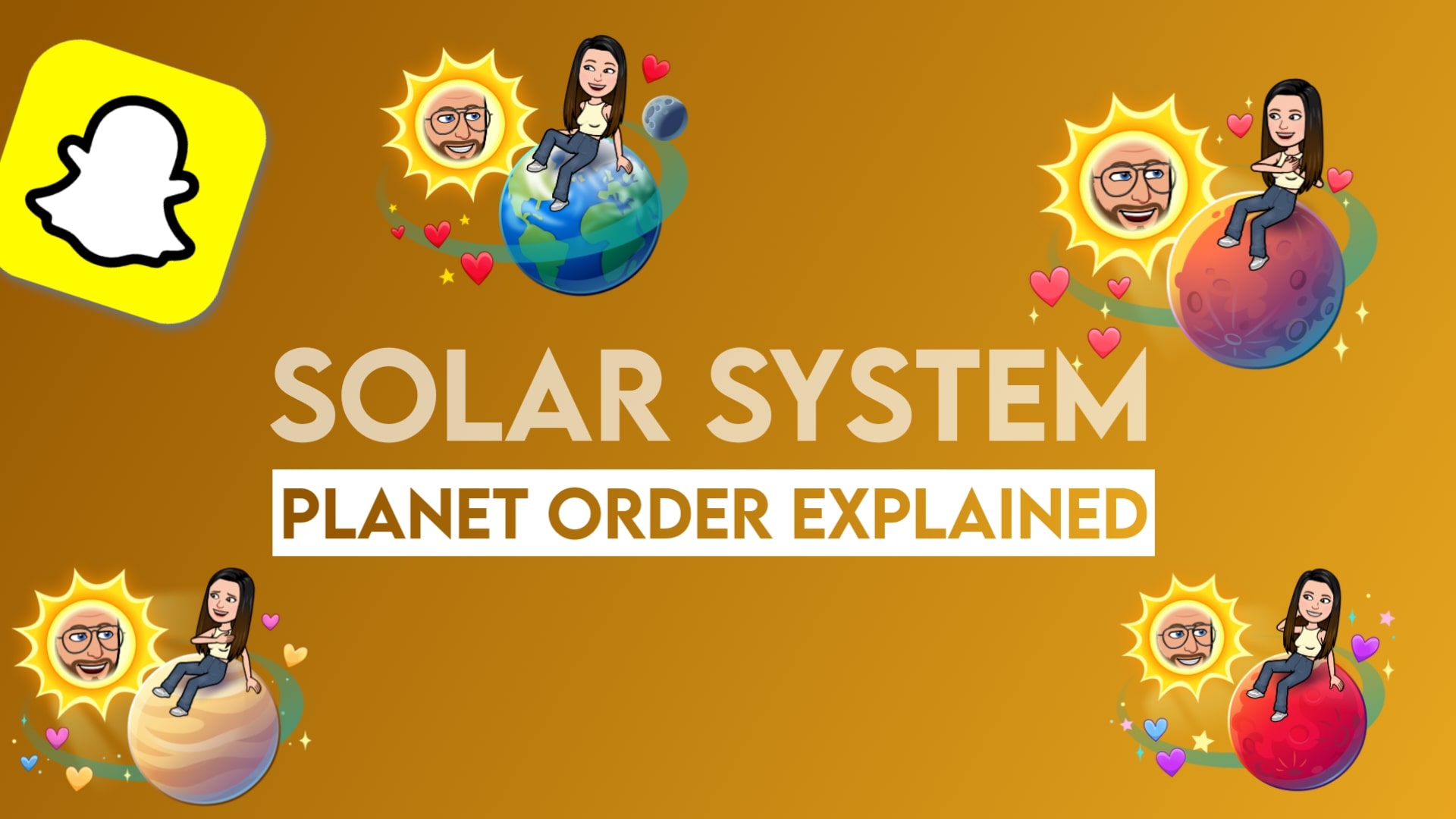
Description: A playful, private visualization that places friends on planets to show a relative Best-Friends ranking, a visual map of closeness. Only you see your solar system.
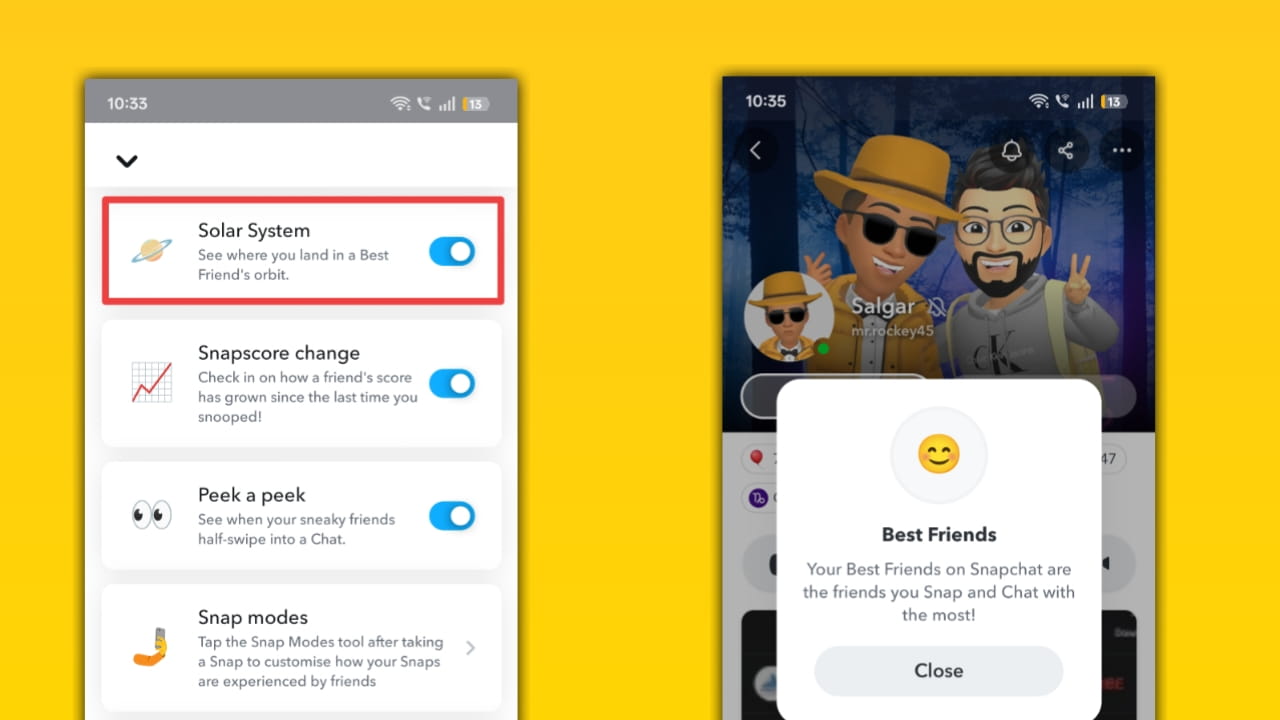
How this Solar System feature works: The feature maps your top eight friends into a “solar system” where each planet corresponds to a Best Friend position. Tapping the Best Friends badge in a Friendship Profile opens the planet view. It’s a private, non-numerical display derived from your interactions (Snaps/Chats).
Snapscore Change (Friend Snapscore Change)
Description: See how much a friend’s Snapscore (their activity points) has changed since you last checked, great for tracking activity spikes without obsessing over totals.
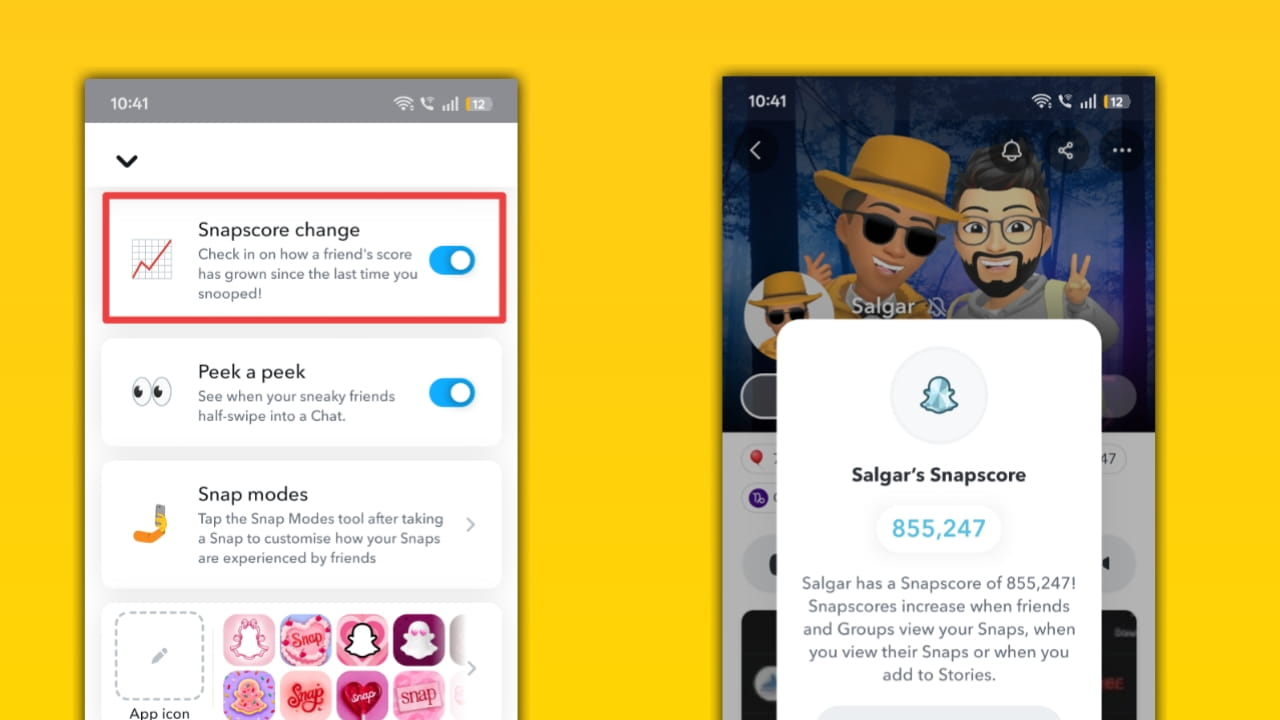
How this Snapscore Change feature works: Open a friend’s Friendship Profile and tap their Snapscore; Snapchat+ shows a delta since you last viewed it. Data updates may not be instantaneous (Snapchat batches score updates), so changes appear after the backend processes interaction counts.
Peek a peek
Description: Get notified or see an indicator when someone peeks into your one-on-one or group chat (they half-open or preview the chat). It’s a subtle presence indicator.
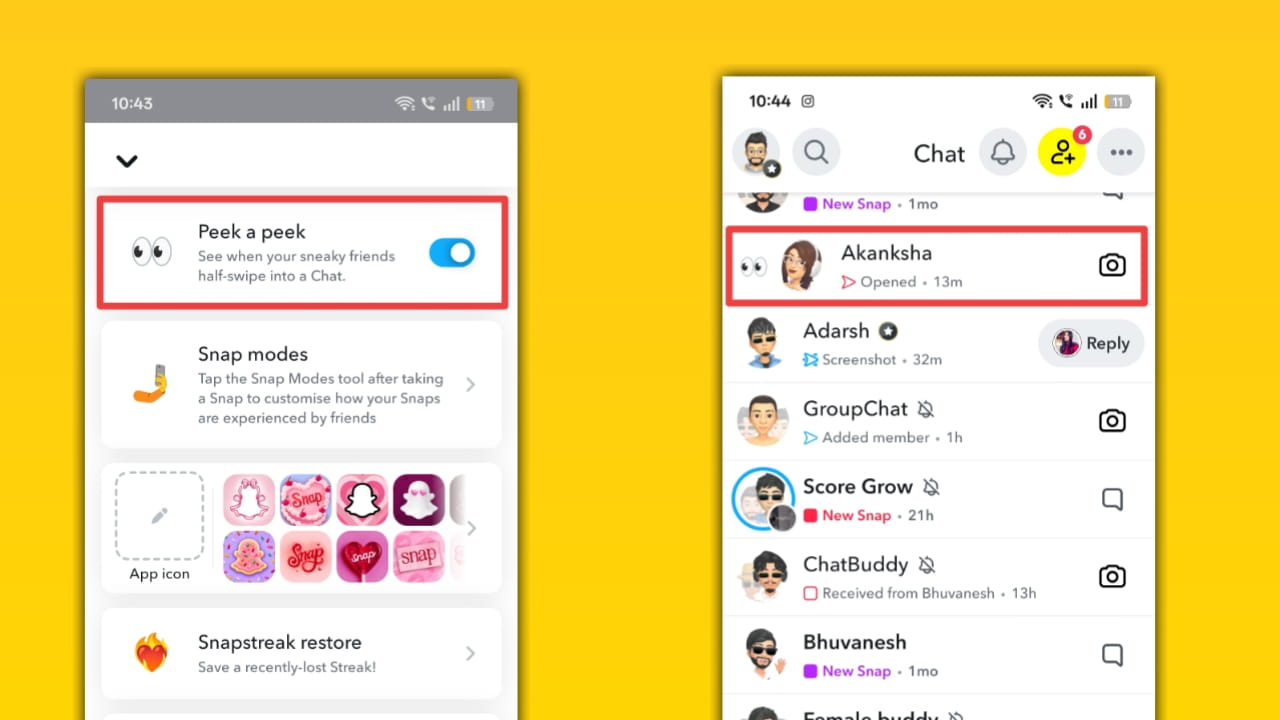
How Peek a Peek works: When enabled, Snapchat+ surfaces a peek indicator in the chat UI that shows someone is “peeking” (partially opening) a shared chat. The system detects partial viewer actions and displays an ephemeral UI cue; it’s not guaranteed to be a phone push notification, but it’s visible inside the app’s chat screen.
Snap modes
Description: Extra delivery/viewing modes for Snaps (e.g., One Time Only, View It or Lose It) that change how recipients can open and keep your content.
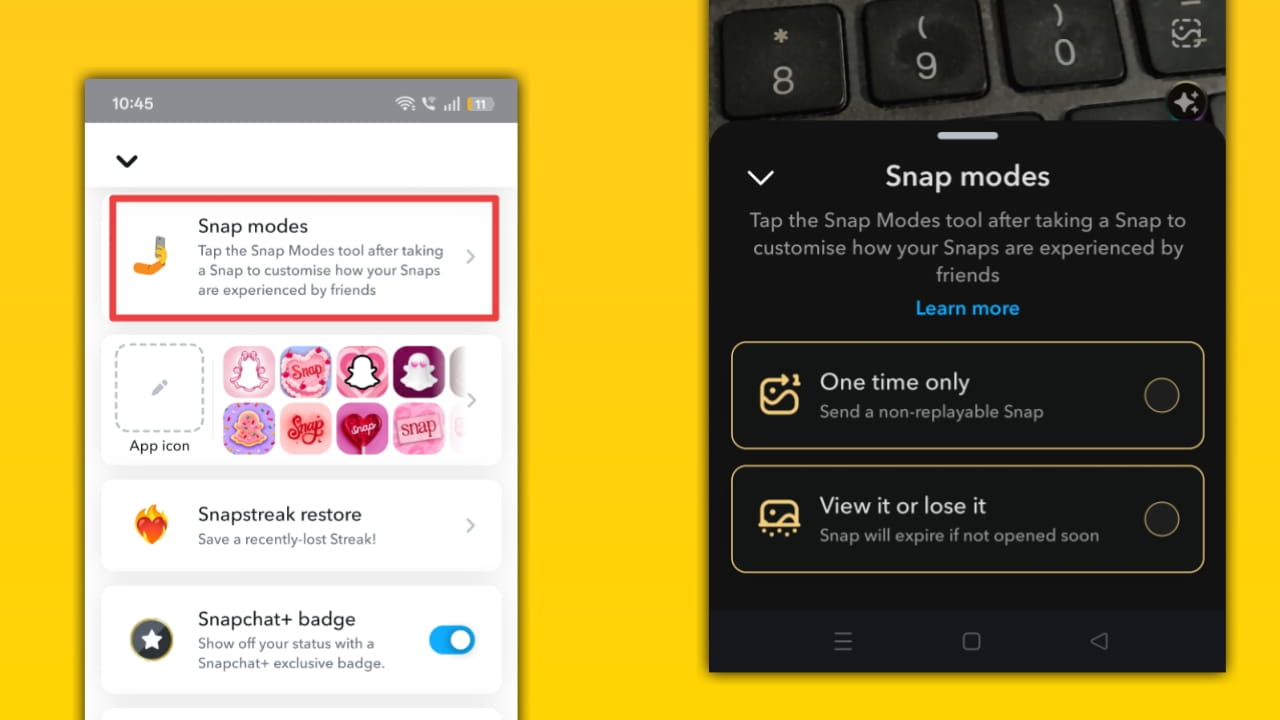
How Snap modes work: After taking a Snap, tap the Snap Modes icon in preview and choose a mode. One Time Only makes the Snap single-view and non-replayable; View It or Lose It lets you set a time window (30s–60min) for the Snap to be viewable. If it’s not opened within that window, it’s inaccessible. Modes affect retention rules and save behavior in chats.
App Icon
Description: Pick a custom Snapchat icon for your device home screen, neat for branding guides, screenshots, or matching seasonal blog themes.
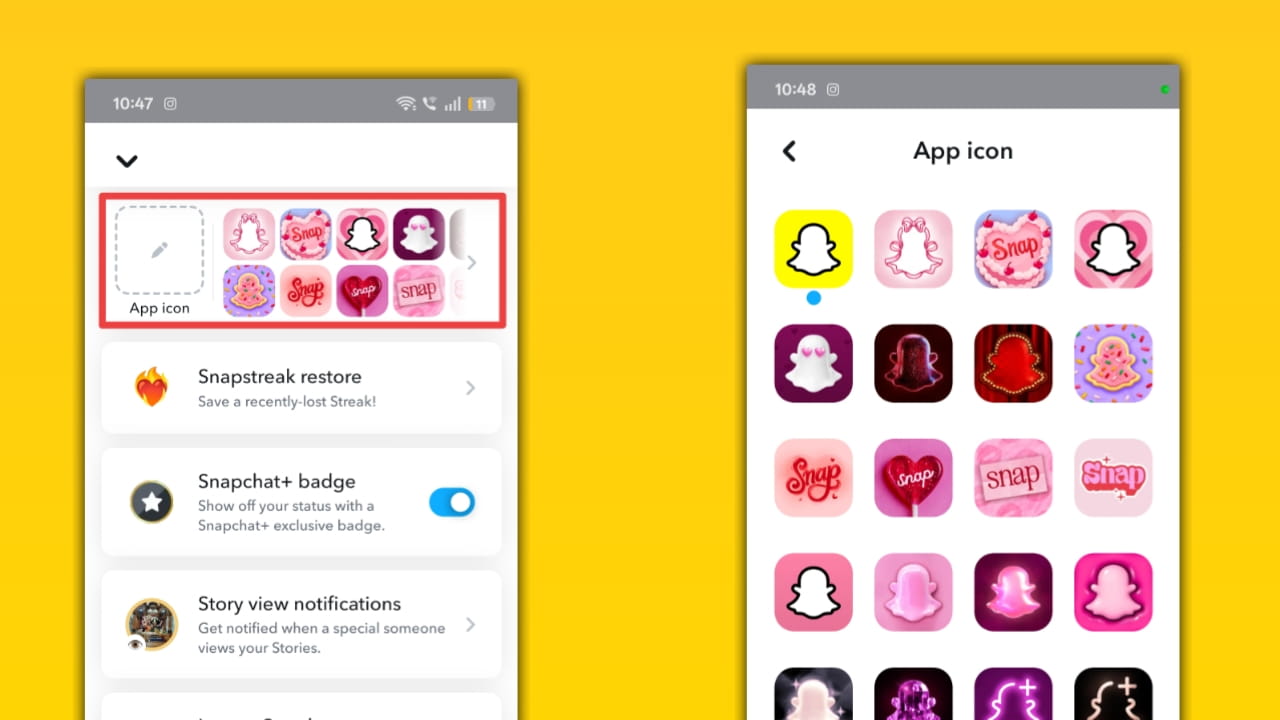
How this App Icon setting works: Go to Profile → Snapchat+ card → App Icon, choose an icon, and confirm. The client updates the home-screen icon resource (on some devices, you may need to restart the phone). Snapchat supplies multiple icons exclusive to Snapchat+ members.
Snapstreak restore
Description: An easier flow for restoring lost Snapstreaks when eligible, a safety net for accidental breaks in a streak with friends.
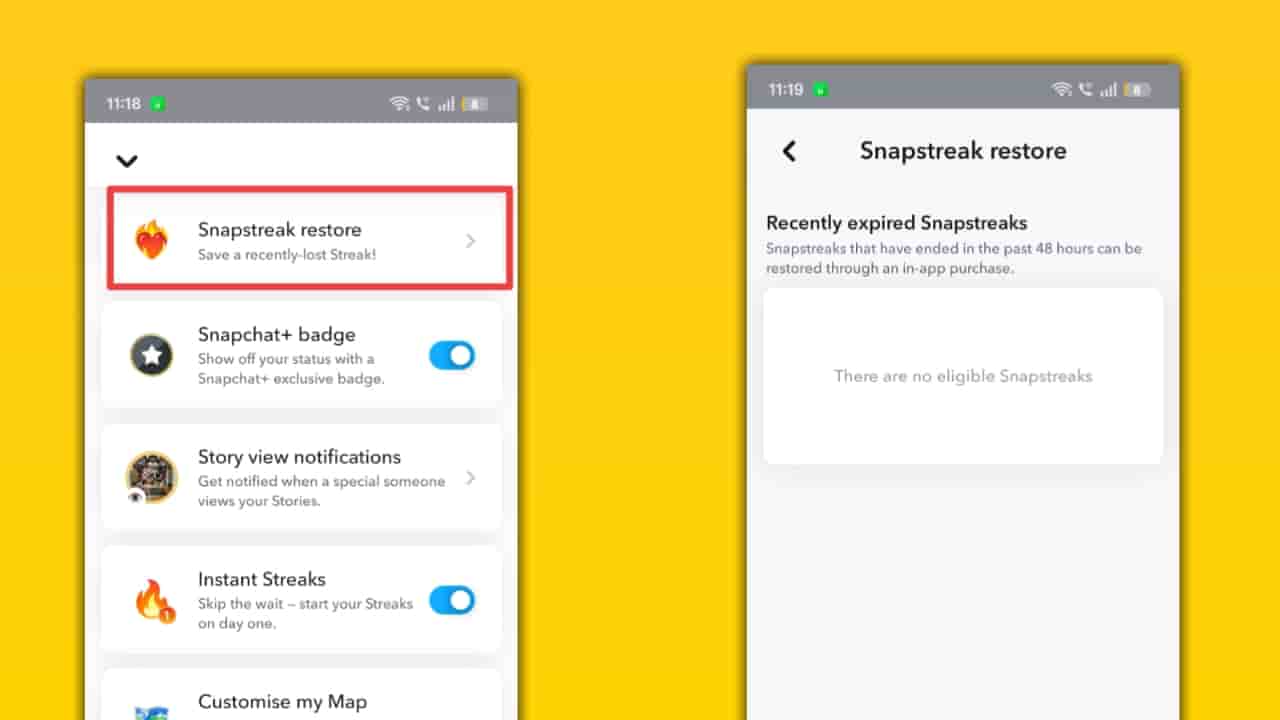
How Snapstreak restore works: If a qualifying Streak ends, look for a Restore button next to that Chat. Tap it and follow the in-app steps (you’ll supply context and may get a one-time restoration). Not all expired streaks are restorable; eligibility depends on timing and prior data.
Snapchat+ Black Star Badge
Description: A visible badge on your profile indicating you’re a Snapchat+ subscriber, useful social proof, and helps highlight premium creators or accounts.
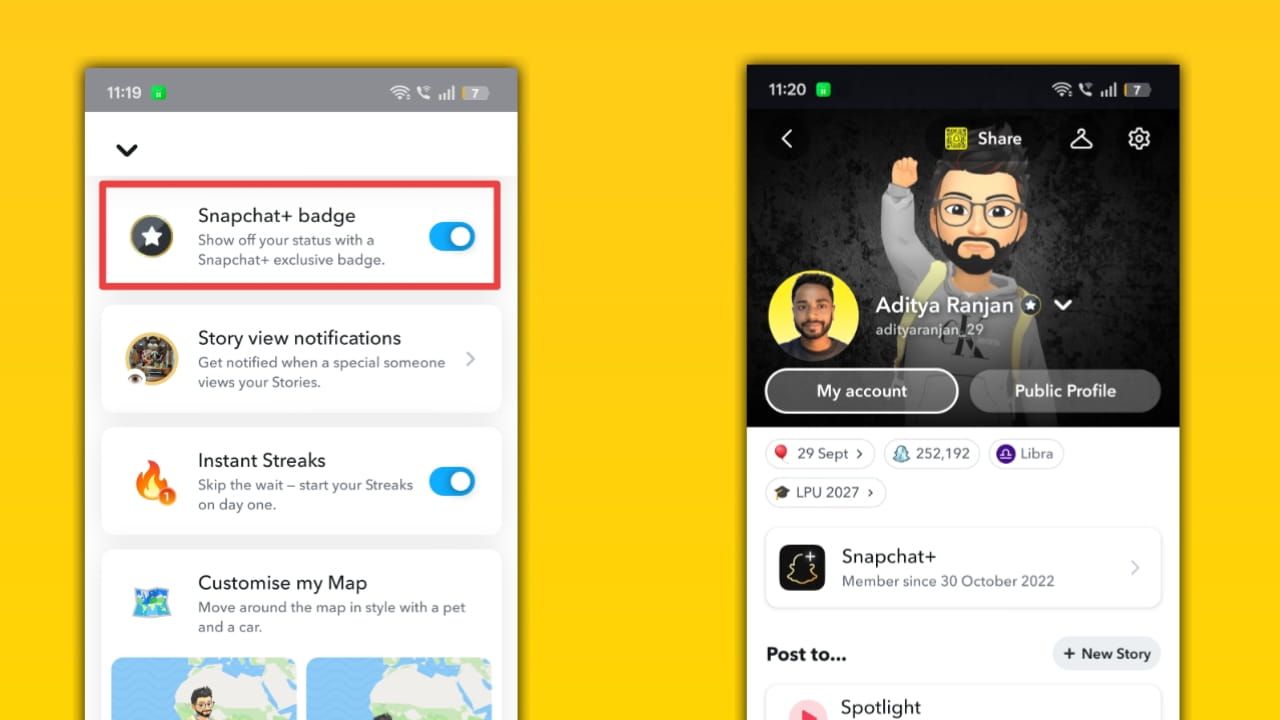
How the Snapchat+ Badge works: When you subscribe, Snapchat displays a small Black badge/ribbon on your profile/Bitmoji header. The badge is controlled by Snapchat’s profile UI and can be toggled in membership settings; it’s a cosmetic identity signal only.
Story view notifications
Description: Get enhanced insights, timestamps, or notifications about when friends view your Story (who looked and when). This helps measure engagement more precisely.
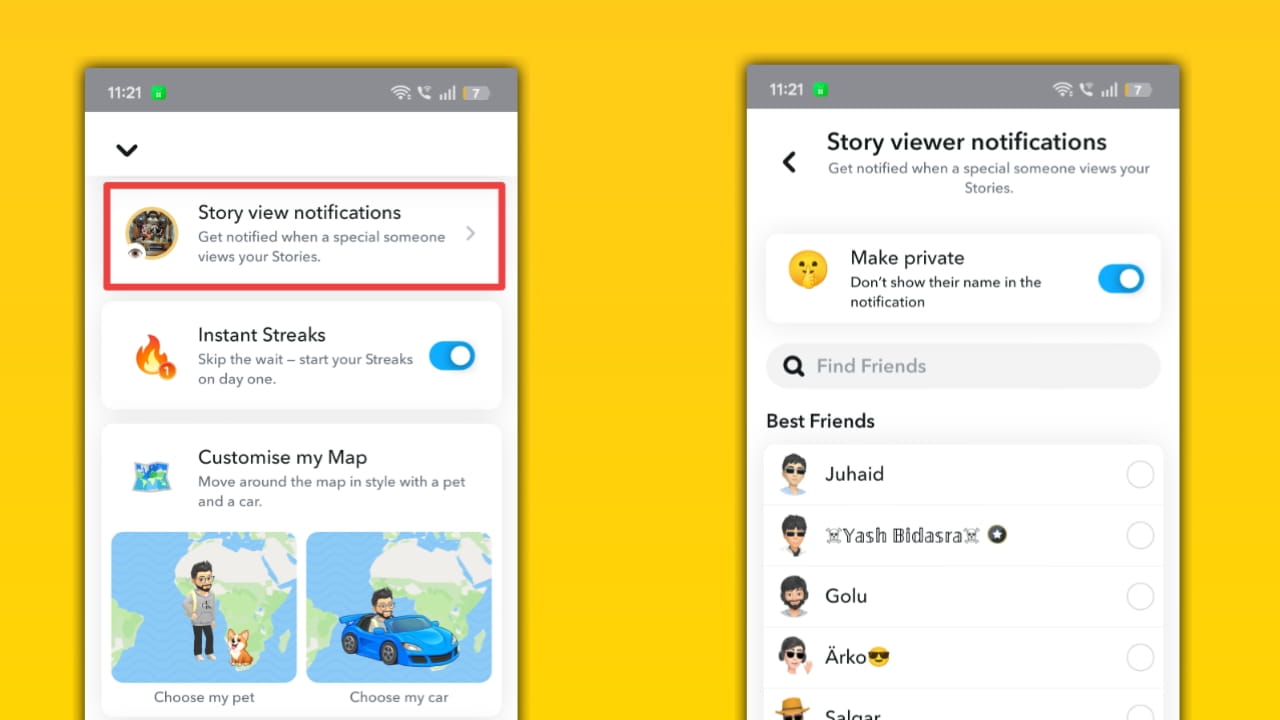
How Story view notifications work: Enable Story Timestamps or related settings in Snapchat+ and then swipe up on a Story to see who viewed it and when. The feature writes viewer timestamps under each viewer name in the Story viewer list; some variants can give you push-style alerts based on availability.
Instant Streaks
Description: Celebrate one-day Streaks or get spontaneous streak notifications that make short interactions feel rewarding, a micro-reward system for daily sharing.
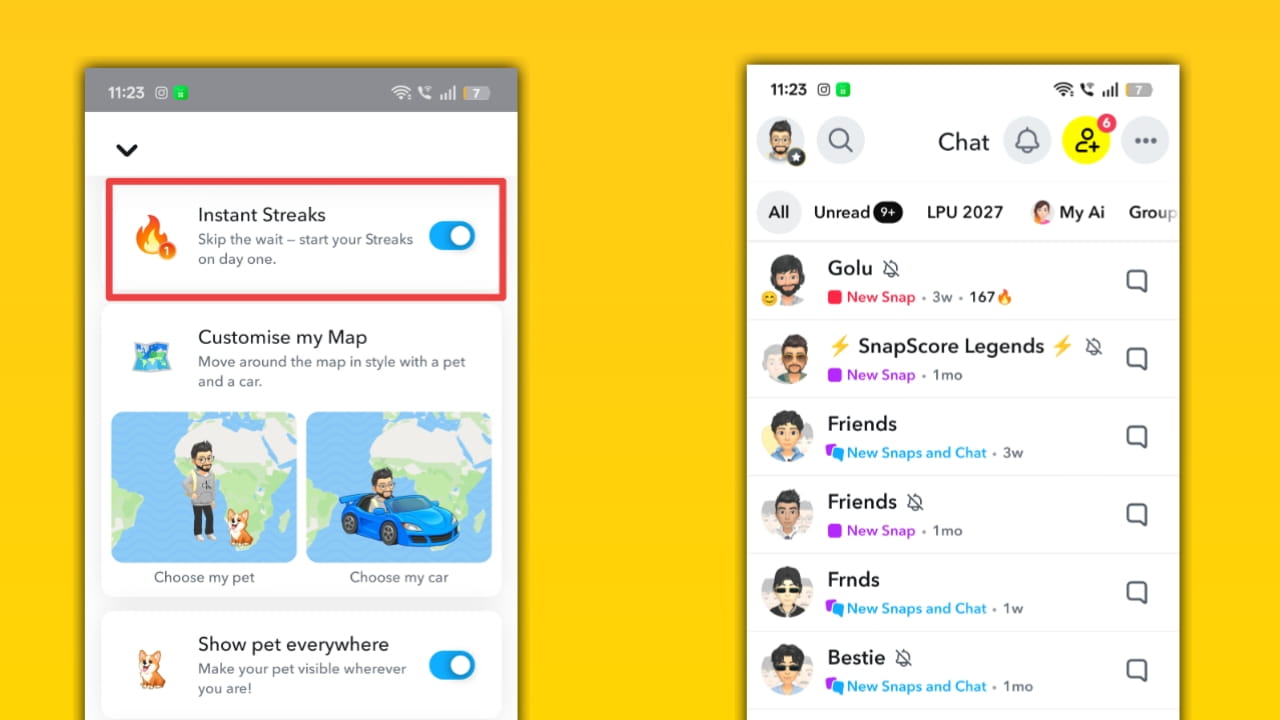
How Instant Streaks work: Toggle Instant Streaks in Snapchat+ settings; when enabled, some chats will show a one-day streak icon after you and a friend exchange Snaps. The system may also auto-trigger them for special contexts (birthdays, new friendships). Availability can vary by region.
Customize Map: A. Choose my pet / B. Choose my car
Description: Add a Bitmoji pet or car that represents you on Snap Map; pets can travel with your Bitmoji; cars are exclusives that change how your Bitmoji appears on the map.
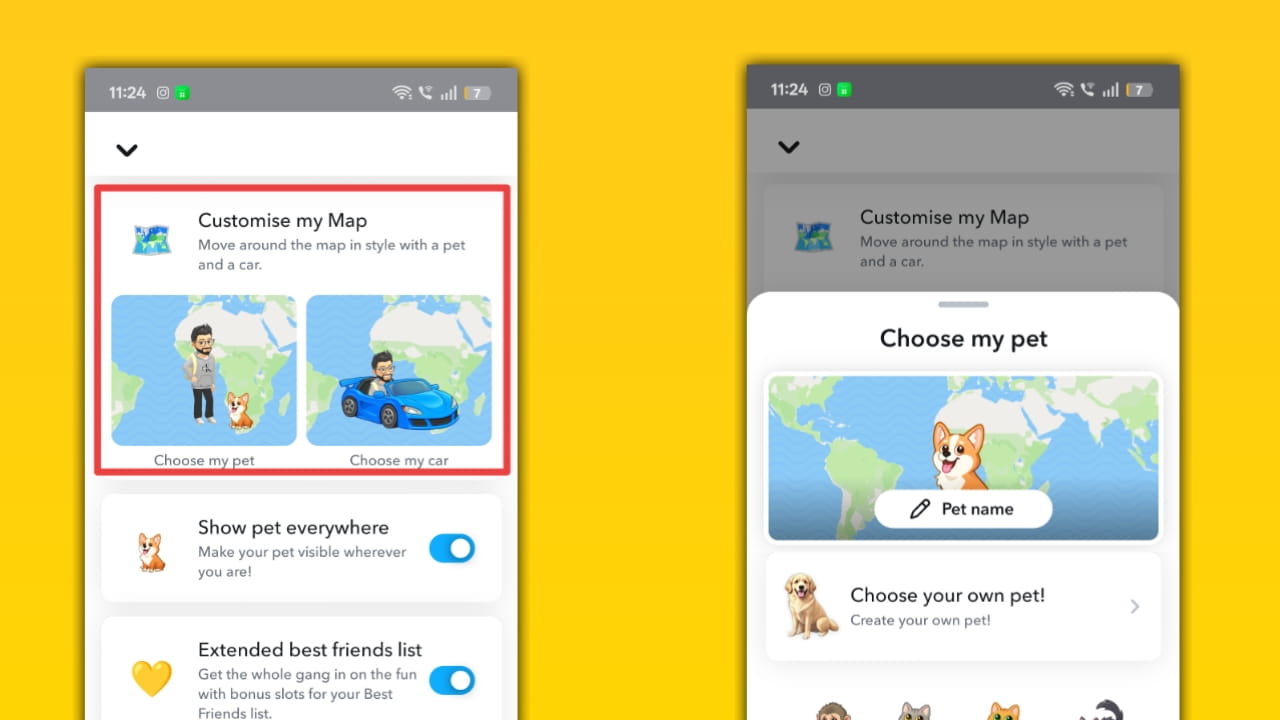
How Choose my pet / Choose my car works: Open Snap Map → Me → Choose My Pet or Profile → Snapchat+ card → Customize My Map. Select or purchase a pet; pick a car (cars are often Snapchat+-exclusive). The chosen icon displays on Snap Map and in chats where Bitmoji appears. Pets/cars can be bought or unlocked and updated anytime.
Show pet everywhere
Description: Expand your Bitmoji pet’s presence, make your pet appear not just on the Snap Map but across chats and profile areas for consistent branding.
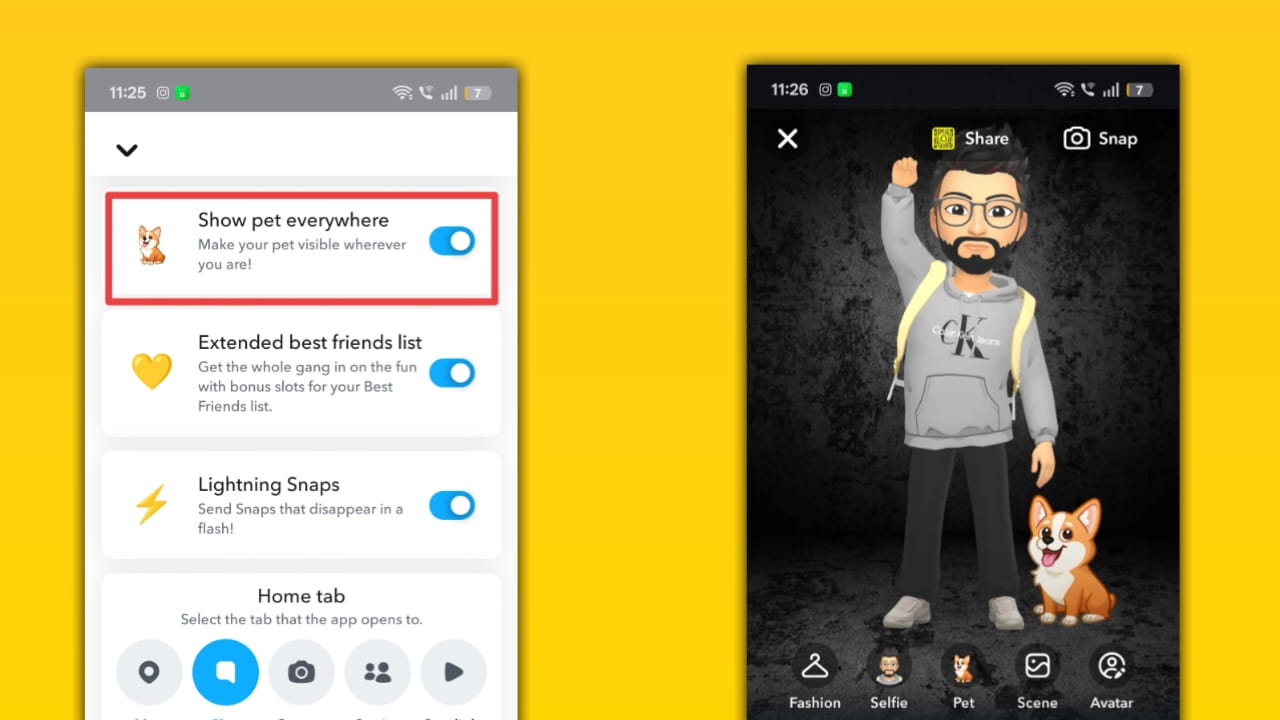
How Show pet everywhere works: After selecting a pet, toggle visibility options in the Bitmoji/Snap Map settings to show the pet in chats, profile headers, and map pins. Snapchat applies this preference client-side so your Bitmoji + pet rendering updates across screens where Bitmoji is used.
Lightning Snaps
Description: Ultra-short Snap durations (<1 second) that force viewers to catch content in a literal blink, a playful, attention-grabbing timer option available to Snapchat+ users.
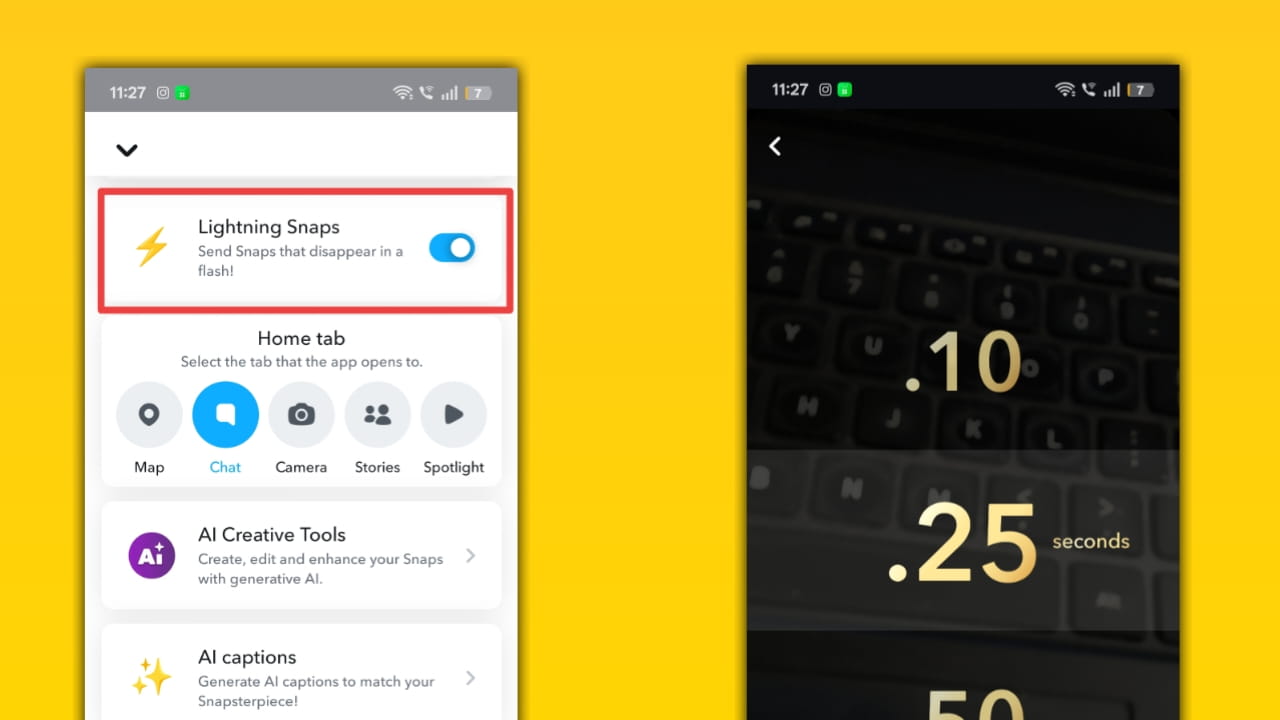
How Lightning Snaps work: When composing a Snap, tap the timer and choose lightning durations like 0.50, 0.25, or 0.10 seconds (availability depends on rollout). Send as usual; recipient devices obey the timer and display only the selected micro-preview window. It uses the same retention rules as normal Snaps but with tighter view windows.
Home Tab
Description: A curated home/landing tab for Snapchat+ users that surfaces personalized content, shortcuts, or creator highlights, speeding discovery.
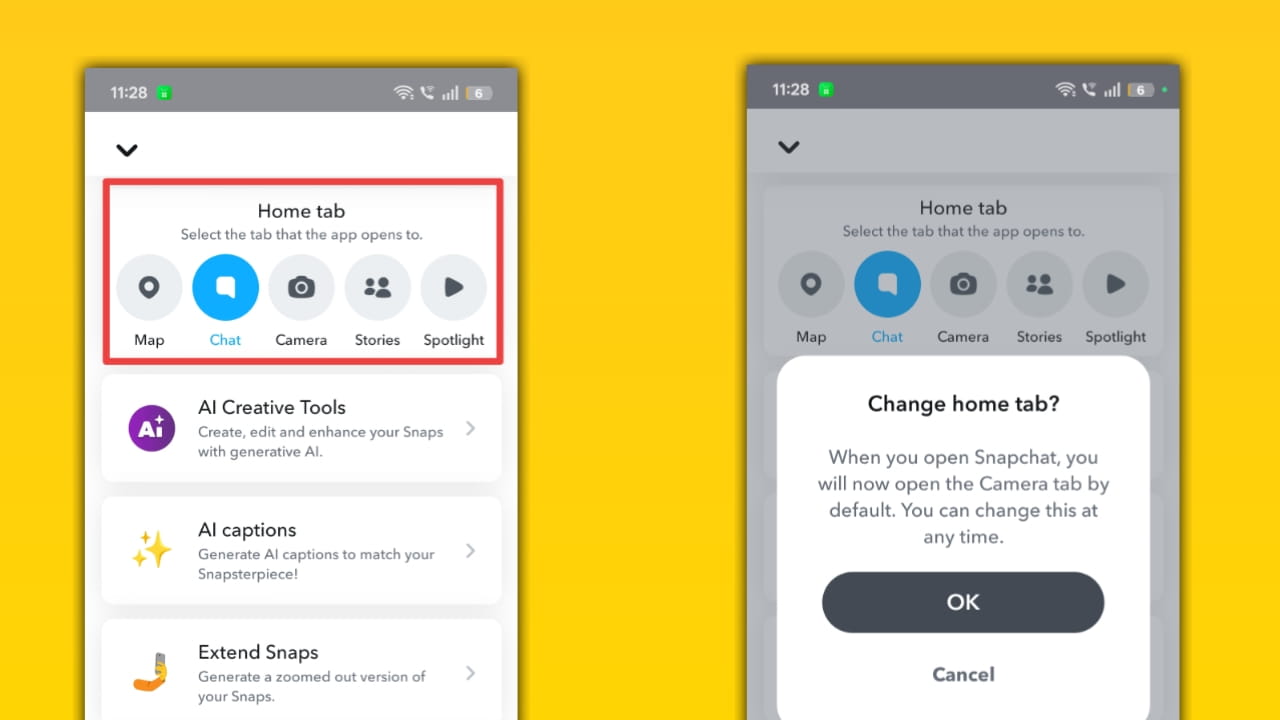
How the Home Tab works: Snapchat+ may offer a modified main tab (home) with prioritized content modules (e.g., your favorite Stories, AI suggestions, or quick actions). The client pulls personalization signals (interactions, subscriptions) and rearranges UI modules for the Home Tab experience.
AI creative Tools (AI Snaps)
Description: Generative AI tools that let you create or transform images directly inside Snapchat, including prompts, presets, and stylized outputs available to Snapchat+ users.
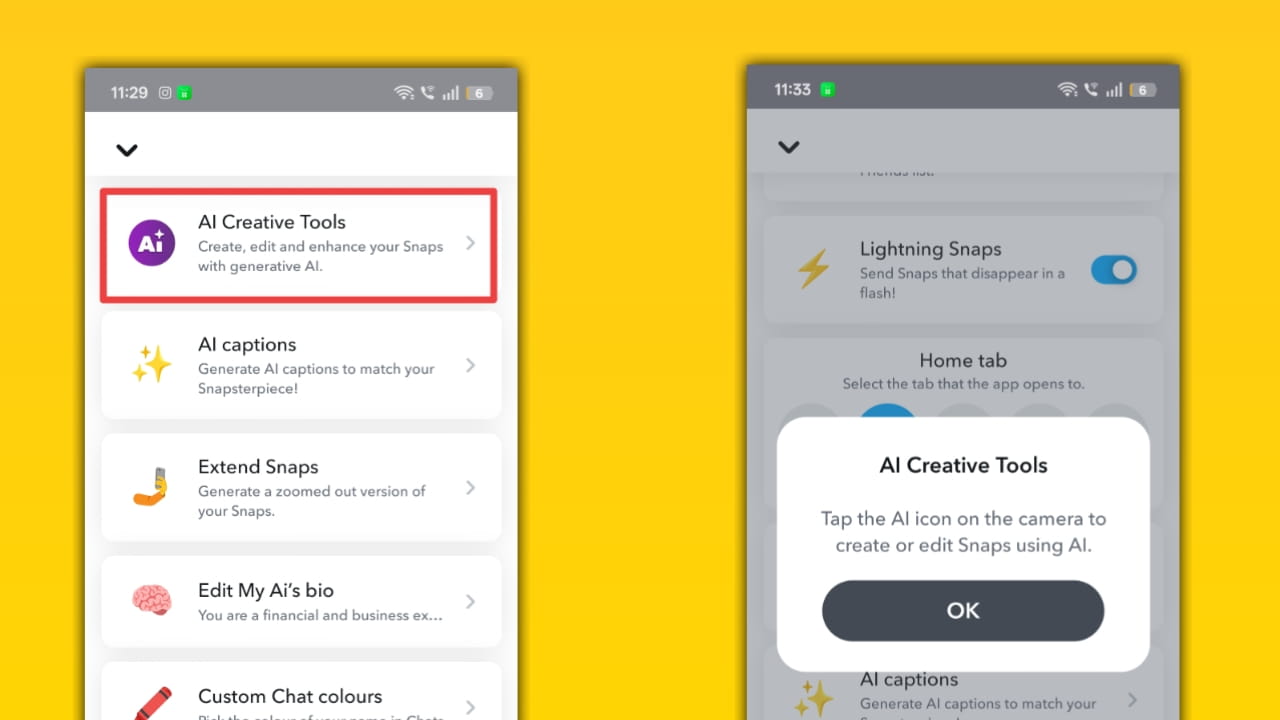
How AI creative Tools / AI Snaps works: Tap the AI button on the camera or preview screen, type a prompt or select a preset, and Snapchat generates an image or transforms your Snap in ~20 seconds. Outputs may include a small watermark to show AI generation; results are editable and can be shared as Snaps or saved.
AI captions
Description: Auto-generated captions for Snaps using AI to save time and improve accessibility, useful for creators and SEO-friendly text overlays.
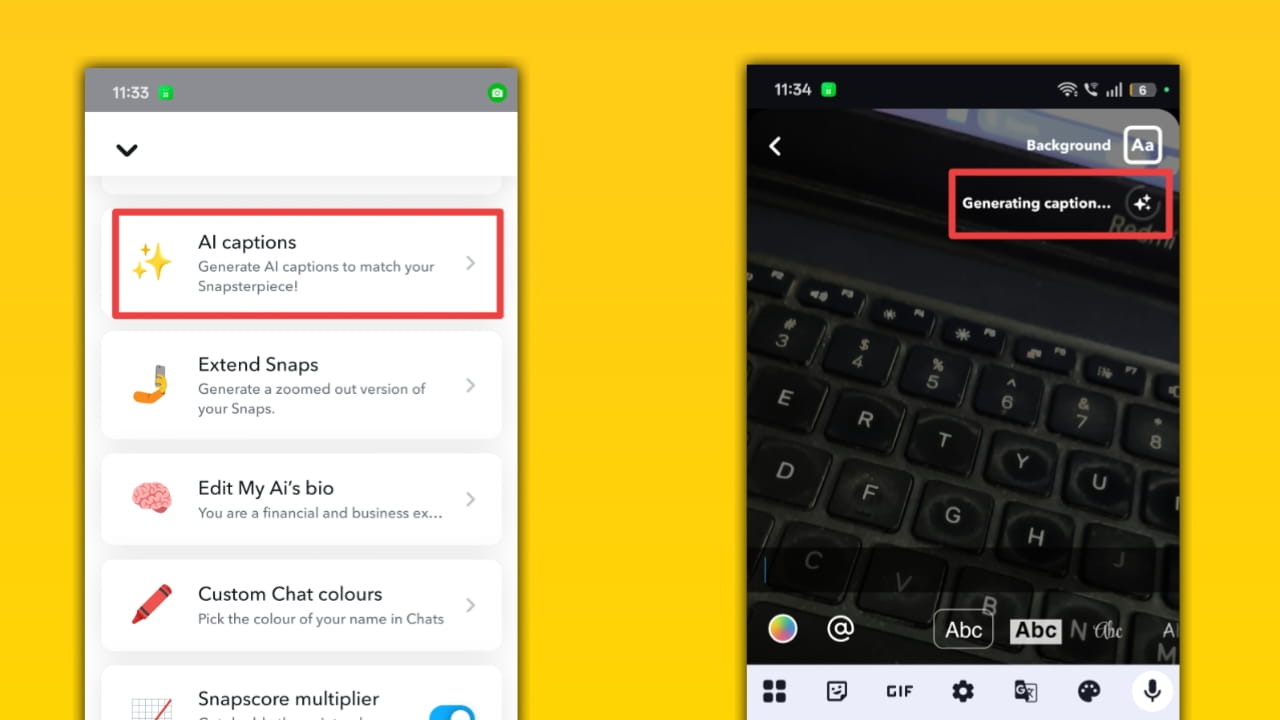
How AI captions work: On the Snap preview screen, tap T for text, then the sparkle or AI icon to generate caption suggestions. Snapchat analyzes the image/video and returns short caption options, which you can edit and apply. Generated captions aim to be concise and contextually relevant.
Extend Snaps
Description: Increase or change the lifespan of a Snap beyond default limits (e.g., more time windows or repeat views) — useful for important micro-content.
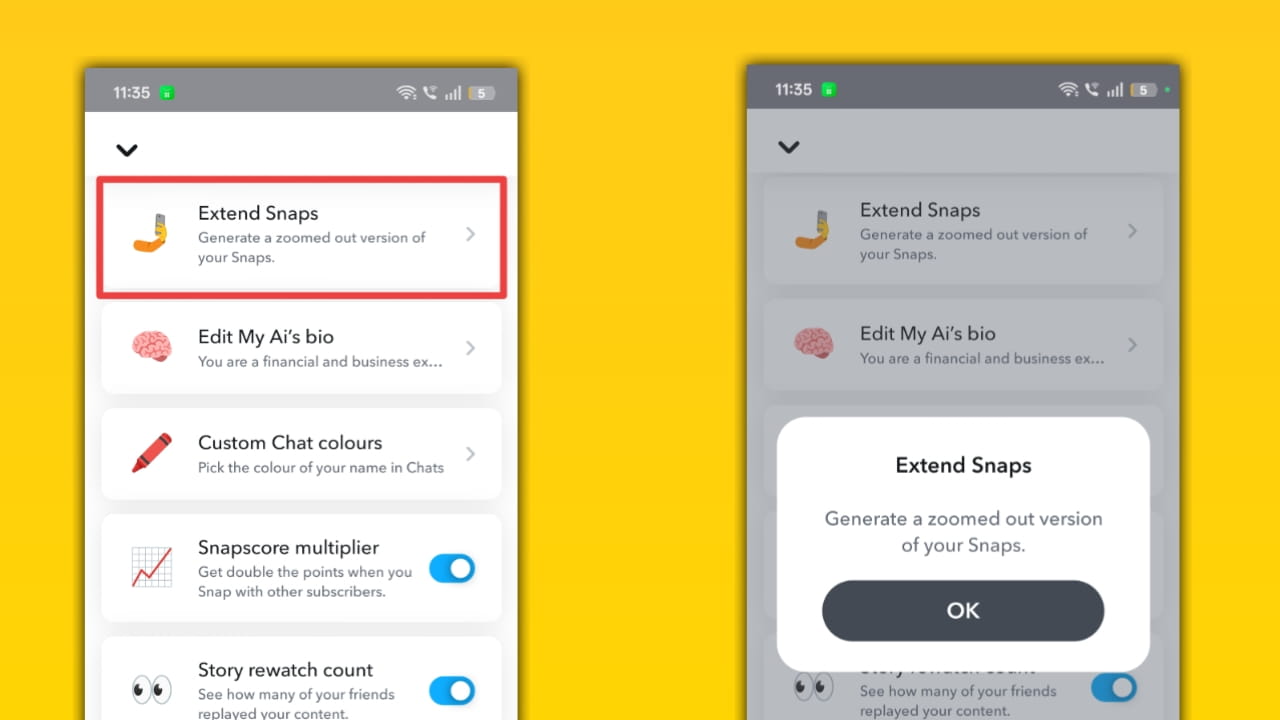
How Extend Snaps works: When sending a Snap, choose an extended timer option or a Snap Mode (like View It or Lose It with longer windows). If allowed, recipients get the longer view window; rules about saving and replay still follow Snapchat’s retention policy.
Edit my Ai Bio’s (Edit My Bio)
Description: Enhanced bio editing in profiles (longer text, styling, or pinned lines) so creators can add SEO-rich descriptions and CTAs, and can also edit My Ai bio to influence My Ai.
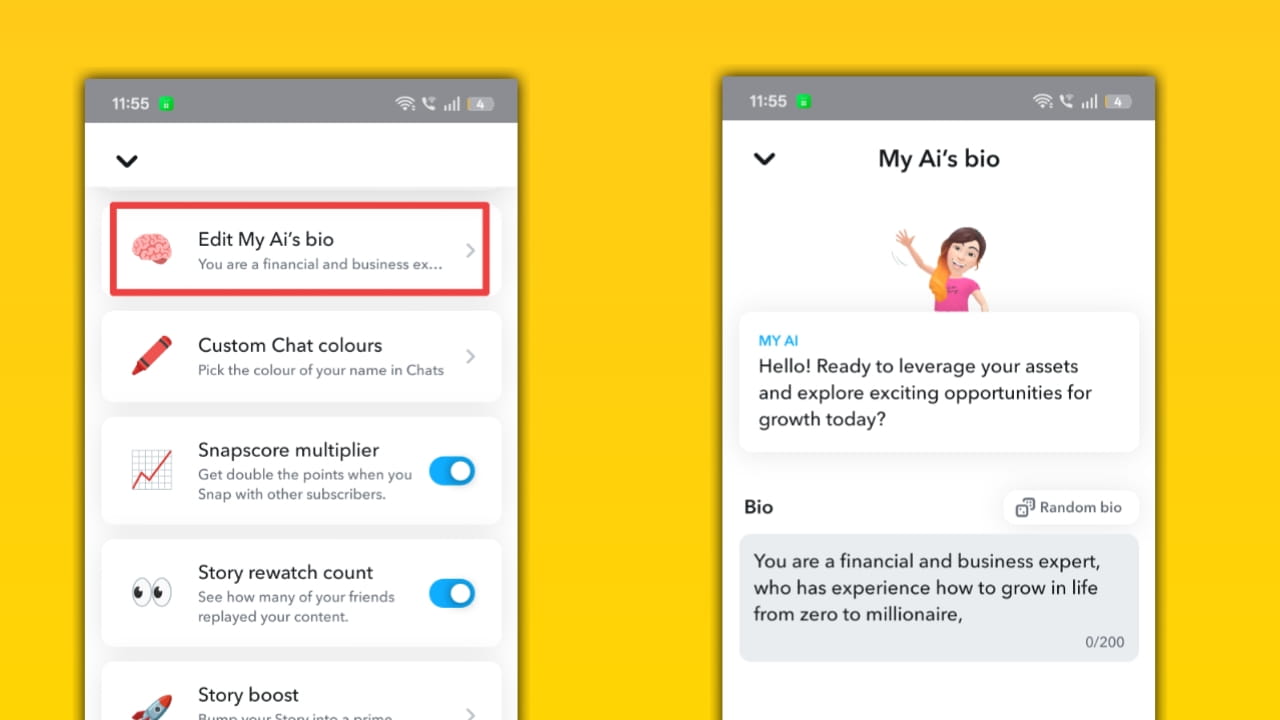
How Edit my Bio works: Go to your Profile → tap to edit Bio; Snapchat+ may allow longer character limits, special formatting, or pinned lines. The bio is then visible under your name/Bitmoji and can be updated anytime to reflect campaigns or keywords.
Custom Chat Colours
Description: Personalize chat bubble colors to match brand palettes or blog theme screenshots — a visual customization that improves the look of screenshots.
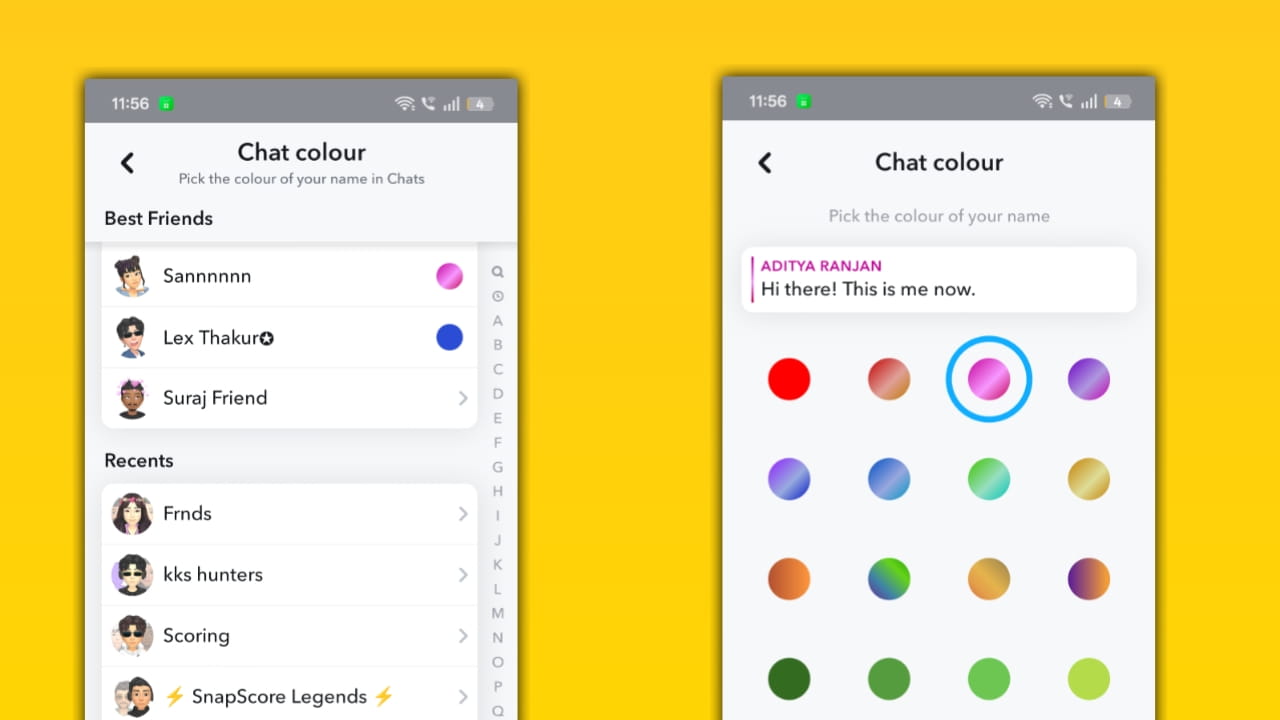
How Custom Chat Colours work: In Snapchat+ customization settings, choose a chat color or theme; the client renders chat bubbles and UI accents with the selected palette locally. Other chat participants may or may not see the same colors depending on whether it’s local to your client or the shared channel setting.
Snapscore multiplier
Description: Double (or accelerated) Snapscore growth when interacting with other Snapchat+ subscribers — an incentive to use the app more and invite friends to subscribe.
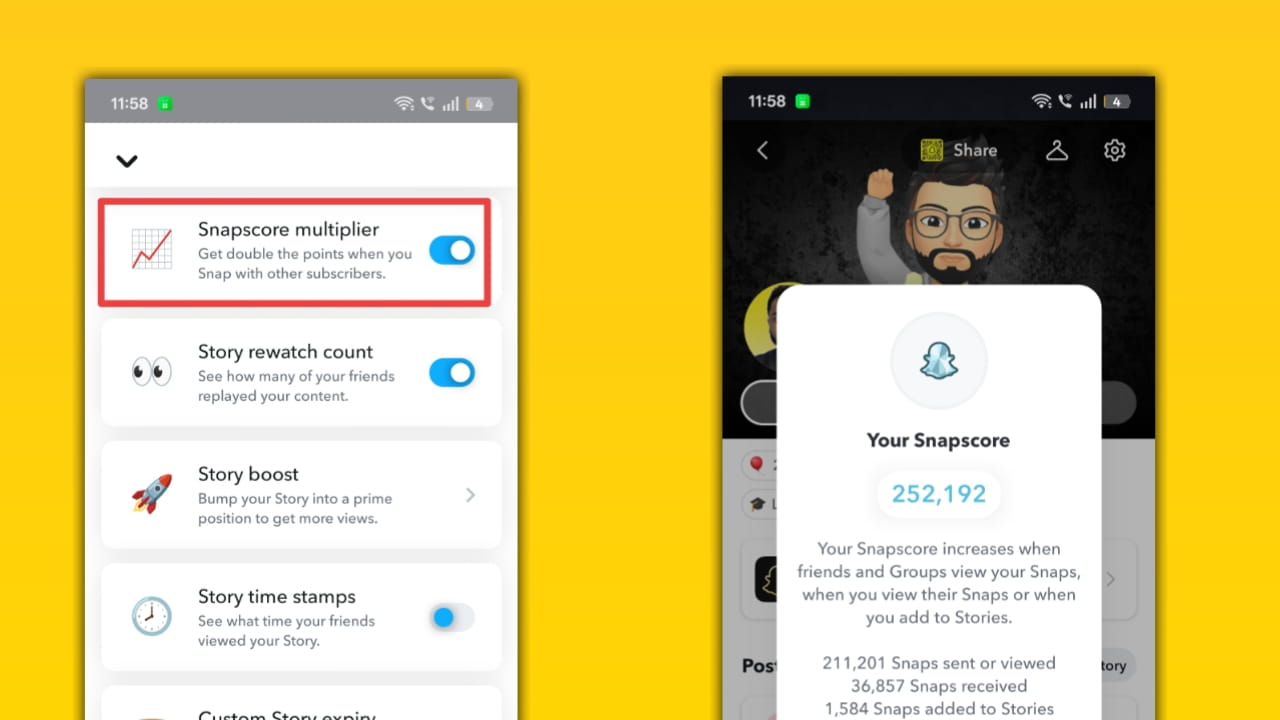
How Snapscore multiplier works: Turn the Snapscore Multiplier on via your Snapchat+ card; when you send/receive Snaps with other Snapchat+ users, the multiplier applies and increases point gains (example: 2x). Snapscore updates are processed server-side and may appear with some delay.
Story Re-watch count (Rewatch Indicator)
Description: See how many friends rewatched your Story, a metric that helps creators measure how engaging a Story was beyond raw view counts.
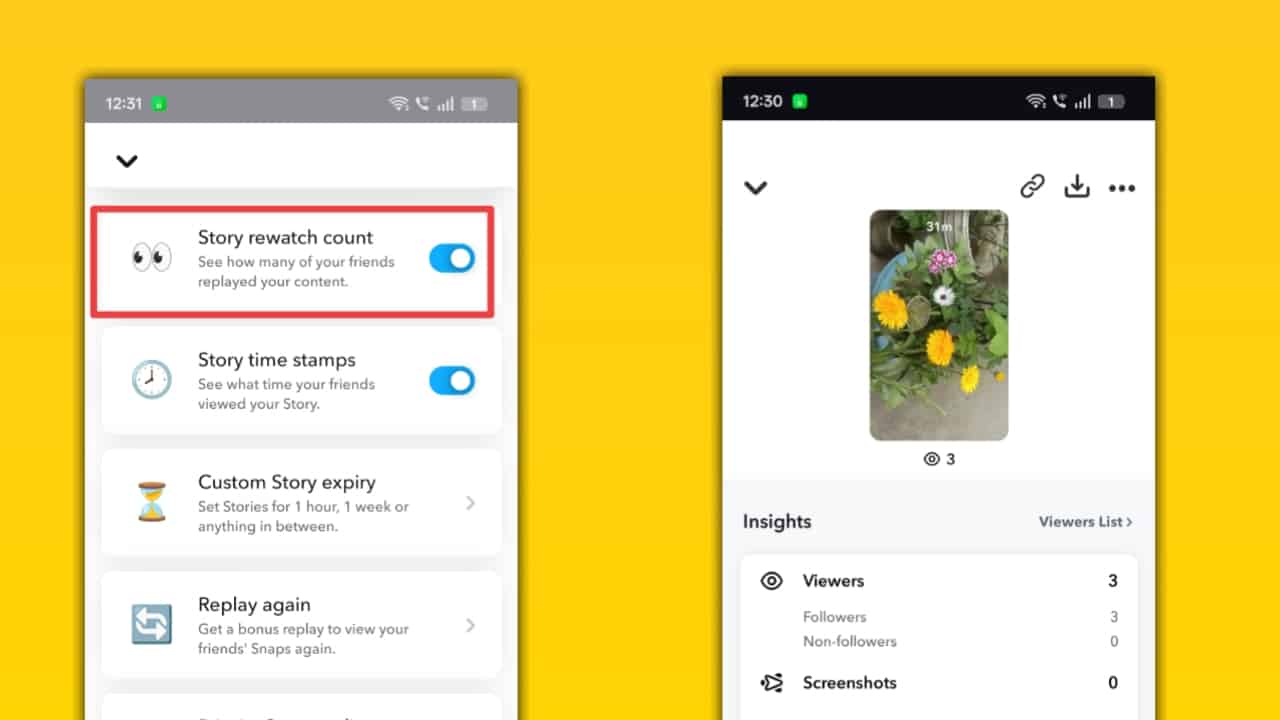
How the Story Rewatch count works: After posting a Story, tap it and swipe up to view viewer details. Rewatch counts appear as an eye icon and a number showing how many friends rewatched the Story; this is calculated by Snapchat’s viewer analytics.
Story Boost
Description: Paid or priority features that increase the visibility of a Story among your followers or suggest it more prominently, designed for creators and brands.
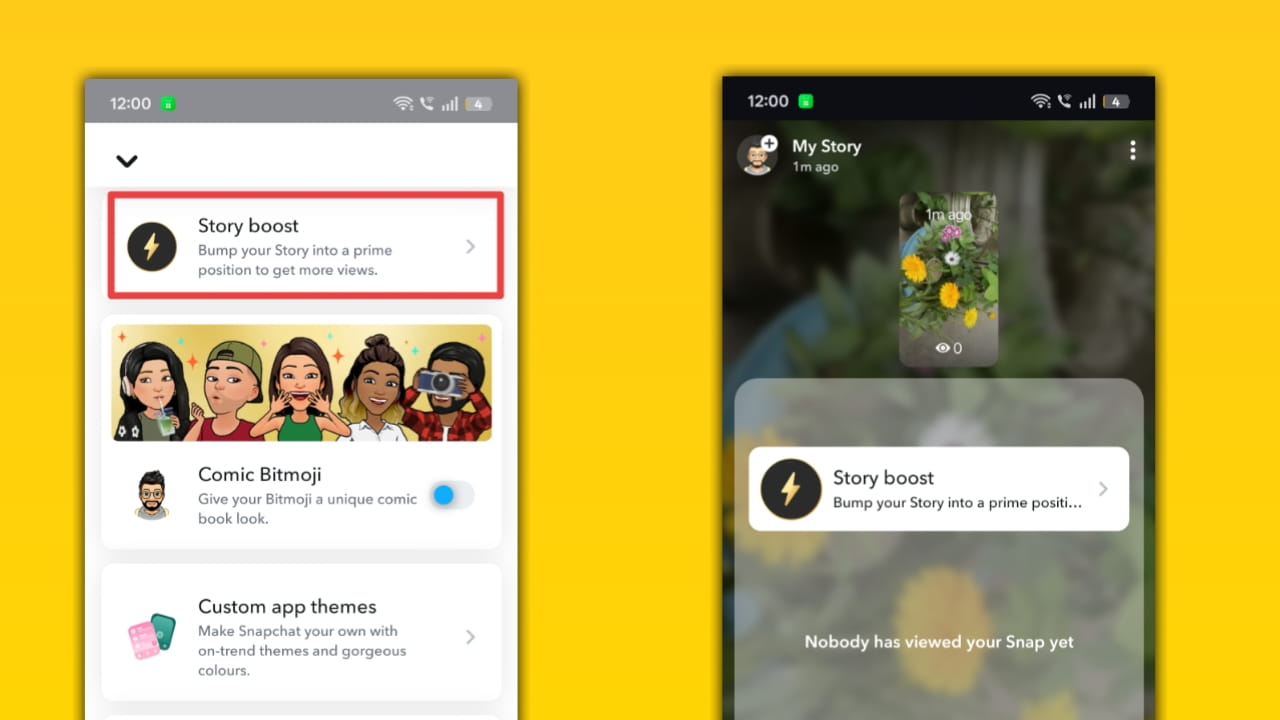
How Story Boost works: When enabled, Snapchat applies internal signals to rank or surface your Story more prominently in follower feeds or suggested lists. Boosts are applied server-side and may be temporary; they are subject to platform policies and availability.
Story Timestamps
Description: See the exact time each viewer opened your Story, helpful for tracking engagement patterns across time zones and optimizing posting schedules.
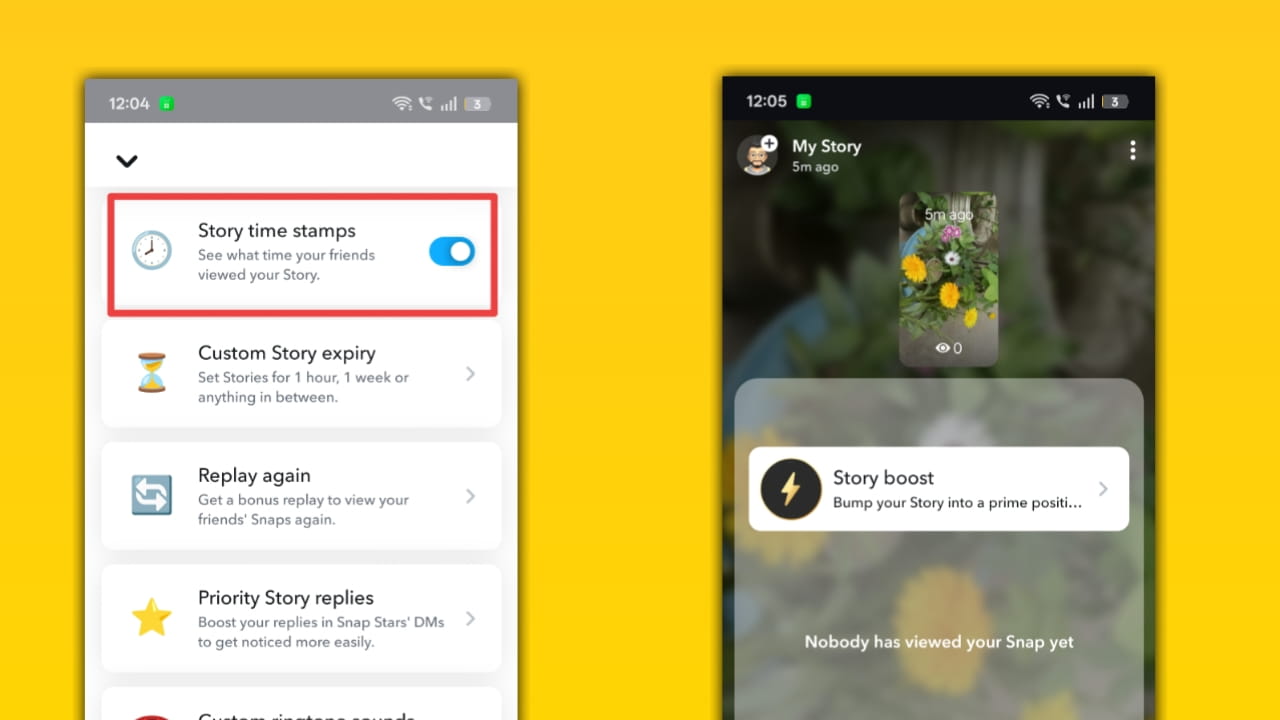
How Story Timestamps work: Toggle Story Timestamps in Snapchat+ settings. For each viewer entry in the Story viewer list, Snapchat shows a timestamp indicating when that friend viewed the Story. Timestamps are generated by server logs and displayed client-side.
Custom Story Expiry
Description: Set non-standard expiration rules for Stories (custom durations before a Story auto-expires) to control how long content stays live.
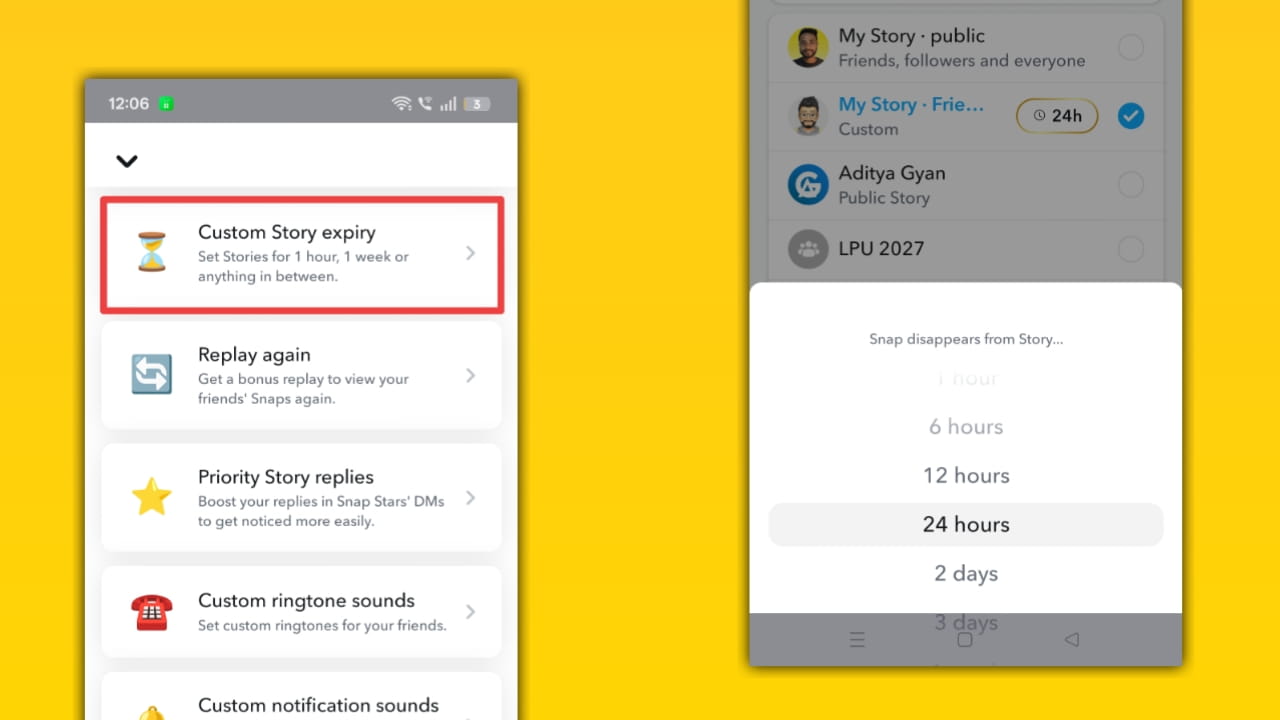
How Custom Story Expiry works: In the Story composer or Snapchat+ settings, choose a custom expiry duration for the Story; Snapchat enforces the expiry server-side. After expiry, the Story is removed from viewers’ feeds and is no longer accessible (unless saved to Memories).
Replay Again
Description: Allow immediate or limited replays of Snaps or Stories for viewers, adds a second-chance viewing option while keeping ephemeral roots intact.
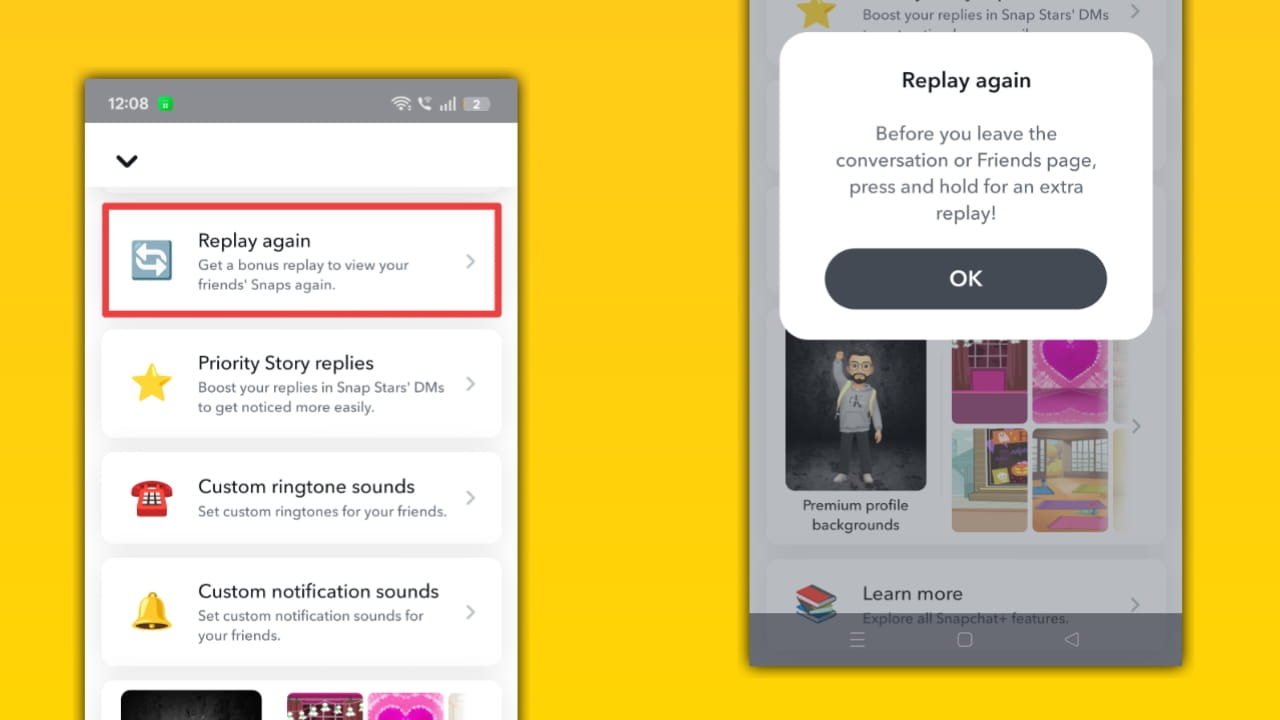
How Replay Again works: When composing a Snap or Story, select the replay option if available. The recipient can replay per the configured rules (e.g., one replay only). Snapchat controls replay rights via retention flags; some replays are single-use and may not be allowed in group chats.
Priority Story Replies
Description: Your Story replies get bumped up in creators’ inboxes, great for fans and creators who want replies to be seen faster.
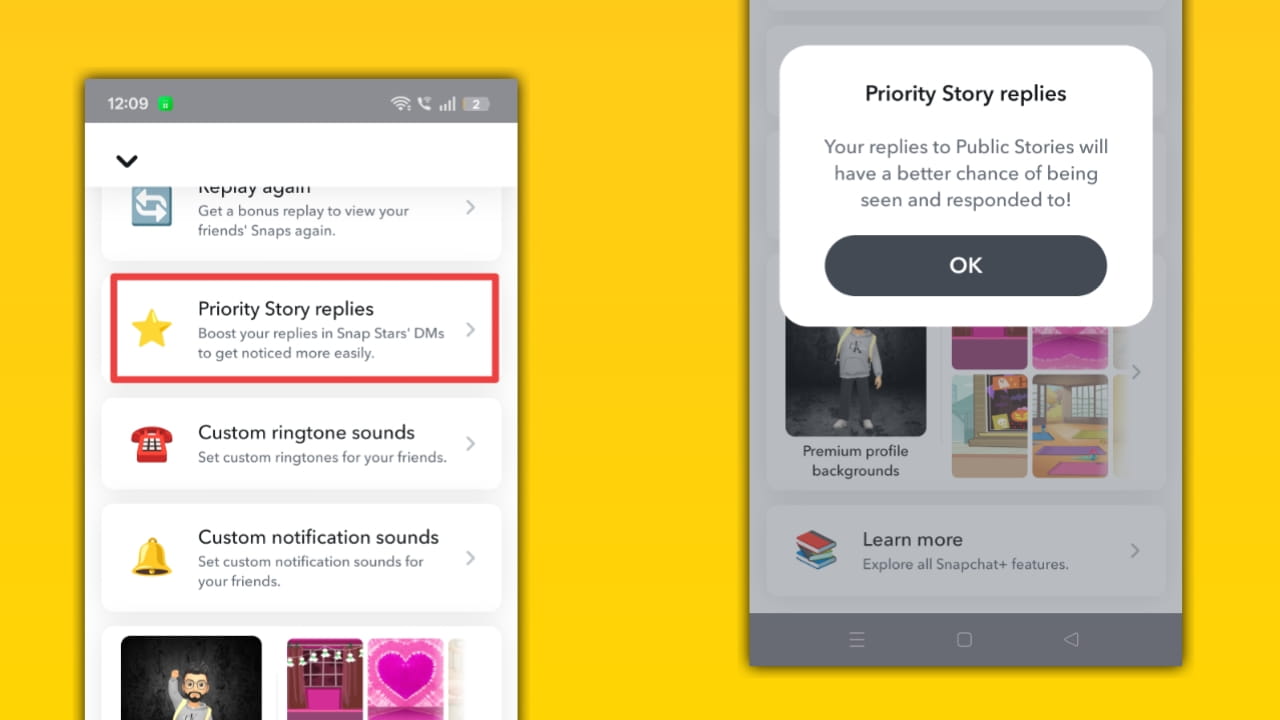
How Priority Story Replies work: When you reply to someone’s Story, Snapchat can tag replies from Snapchat+ users as priority, surfacing them at the top of the recipient’s reply list. Prioritization is a UI ranking signal used to help creators notice premium replies sooner.
Custom Ringtone Sounds
Description: Set custom ringtones for Snapchat notifications or calls inside the app, useful for differentiating accounts or capturing readers’ attention in tutorials.
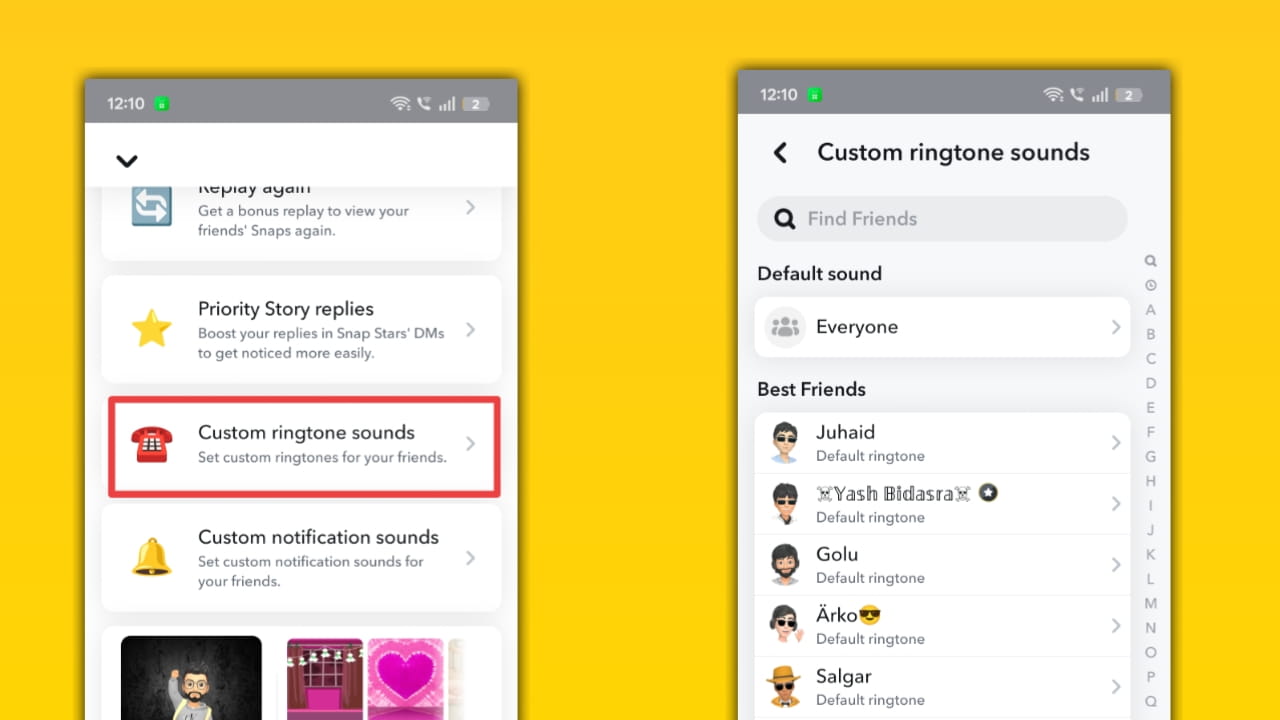
How Custom Ringtone Sounds work: In Snapchat+ settings, choose a custom ringtone from the provided list or upload (if allowed). Snapchat then uses that sound for in-app call notifications; system-level permission may be required for full behavior.
Custom Notification sound
Description: Pick a unique notification tone for chat and snap alerts to match your brand or reduce confusion with other apps.
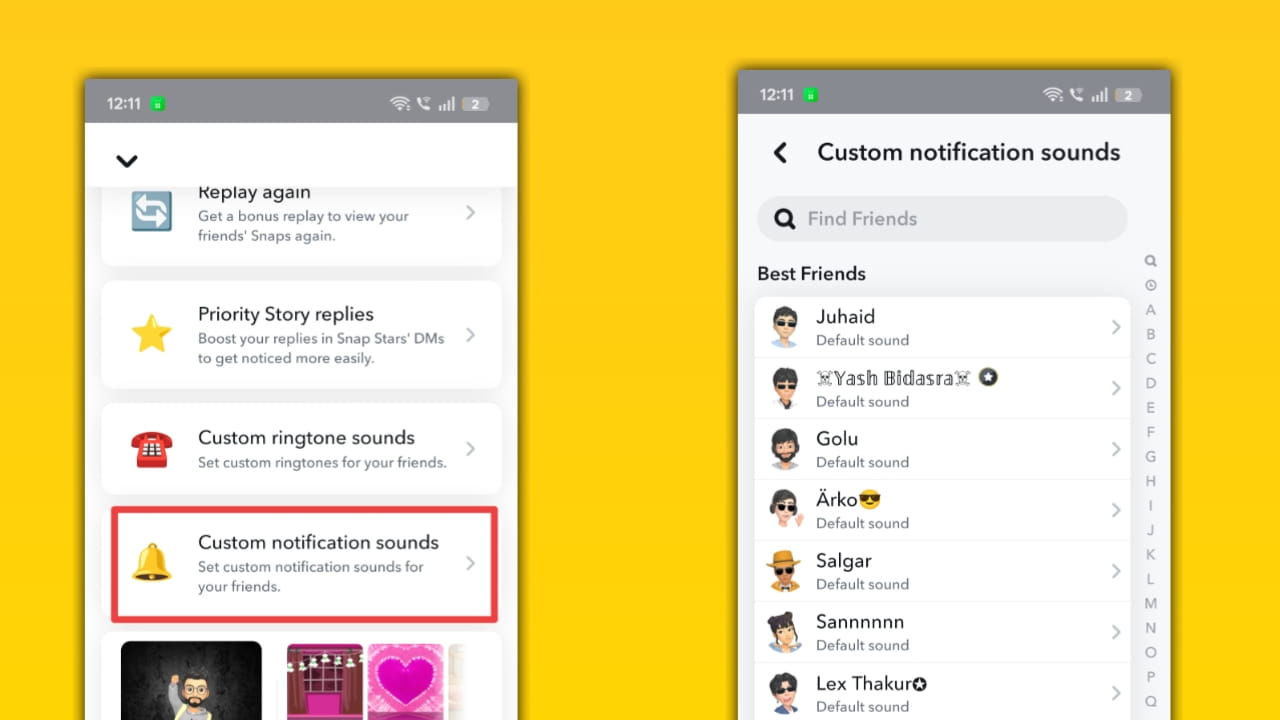
How Custom Notification sound works: From Profile → Snapchat+ card → Custom Notification Sound, select a tone. The app uses that tone for Snapchat notifications; behavior may vary slightly between Android and iOS due to OS notification handling.
Premium Profile Background
Description: A customizable, premium background that appears behind your Bitmoji/profile, stylish for creator pages or branded blog screenshots.
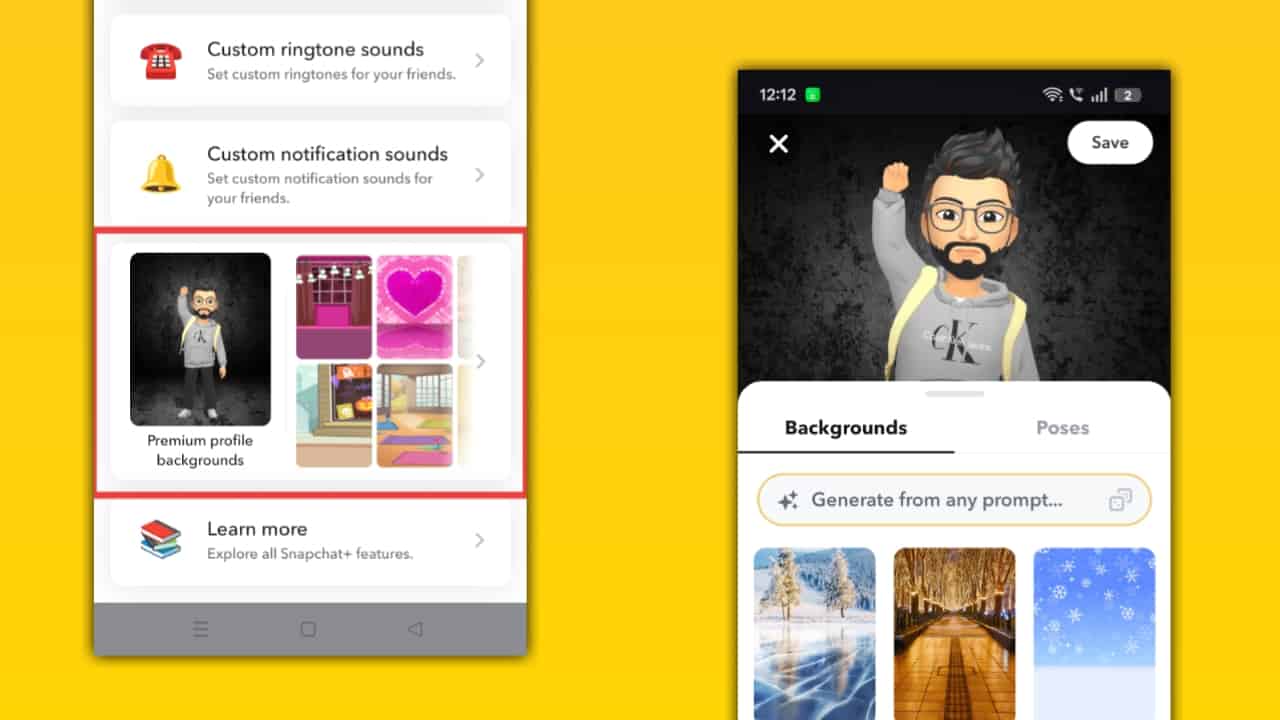
How Premium Profile Background works: Choose a premium background from the Snapchat+ options in Profile → Bitmoji header. Snapchat stores the selection server-side and renders it in your profile header and certain profile exposures. Premium backgrounds often include exclusive art or animated options.
Snapchat plus all feature benefits
So if you are confused, what are the benefits of Snapchat plus all features, then let’s know what major benefits you will get from Snapchat Plus.
- Faster Chat Access: Pin important friends at the top, so you can open chats instantly without searching or scrolling.
- Full App Personalization: Customize themes, chat colors, wallpapers, and even the app icon to match your style.
- AI-Powered Creativity: See rewatch counts, timestamps, and viewer behavior to understand your audience better.
- Advanced Story Insights: See rewatch counts, timestamps, and viewer behavior to understand your audience better.
- Better Privacy Control: Control how your snaps are viewed with features like Snap Modes and custom expiry times.
- Real-Time Activity Awareness: Know when someone is peeking into your chats or interacting with your content.
- Stronger Social Engagement: Priority replies and exclusive interaction features help you stand out in conversations.
- Fun & Interactive Experience: Features like Solar System and Bitmoji pets make Snapchat more entertaining and engaging.
- Faster Snapscore Growth: The Snapscore multiplier helps increase your score quickly, showing higher activity.
- Unique Profile Identity: Premium backgrounds, badges, and Bitmoji upgrades make your profile look more attractive and premium.
Snapchat & Snapchat Plus comparison?
Many Snapchat users are confused about what the exact real benefit they will get if they purchase a Snapchat Plus subscription, so for this, let’s first know some major differences between Snapchat & Snapchat Plus through a table.
| Feature | Snapchat (Free) | Snapchat Plus |
| Basic Messaging | Yes | Yes |
| Customisation | Limited | Advanced |
| Ai Tools | Limited | Available |
| Insights (views, re-watch) | No | Yes |
| Priority Replies | No | Yes |
| Exclusive Features | No | Yes |
Snapchat Plus pricing & plans (2026)
Snapchat+ pricing depends on the country, so for example:
- USA: $3.99/month
- India: ₹49/month or ₹499/year
From my personal experience, I think annual plans give better value (lower monthly cost).
Important Info: Some regions also have different Snapchat products like.
- Snapchat+ Platinum (fewer ads)
- Lens+ (extra AR features)
- Snapchat Storage Plans
In most regions, these products are not included in the Snapchat+ subscription plan, and if you want these Snapchat products, then you need to purchase them separately.
How to Purchase Snapchat plus?
So if you want to purchase or activate a Snapchat Plus subscription for your account, then you have to follow these steps.
- Open Snapchat
- Tap your Profile (Bitmoji icon)
- Click on the Snapchat+ banner
- Choose a plan
- Pay via Google Play / Apple ID
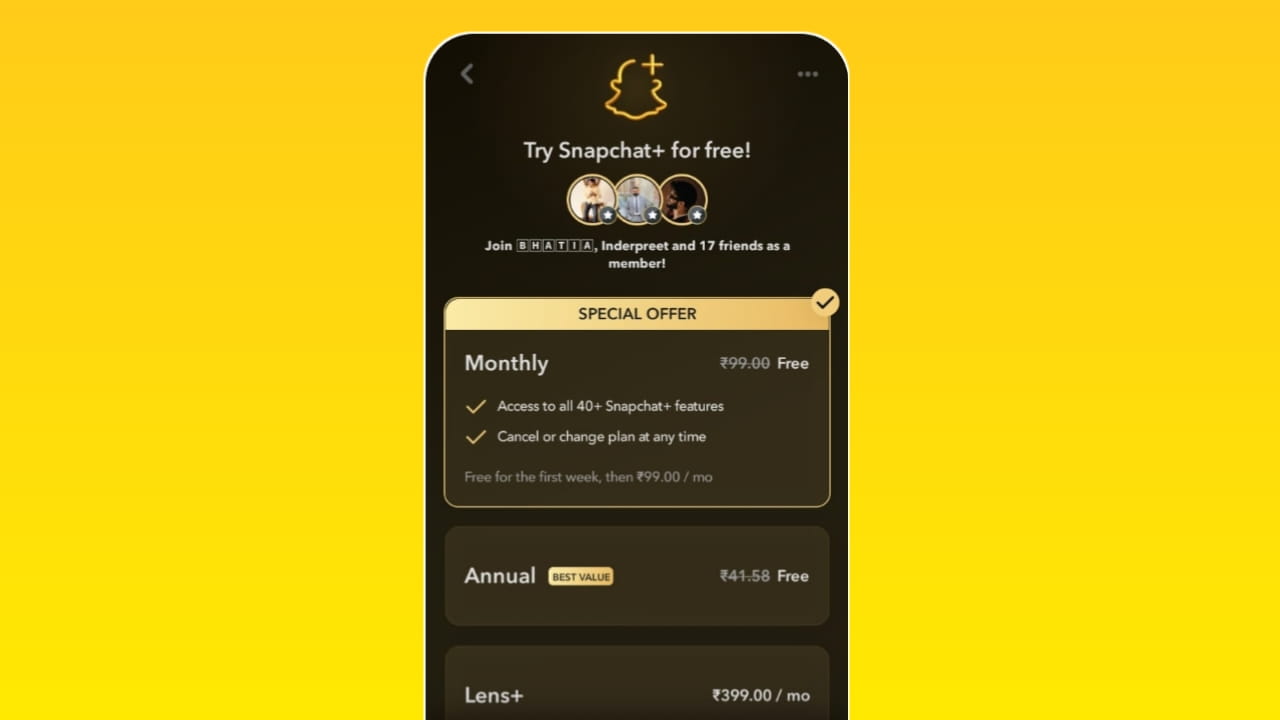
Subscription activates instantly after payment. Sometimes, if you have activated Autopay, then in the next billing cycle, it can automatically deduct the subscription amount again, so make sure to check this.
How to get snapchat plus free trial?
Getting a Snapchat+ free trial is simple, but only through official methods. For the Snapchat+ free trial, follow these steps:
- Open Snapchat
- Tap your profile (top-left)
- You’ll see the Snapchat+ banner
- Tap “Try for Free”
- Choose plan → confirm with Play Store / App Store
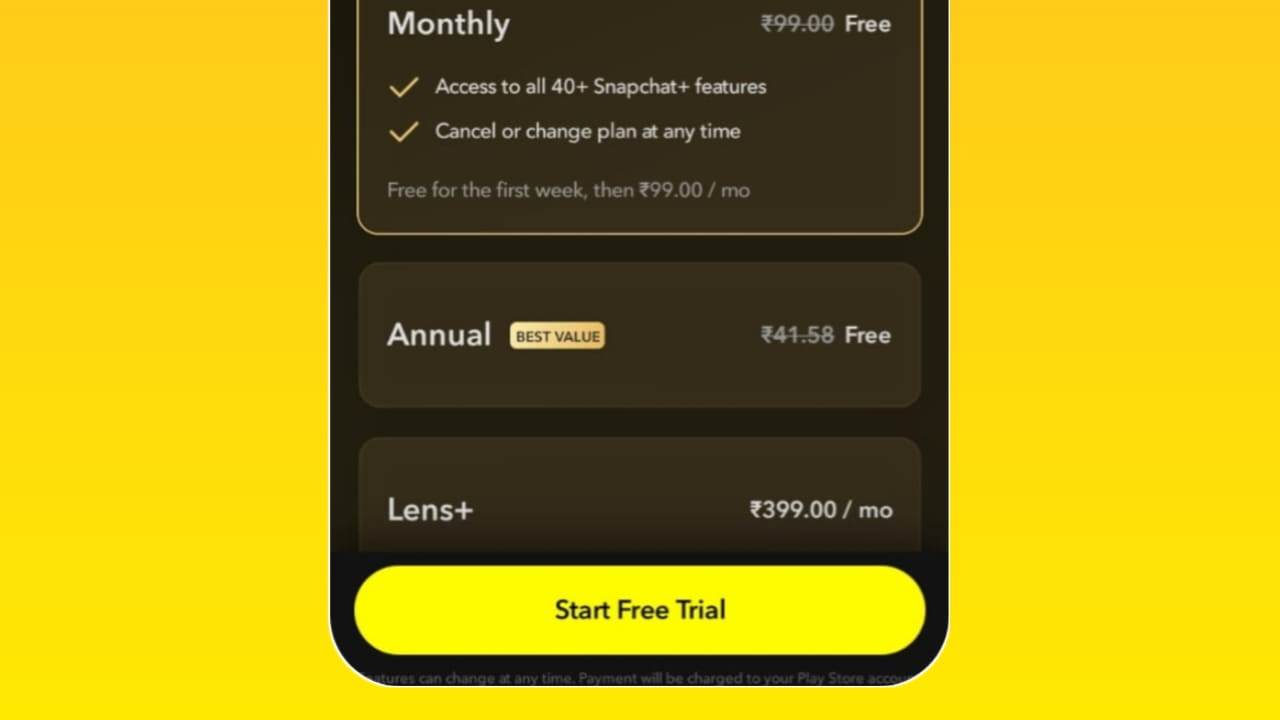
Your 7-day free trial starts instantly.
Important:
- You must add a payment method (card/UPI, etc.)
- Cancel before 7 days, or you’ll be charged automatically
How to cancel Snapchat plus subscription?
If you want to cancel your Snapchat Plus subscription, then you have to follow these steps, where for Android or iPhone, you have to follow some different steps.
Android:
- Open Google Play
- Go to Subscriptions
- Select Snapchat+
- Tap Cancel Subscription
If you have set up Autopay through your phone banking application, you can also directly cancel your Autopay through that banking application.
iPhone:
- Go to Settings
- Apple ID → Subscriptions
- Select Snapchat+ → Cancel
You’ll still get access until the billing cycle ends.
In which country snapchat plus subscription is available
Currently Snapchat Plus subscription is available in nearly 25+ countries, and at the time of launch Snapchat Plus subscription was released for 9 countries, including the USA, UK, and India.
- 🇺🇸 United States
- 🇨🇦 Canada
- 🇬🇧 United Kingdom
- 🇫🇷 France
- 🇩🇪 Germany
- 🇦🇺 Australia
- 🇳🇿 New Zealand
- 🇮🇳 India
- 🇦🇪 UAE
- 🇸🇦 Saudi Arabia
- 🇰🇼 Kuwait
- 🇶🇦 Qatar
- 🇴🇲 Oman
- 🇧🇭 Bahrain
- 🇪🇬 Egypt
- 🇮🇱 Israel
- 🇸🇪 Sweden
- 🇩🇰 Denmark
- 🇳🇴 Norway
- 🇳🇱 Netherlands
- 🇨🇭 Switzerland
- 🇮🇪 Ireland
- 🇧🇪 Belgium
- 🇫🇮 Finland
- 🇦🇹 Austria
Important note: Snapchat is expanding its Snapchat Plus subscription to more countries. And according to SnapNewsroom, Snapchat has a total of 332 million paid users.
Snapchat Plus subscription review?
I have been using Snapchat Plus for almost 3.5 years now, since 2022. Personally, I feel that Snapchat Plus is quite interesting for users who use the app on a daily basis and who have an active circle of friends on the platform. However, if you do not use Snapchat regularly, you can still opt for a Snapchat Plus subscription for a few months simply for the sake of fun and exploration.
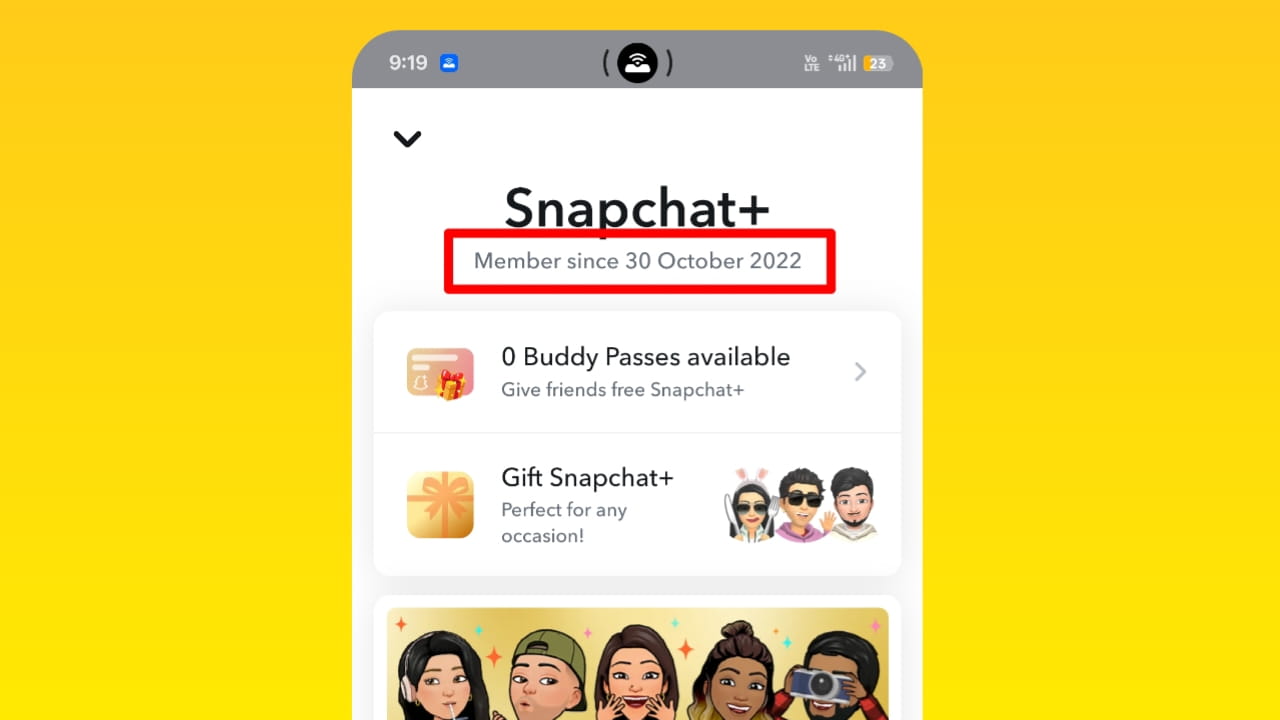
I will say, one aspect of the Snapchat Plus subscription that I found particularly impressive is its cost; the subscription fee is significantly lower compared to the subscription plans offered by other social media platforms.
Faqs
1. What does Snapchat Plus Plus do?
Snapchat+ provides exclusive features like customization, AI tools, and advanced insights for a better user experience.
2. What does a black Star Badge ✪ mean on Snapchat?
The black star badge (✪) indicates a Snapchat+ subscriber badge visible on their profile.
3. How much is Snapchat Plus for a year?
Snapchat Plus price varies a lot, and it really depends on the country, but it is around ₹499/year in India and $39.99/year globally.
4. How to know who has a Snapchat Premium?
Look for the Snapchat+ Black Star badge (✪) on their profile; even if it’s not showing, it may be he/she turned off their Snapchat Plus badge feature.
5. If someone has a pet on Snapchat, do they have Snapchat Plus
Pet feature (Bitmoji pet/car) is usually a Snapchat+ feature. So if you see a pet with your friend’s Bitmoji, then it may be that they have a Snapchat Plus subscription.
6. What does Solar System mean for Snapchat Plus users?
It shows your friend ranking as planets based on interaction level; the closer it means a stronger the friendship.
7. In which country is Snapchat Plus the cheapest
In India, a Snapchat Plus subscription is the cheapest. Here you will get a Snapchat Plus subscription for 49rs (0.48$) for a month and 500rs approximately (5.5$) yearly.
8. How to get Snapchat Plus for free without paying?
If you want to use Snapchat Plus for free, then you can use a Snapchat Plus free trial, or you can also use the Snapchat Plus buddy feature. If your friend has Snapchat Plus, then you can ask them to send you a free trial of Snapchat Plus for 7 days.
7 thoughts on “Snapchat Plus Review 2026 (All Snapchat plus features Explained) Is Snapchat plus worth it?”